
Benchmarks & Profiling
Runlet measures code without a temporary script: \Runlet\bench() times a function call by call and shows the distribution, and Profile Run samples a whole snippet and draws a flame graph of where its time went. Both work on your real application, on any target.
Benchmarks
\Runlet\bench() works in any snippet, on every target, with no extension:
use Illuminate\Support\Str;

Runlet\bench(fn () => Str::slug('Ada Lovelace'), 5000, 'Str::slug()');
To compare implementations side by side, pass up to 20 callables keyed by a label:
Runlet\bench([
    'array_map' => fn () => array_map(fn ($x) => $x * 2, range(1, 1000)),
    'foreach' => function () {
        $doubled = [];
        foreach (range(1, 1000) as $x) {
            $doubled[] = $x * 2;
        }
        return $doubled;
    },
], 2000);
The signature:
Runlet\bench($callables, int $iterations = 1000, ?string $label = null, ?float $seconds = null): array| Argument | Meaning |
|---|---|
$callables | A callable, or an array of up to 20 callables keyed by label. |
$iterations | How many times to call each one (at most 100,000). |
$label | The card's title. |
$seconds | The time budget per callable: 1 second by default, at most 60. A callable stops early when it has used it, and the card says how many calls ran. |
It takes the same first two arguments as Laravel's Benchmark::measure(), so you can swap one for the other.
The Benchmark Card
The card appears where bench() was called, and in the run's Benchmarks section. It shows:
- the mean, median, p95, min, and max, operations per second, the iterations, and the standard deviation;
- the first call, which is timed separately because it's usually slower (it's cold);
- memory: the peak above what was in use before, and the memory kept per call;
- a histogram of call times, with median and p95 markers, and the mean per chunk of calls in run order, where warm-up, drift, or pauses show;
- for a comparison, each callable's mean as a bar and how many times slower it is than the fastest.
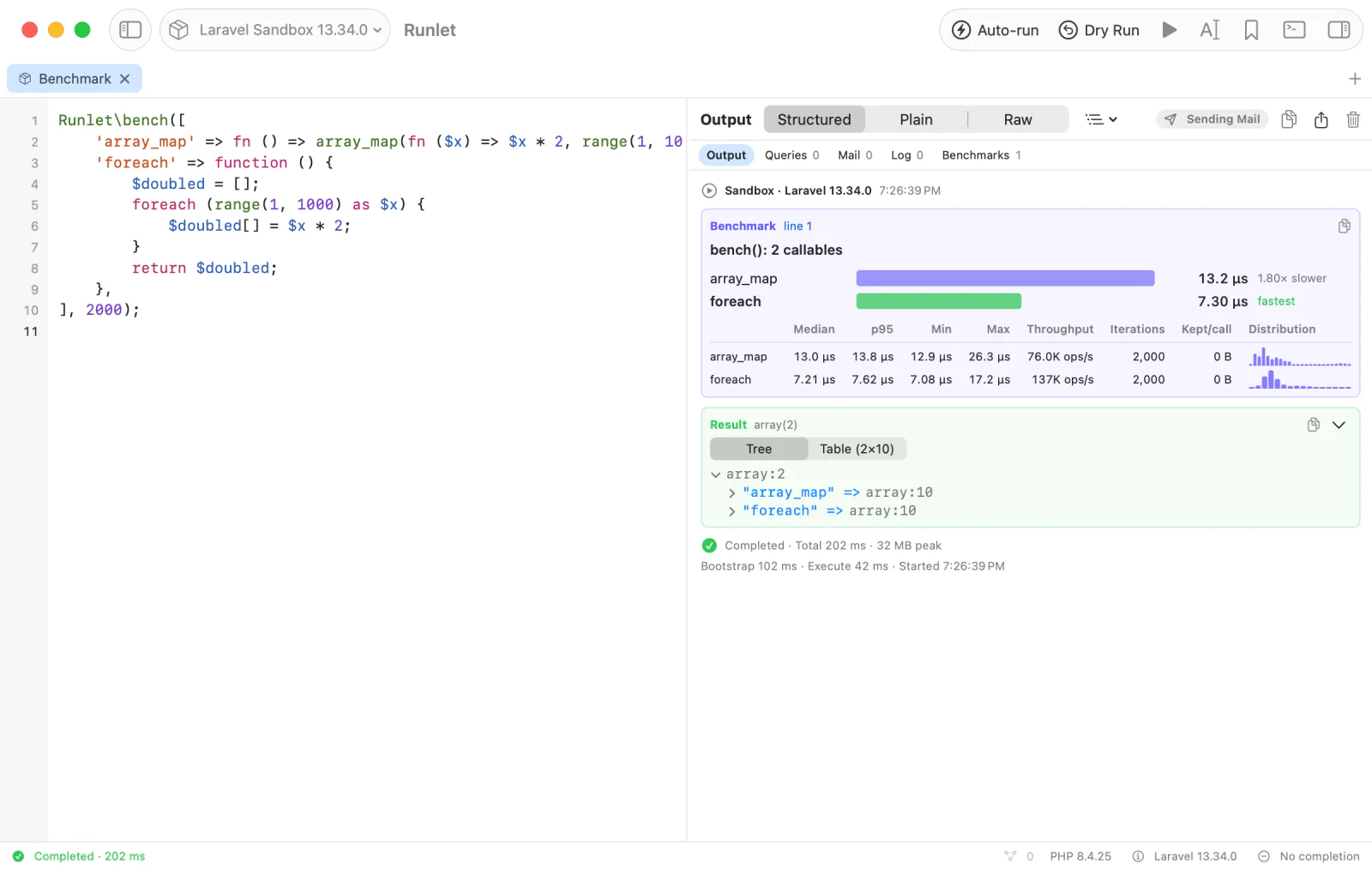
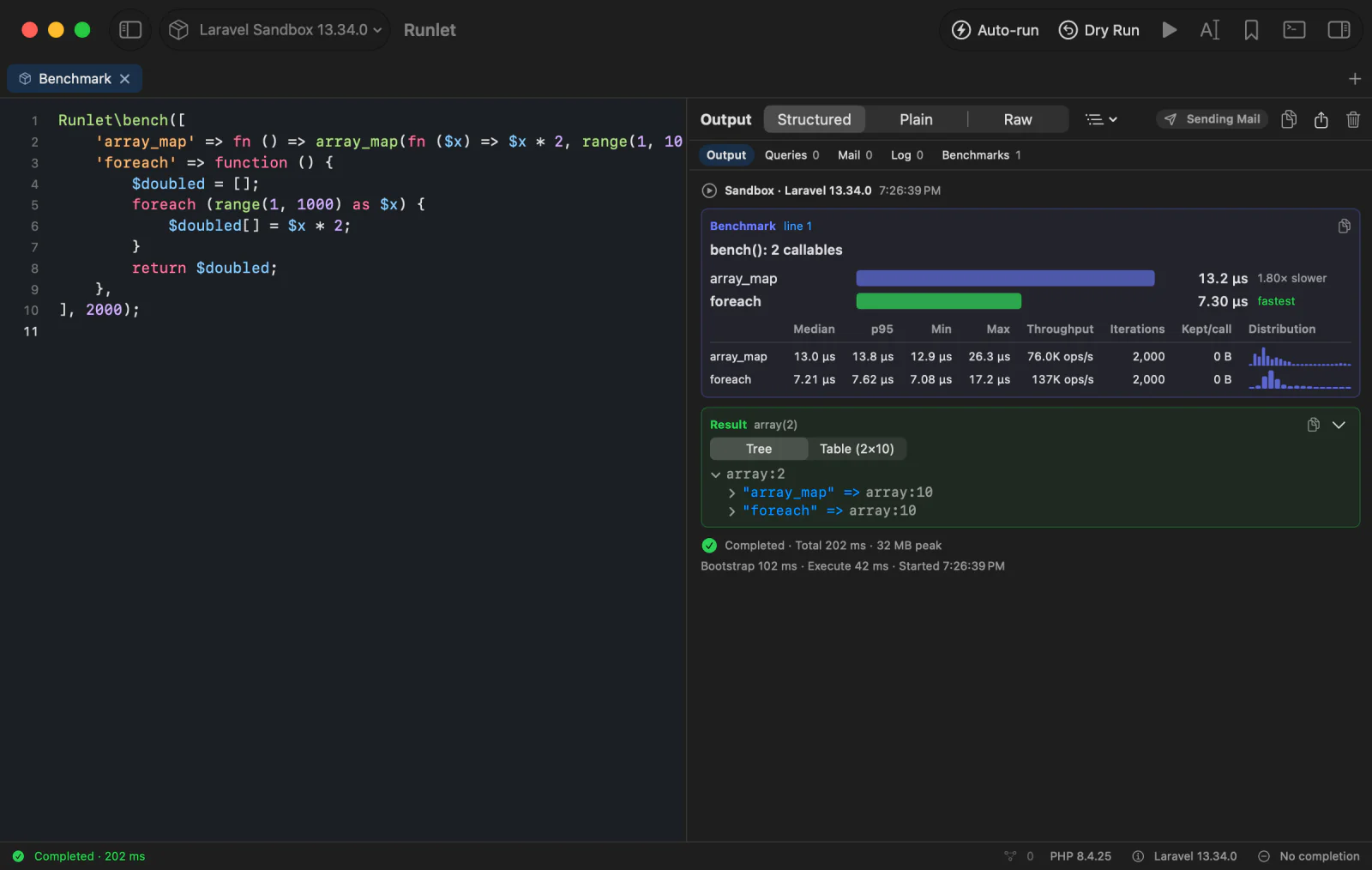
bench() also returns the numbers, in milliseconds like Laravel's Benchmark: mean_ms, median_ms, min_ms, max_ms, p95_ms, ops_per_sec, iterations, memory_peak_bytes, and memory_per_call_bytes, keyed by label for a comparison.
TIP
Code that also runs outside Runlet can check first: function_exists('Runlet\bench').
How It Measures
Each callable is called once cold, warmed up with a few more calls (1% of the iterations, at most 10), then timed call by call with PHP's high-resolution clock. Garbage is collected once before the timed calls, not between them.
- Very short calls are dominated by the timer's resolution (about 42 ns on Apple silicon). The card says so when that happens.
- The memory peak needs PHP 8.2 or later to be exact. On older PHP, it shows only when it rose above the process's earlier peak.
Laravel's Benchmark
Benchmark::dd() gets a card too, with the mean of each callable, as Laravel measures it. Laravel's own output still shows.
use App\Models\User;
use Illuminate\Support\Benchmark;

Benchmark::dd(fn () => User::count(), iterations: 10);
Laravel measures only the mean, so that card has no distribution. Benchmark::measure() and Benchmark::value() only return numbers, so Runlet can't show them: replace Benchmark::measure( with Runlet\bench( to get the card.
Profile Run
Run ▸ Profile Run (⌥⌘R) runs the tab like Run and samples the snippet every millisecond. Then the Profile section draws a flame graph of where the time went. There's nothing to set up in your application and no profiling script to write.
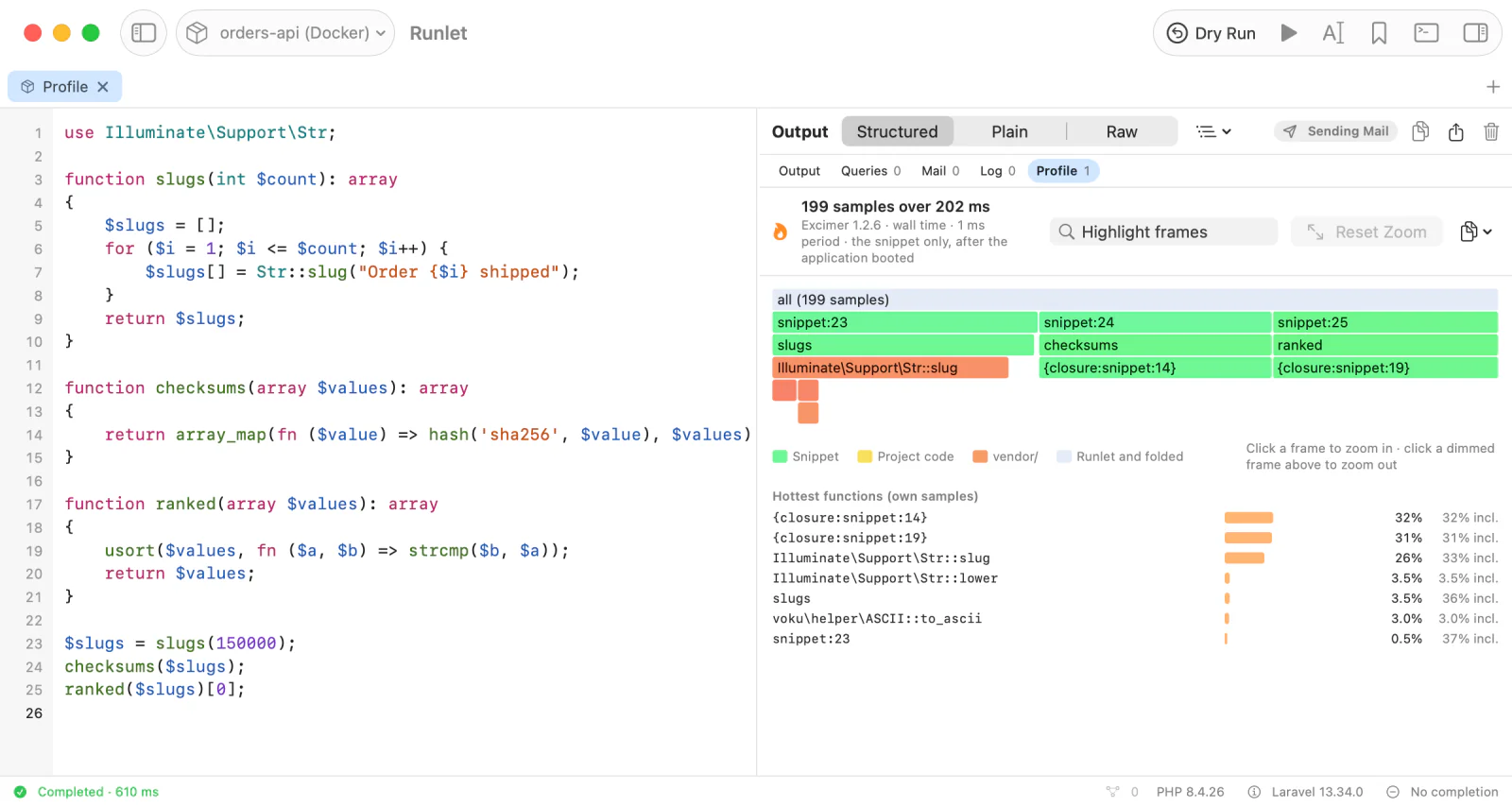
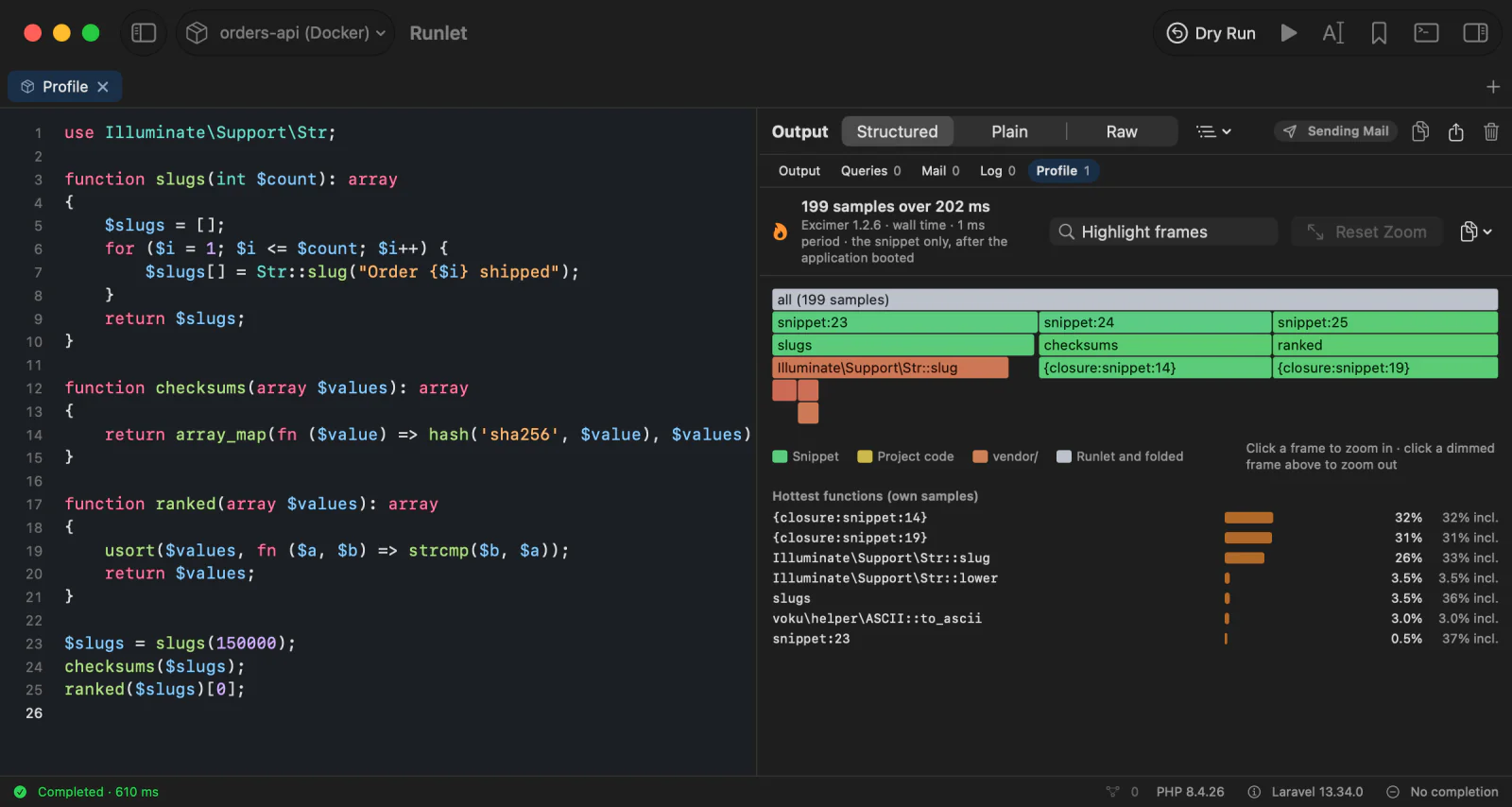
- Only your snippet is profiled. The application's bootstrap isn't in the profile, and neither is Runlet's runner.
- Magic comments are left out: a Profile Run never adds them to the code, so the graph shows the code as written.
- Production targets ask first, like any run.
Reading the Flame Graph
The graph starts at the top with your snippet, and each frame's callees are below it. A frame's width is its share of the samples: wide frames are where the time went.
| To | Do |
|---|---|
| See a frame's details | Hover it: the function, its file and line, its samples, and its share of the run. |
| Zoom in | Click a frame. Click a dimmed frame above it to zoom out, or Reset Zoom to see everything. |
| Find a function | Type in Highlight frames. Matching frames stay bright. |
| Go to the code | Right-click a frame: Go to Line for the snippet, or open a project file in your editor. |
| Use another tool | Copy Collapsed Stacks (for FlameGraph, speedscope, or inferno), or Copy Hottest Functions. |
Colours tell frames apart: your snippet, your project's code, vendor/, and folded frames each have their own. Below the graph, Hottest functions lists the functions with the most samples of their own.
A snippet that finishes within one sampling period has no samples. Repeat the work in a loop to profile it.
Installing Excimer
Profile Run uses the Excimer extension in the target's PHP. Runlet's own PHP includes it. Elsewhere, install it:
pecl install excimerOr with PIE:
pie install wikimedia/excimerOn Debian and Ubuntu servers, the php-excimer package from deb.sury.org; on RHEL-family servers, the one from remirepo.
When the target's PHP doesn't load Excimer, Profile Run is disabled and says why, in the Run menu's tooltip and in the command palette. Settings ▸ PHP shows which PHP installations have it. For a container or a server Runlet hasn't checked yet, Profile Run checks first and stops before anything runs when Excimer is missing.
NOTE
SPX is detected but not used: it profiles only processes started with SPX_ENABLED=1 and writes its reports to files, so Runlet can't read them while the snippet runs.