
Run Inspector
Running PHP is half of it. Every run shows what happened, in the output pane next to your code: what the snippet printed and returned, its errors, the SQL it sent, the mail it sent, the logs it wrote, the HTTP requests it made, the jobs it queued or ran, and anything your project's driver records. Think of it as Telescope for one run, without installing Telescope.
For example, in a Laravel project:
use App\Models\Order;

Order::query()
    ->where('status', 'pending')
    ->latest()
    ->take(10)
    ->get(); //?
The //? line shows the collection. Queries shows the select with its bindings and time, and its Explain button opens the plan request in a new tab.
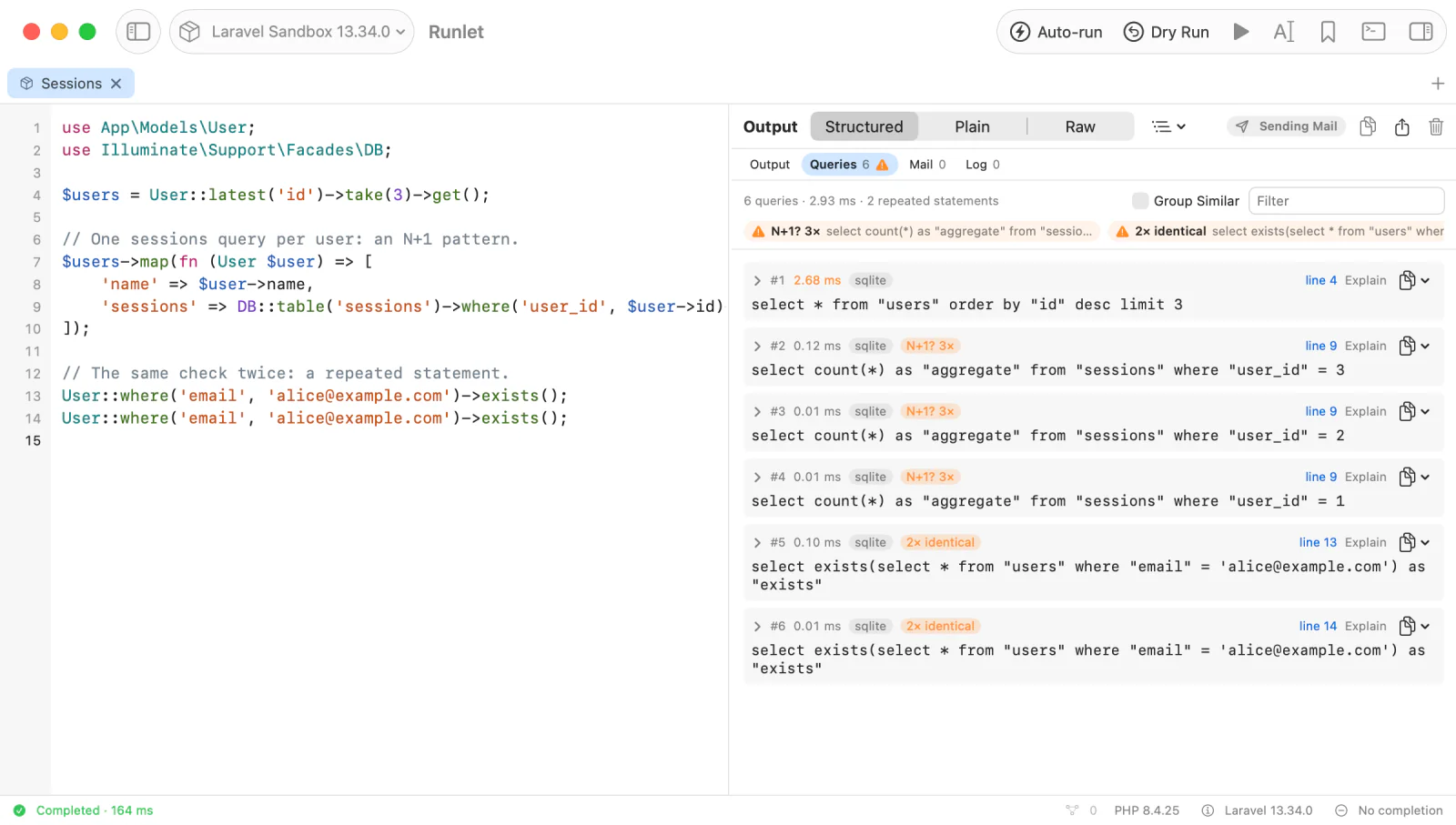
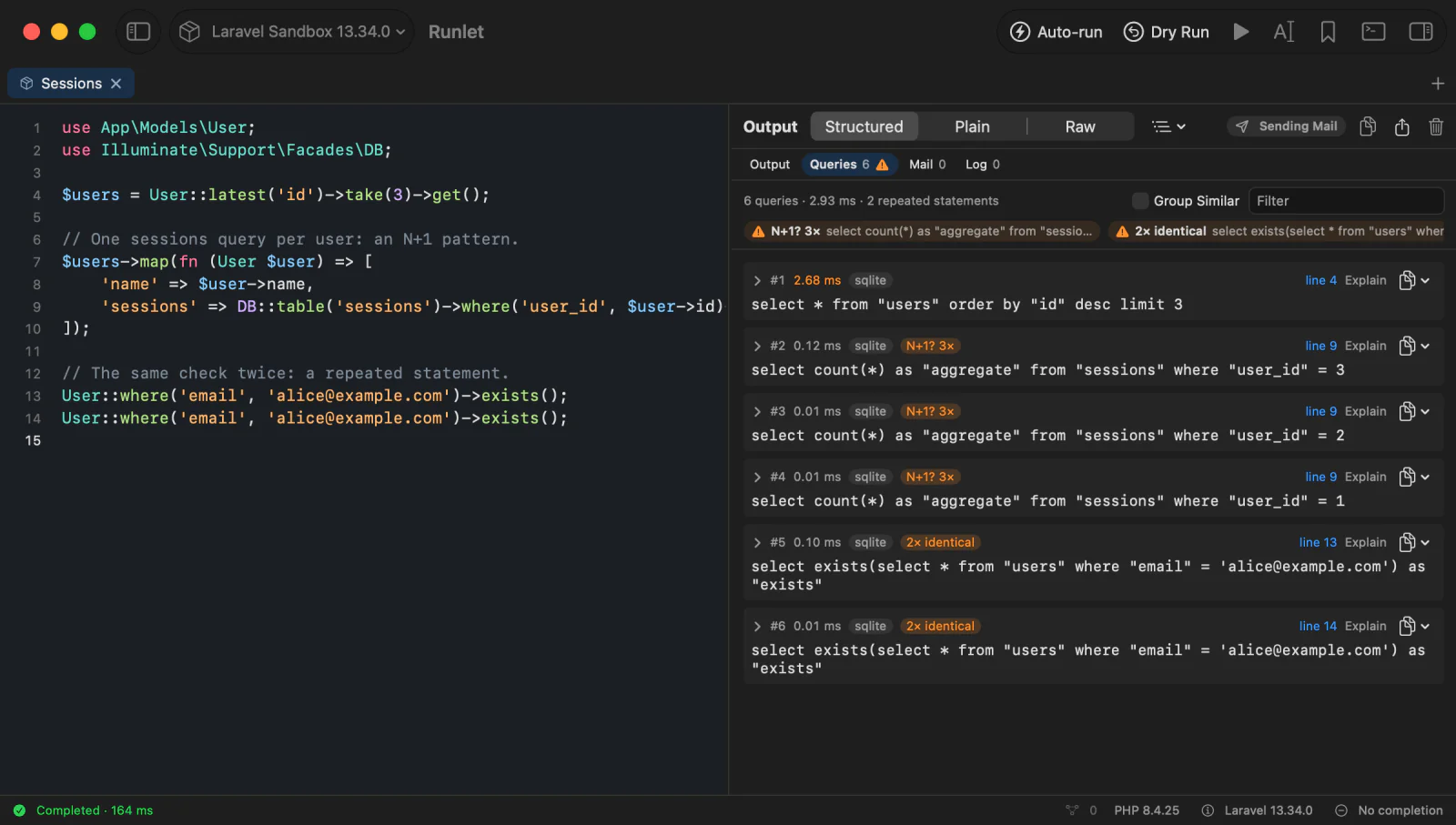
The Output Pane
Above the output, a bar lists Output and the run's sections, with their counts: Queries, Mail, and Log for what the project's framework records, then HTTP, Jobs, Events, HTML, Benchmarks, Profile, and the sections a driver adds, once the run records something in them. Click one to show it in place of the output.
- An orange triangle on Queries means the run repeated a statement: a possible N+1 or duplicate query.
- An envelope on Mail means messages were intercepted, not sent.
- An orange triangle on HTTP or Jobs means a request or a job failed.
- Run ▸ Show Queries, Show Mail, Show HTTP Requests, Show Jobs, and Show Events (also in the command palette) open those sections. Settings ▸ Shortcuts can give them shortcuts.
The output itself has three views. Switch them in the pane's header, or in the Run menu:
| View | Shortcut | Shows |
|---|---|---|
| Structured | ⌃⌘1 | Cards: printed output, dumps, the result as a tree or a table, and error cards. |
| Plain | ⌃⌘2 | A transcript, as a command line would show it. |
| Raw | ⌃⌘3 | Exactly what PHP wrote to its output and error streams. |
Output appears while the code runs. To see a run's output all at once when it ends, choose At once in Settings ▸ General ▸ Output.
What a Run Shows
| In your snippet | In the output |
|---|---|
The last expression, or return | A Result card: an expandable tree, a sortable table for rows and collections, and viewers for strings that hold JSON, long text, images, or HTML. |
echo, print, printf | Printed output, as written. Output to the error stream is orange. |
dump(), dd() | A card per value, with the line that called it. dd() ends the run. |
| An Eloquent model, collection, or paginator | What the models hold: class and key, attributes, and loaded relations, with changed, new, and hidden ones marked. Values | Object switches to the whole object (Eloquent models). |
| An uncaught exception | An error card: the class, the message, Go to line N, the source around the line, its cause, and the stack trace. The editor marks the line. |
\Runlet\notice(), warning(), error() | Your own cards, with the calling line. The run goes on and doesn't fail. |
| A mailable, view, or HTML response you return or dump | A rendered preview next to the value tree. |
The Snippet API has the details of each one: how results are read, the bounds on values, and the source excerpts in error cards.
Your project's driver can decide how its own types show, such as a Money object as 46.99 EUR, with casters. A value a caster shows has a small wand mark after its class: click it to see the object as Runlet sees it.
File paths in errors and stack traces are links. A project file opens at its line in your editor (choose it in Settings ▸ Editor); vendor code opens in a read-only peek next to the output.
Your Own Notices, Warnings, and Errors
Put a card in the output without stopping the run:
\Runlet\notice('Imported 120 rows', ['skipped' => 3]);
\Runlet\warning('Cache is cold', ['store' => 'redis']);
\Runlet\error('3 orders have no customer');
Each card links to the line that called it, and shows its context as a value you can expand. An error card is marked not fatal: the run doesn't count as failed. The run's footer counts the warnings and errors. See Notices, warnings, and errors.
Copying and Exporting
| To | Use |
|---|---|
| Copy the whole output | Copy Output (⌥⌘C), as the current view shows it |
| Copy it as Markdown, or save it to a file | The pane's share menu: Copy Output as Markdown, Save Output As… |
| Copy one value | Its card's copy button: Copy as JSON, Copy as PHP, or Copy as Markdown |
| Export a table | Copy CSV or Export CSV… above the table, or Open in Window for filters and sorting |
| Start over | Clear Output (⌘K) clears the output and the sections |
Queries
Queries lists every SQL statement the run sent, in order. Each row shows:
- the statement with its bindings filled in;
- its time (the slowest statement of the run is orange);
- the connection, and the database driver when it differs;
- line N, the snippet line that ran it, which moves the caret there.
The summary at the top reads like "14 queries · 12.30 ms · 2 repeated statements". Click a row's chevron for the whole statement, the statement as sent with its placeholders, and each binding with its type. Filter keeps the statements whose SQL or connection contains what you type.
N+1 and Duplicate Hints
Runlet compares the statements of a run and flags two patterns:
| Hint | Means | Usually |
|---|---|---|
| 3× identical | The same statement, with the same bindings, ran 3 times. | Cache the result, or run it once. |
| N+1? 6× | A similar SELECT ran 6 times with different bindings: three times or more. | One query per row of an earlier result. Eager load the relation (with() in Eloquent) to fetch them in one query. |
The hints appear on the rows and as chips at the top of the section. Click a chip to list only those statements, and Show All to see everything again. Group Similar shows one row per statement shape instead, with how often it ran, its total time, and how many distinct statements it had.
// N+1: one query for the orders, then one per order for its customer.
Order::latest()->take(10)->get()->map(fn ($order) => $order->customer->name);

// One query for the customers instead.
Order::with('customer')->latest()->take(10)->get()->map(fn ($order) => $order->customer->name);
Copying and Explaining a Statement
- The copy button (or the row's context menu) has Copy SQL, Copy SQL with Bindings, and Copy Bindings as JSON.
- Explain opens a new PHP tab with the plan request for that statement. Nothing runs until you press Run. See Explain a Captured Query.
What Runlet records depends on the framework: Laravel, Eloquent, Doctrine connections in Symfony, and WordPress's $wpdb work without any setup. The table is in Installation; a project driver can add plain PDO or Doctrine connections with one line.
NOTE
Queries your application runs while it boots aren't recorded: Runlet starts listening once the application is up, right before your snippet runs.
Mail
Mail lists every message the run sent, as a card:
- the status: SENT, INTERCEPTED (recorded, not sent), QUEUED (pushed to a queue that a worker sends later), or FAILED, with the mailer's error;
- the subject, From, To, Cc, Bcc, and Reply-To;
- the mailable, Sent by (who sent it, when that isn't your snippet), the mailer, and the attachments with their sizes;
- a preview of the message, with HTML, Text, and Source views.
Laravel's mail (and notifications sent by mail), Symfony Mailer, and WordPress's wp_mail() are recorded without any setup. Mail sent some other way, such as a raw SMTP client or a mail service's HTTP SDK, isn't recorded.
Intercepting Mail
Turn on interception, and mail sent during a run is recorded but never delivered: try a password reset or an order confirmation without emailing anyone.
- The default is in Settings ▸ General ▸ Run Inspector ▸ Intercept mail (off). Run ▸ Toggle Mail Interception switches it.
- Per target, a local project, Docker profile, or SSH profile can override the default in its options: Default, Intercept (record, don't send), or Send.
How it works depends on the framework:
| Framework | Intercepted |
|---|---|
| Laravel | Every message, after Laravel builds it completely (views, attachments), including notifications sent by mail. |
| Symfony Mailer | 6.3 and later. Older versions record the mail and send it. |
| WordPress | 5.7 and later, through wp_mail(). Not when a plugin replaces wp_mail() itself, as some SMTP and mail API plugins do. |
| Your own driver | When the driver supports it; see Mail interception. |
WARNING
Interception covers what is sent during the run. Mail pushed to an asynchronous queue is sent later by a queue worker, outside the run, so Runlet lists it as QUEUED and can't stop it. The same goes for mail sent by WP-Cron events and Action Scheduler jobs. When interception is on but a project's driver can't confirm it, the Mail section says that mail was delivered normally, and why.
The Mail Chip
The header of every PHP tab's output says what runs on its target do with mail:
- Intercepting Mail (orange);
- Sending Mail (grey, or red on a production target);
- Mail: inspector off, dimmed, when the run inspector is off: runs send mail and record nothing.
Click the chip to see where the setting comes from and to change it for the target, from the next run. Switching a production target from intercepting to sending asks first. After a run that asked for interception, the chip also says whether the project's driver confirmed it.
Previews
When a snippet returns or dumps something with an HTML rendering, the value card shows a Preview next to the tree:
- Laravel mailables, mail notifications (their
toMail()), views, andHtmlableandRenderableobjects; - Symfony responses with HTML content;
- the messages in Mail, and HTML a driver records.
return new App\Mail\OrderShipped(App\Models\Order::first());Previews are locked down: no JavaScript, no navigation, and nothing loaded from the network. Links you click open in your browser. Emails often contain tracking pixels, so remote images load only when you tick Load Remote Images for that one preview.
Each preview has HTML, Text (for mail with a text body), and Source views, and its menu has Copy HTML, Copy Text, and Open in Window. A preview shows the first 2 MiB of HTML.
Rendering a preview runs your application's view code, so its queries appear in Queries. To skip previews, turn off Settings ▸ General ▸ Run Inspector ▸ Preview returned mail, views, and HTML. A project driver can preview types of its own.
Log
On Laravel, Lumen, and Laravel Zero, Log lists the messages the run logged through the framework's logger, with their level, channel, message, context, and the line that logged them. A driver or a snippet can add messages too.
Show in Logs Window opens the Log Viewer with Last Run on: the lines the run added to the target's log files.
HTTP
HTTP lists the requests a run made through Laravel's HTTP client (the Http facade), WordPress's HTTP API (wp_remote_get() and friends), or Symfony HttpClient, in the order they finished:
use Illuminate\Support\Facades\Http;

Http::fake(['api.example.com/*' => Http::response(['id' => 1042], 201)]);

Http::withToken('example-api-token')
    ->post('https://api.example.com/v1/orders?signature=abc123', ['sku' => 'TSHIRT-M']);
Each row shows the method, the status (green for 2xx, orange for 4xx, red for 5xx and failed connections), the URL, the time from sending to the response, and the snippet line that sent it. Click the chevron for the request and response headers and, when you turn them on, the bodies.
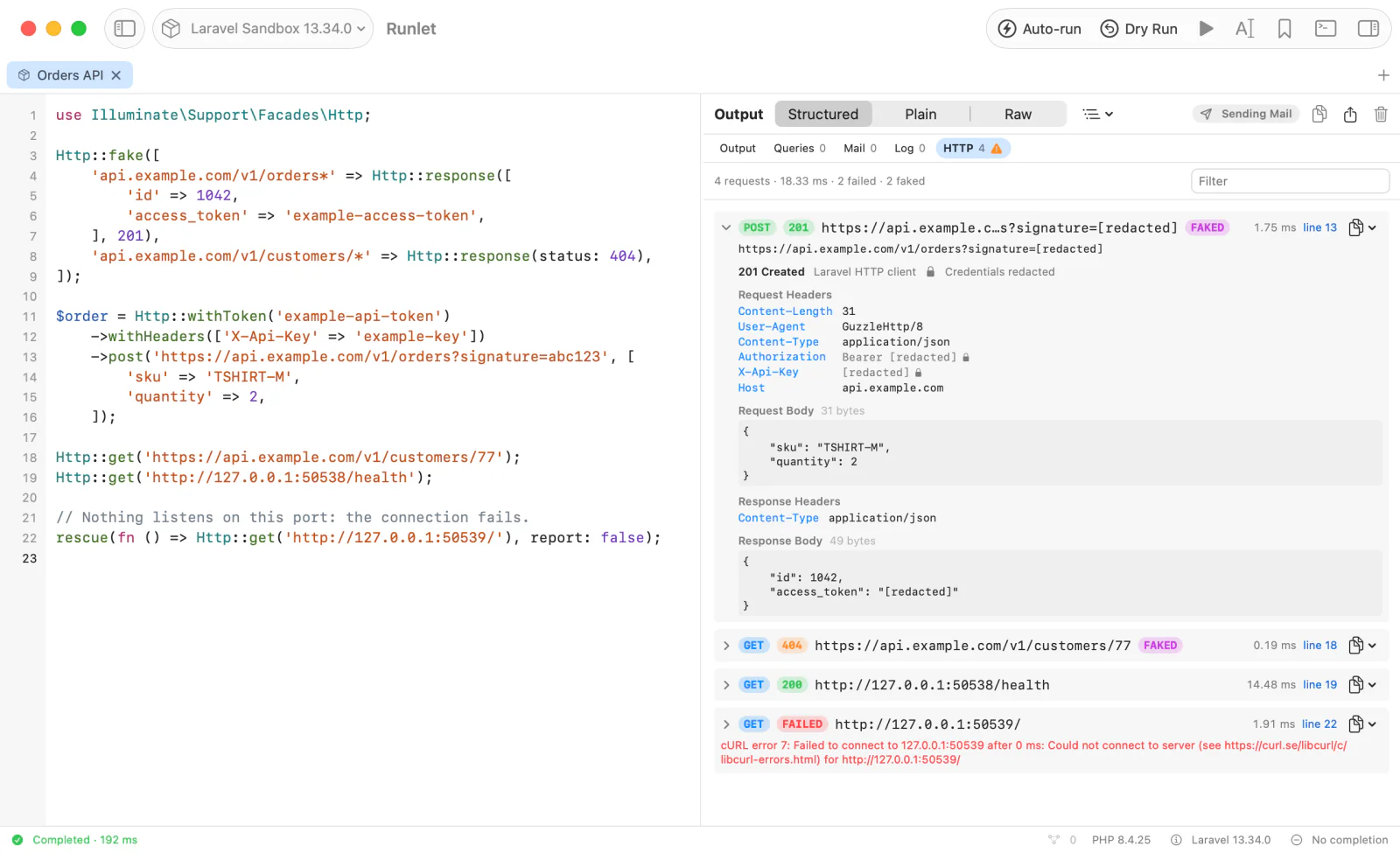
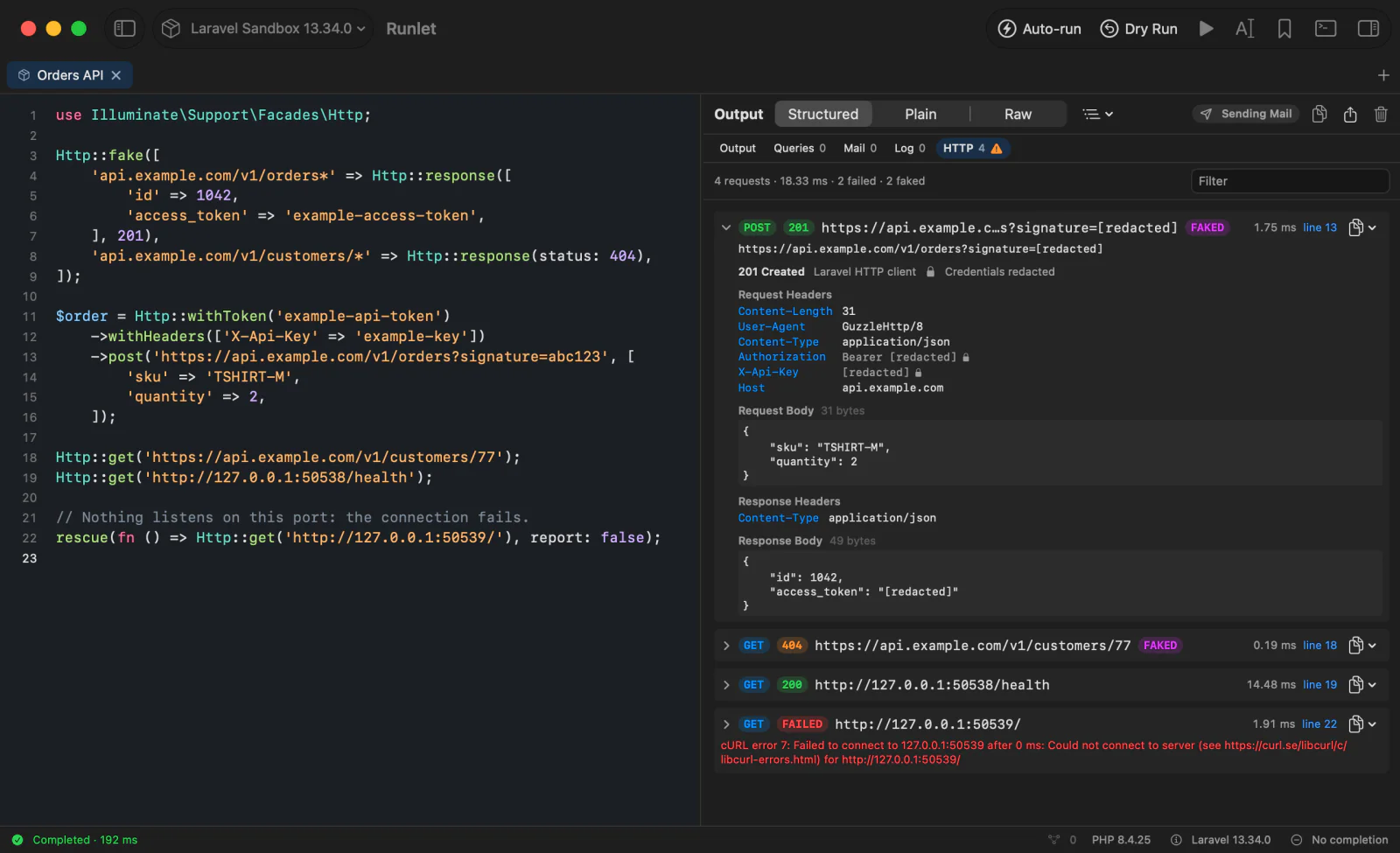
- FAKED marks a response that never came from the network:
Http::fake()answered it, or, in WordPress, apre_http_requestfilter, or Symfony'sMockHttpClient. Requests a fake doesn't match go out as usual, and aren't marked. - FAILED means no response came, such as a refused connection. The row shows the error.
- Filter keeps the requests whose method, URL, or status contains what you type.
Copy a request's URL, its bodies, or a one-line summary from its copy button or context menu. Copy Output as Markdown lists the requests too.
Symfony HttpClient
In a Symfony project, HTTP lists the requests made through the http_client service and your scoped clients, with the headers they really sent, defaults and auth options included. Runlet reads them from the Symfony profiler's traces when the run ends, so the profiler must be on (framework.profiler). symfony/web-profiler-bundle turns it on in dev, so most projects have it there.
// A service of yours that calls an API through HttpClient.
$container->get(App\Catalog\ProductFeed::class)->refresh();- Without the profiler, as in
prod, Symfony's requests aren't listed. HttpClient has no events to listen to, and Runlet doesn't change your services to watch them. - No snippet line. The profiler doesn't record where a request came from, so the rows show none. They're in the order they were sent.
- A refused connection is listed as FAILED, without the error: the profiler's trace doesn't keep it.
- A client you create yourself, with
HttpClient::create(), isn't traced, so it isn't listed.
Credentials Are Redacted
Runlet replaces credentials with [redacted] before anything leaves PHP, so they never reach the app, the screen, or a copied summary:
| Where | Redacted |
|---|---|
| Headers | Authorization and Proxy-Authorization (the scheme stays: Bearer [redacted]), Cookie and Set-Cookie (the cookie names and attributes stay), API-key headers such as X-Api-Key, X-Auth-Token, and X-CSRF-Token, and any header whose name contains token, secret, password, signature, api-key, auth, credential, session, or cookie. URLs in other headers, such as Location, get the URL's redaction. |
| The URL | The password in user:password@ (or a lone token@), and query parameters named like secrets: token, key, api_key, secret, password, signature, sig, code, auth, session, … |
| Bodies | JSON fields and form fields with those names, at any depth |
| Errors | The same secrets in URLs inside the error message |
Request and Response Bodies
Bodies aren't recorded until you turn on Settings ▸ General ▸ Run Inspector ▸ Include request and response bodies: the row shows only their size. With it on, each body shows its first 8 KB, with JSON pretty-printed. Binary bodies and multipart uploads show only their size, and a streamed response is never read.
WARNING
Bodies can hold personal data and secrets that Runlet can't recognise by name: a customer's address, a token in a field called value, a document. Redaction is a safety net, not a guarantee. Turn bodies on while you need them, and leave them off on production targets.
Jobs
Jobs lists the jobs a run pushed to a queue and the jobs it ran. On the sync queue, which the sandbox uses, a dispatched job runs right away, inside the run:
SendWelcomeEmail::dispatch($user->id);            // sync: runs now, PROCESSED or FAILED

SendWelcomeEmail::dispatch(2)
    ->onConnection('database')
    ->onQueue('emails')
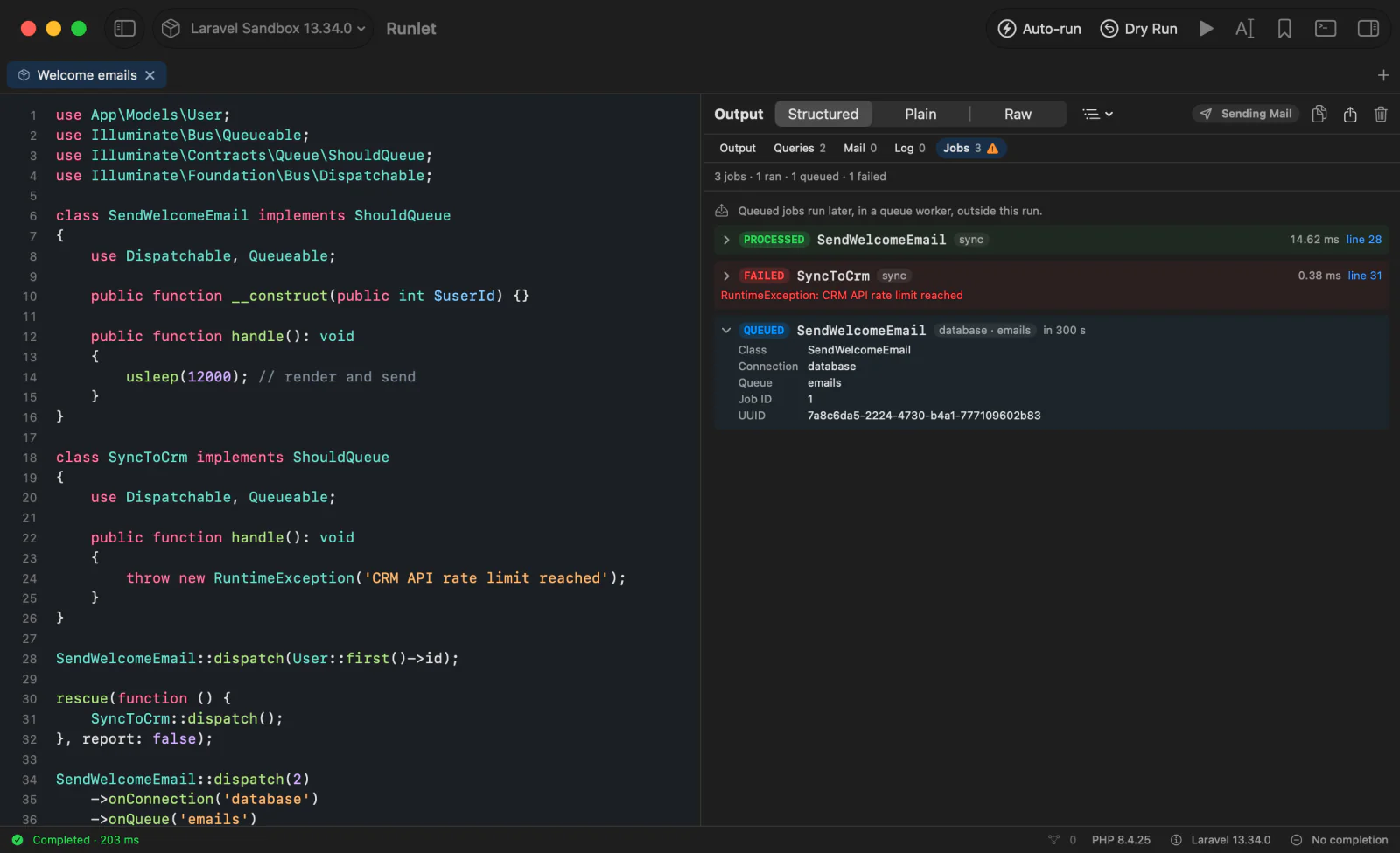
    ->delay(now()->addMinutes(5));               // QUEUED: a worker runs it later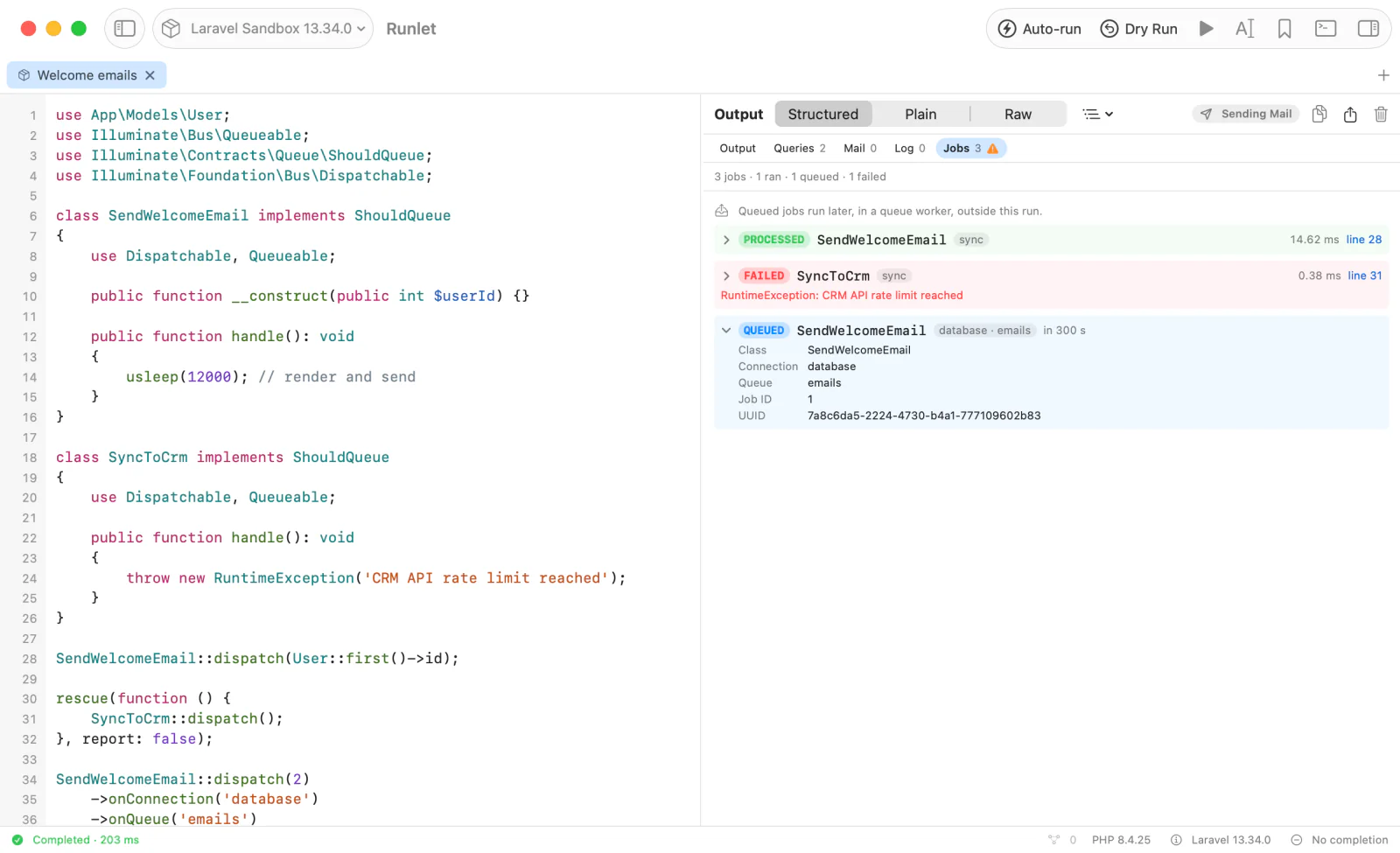
| Status | Means |
|---|---|
| PROCESSED | The job ran during the run and finished. The row shows how long it took. |
| FAILED | The job ran and threw, or the queue failed it. The row shows the exception. |
| QUEUED | The job went to a queue: a worker runs it later, outside the run. The row shows the connection, the queue, the delay, and the job's ID. |
| RELEASED | A worker released the job after an exception, to try it again. |
| DIDN'T FINISH | The run ended while the job was still running, for example with dd() or exit. For a Symfony message on a sync:// transport without the profiler, its handler may have thrown: see Symfony Messenger. |
| NOT QUEUED | The job started to go to a queue, but the queue never confirmed it: pushing it probably failed. |
Queued mail, notifications, event listeners, broadcasts, and closures run inside one of Laravel's wrapper jobs. The row shows what the job runs, such as your mailable, with the wrapper next to it (via SendQueuedMailable). Queued mail is in Mail too, as QUEUED when a worker sends it later, and as sent when the sync queue sends it during the run.
Jobs run with dispatchSync() or dispatch_sync() don't go through a queue, so they aren't listed.
Symfony Messenger
In a Symfony project, Jobs lists the messages a run dispatched through Messenger, in the order they were dispatched, once the run ends:
use App\Message\{ExportReport, SendInvoice};
use Symfony\Component\Messenger\Stamp\DelayStamp;

$bus = $container->get('messenger.default_bus');
$bus->dispatch(new SendInvoice(42));                               // no transport: PROCESSED
$bus->dispatch(new ExportReport('csv'), [new DelayStamp(60000)]); // routed to "async": QUEUED, in 60 s| The message | Listed as |
|---|---|
Sent to a transport, such as Doctrine, Redis, or in-memory:// | QUEUED, with the transport, the delay, and the transport's message ID. |
Sent to a sync:// transport | PROCESSED with its time, or FAILED with the handler's exception. |
Handled by a worker during the run, such as messenger:consume called from the snippet | PROCESSED, FAILED, or RELEASED (to be retried), with its time and attempt. |
| Handled right away by the bus, with no transport | PROCESSED, or FAILED with the handler's exception, when the profiler is on. No time. |
A failed row shows your handler's exception, not Messenger's HandlerFailedException around it.
NOTE
A bus that handles a message right away tells nobody: Runlet reads those messages from the Symfony profiler's traces, so they're listed only with the profiler on (framework.profiler, which symfony/web-profiler-bundle turns on in dev). Older Symfony versions give less: Run Inspector Hooks lists what each one records.
Events
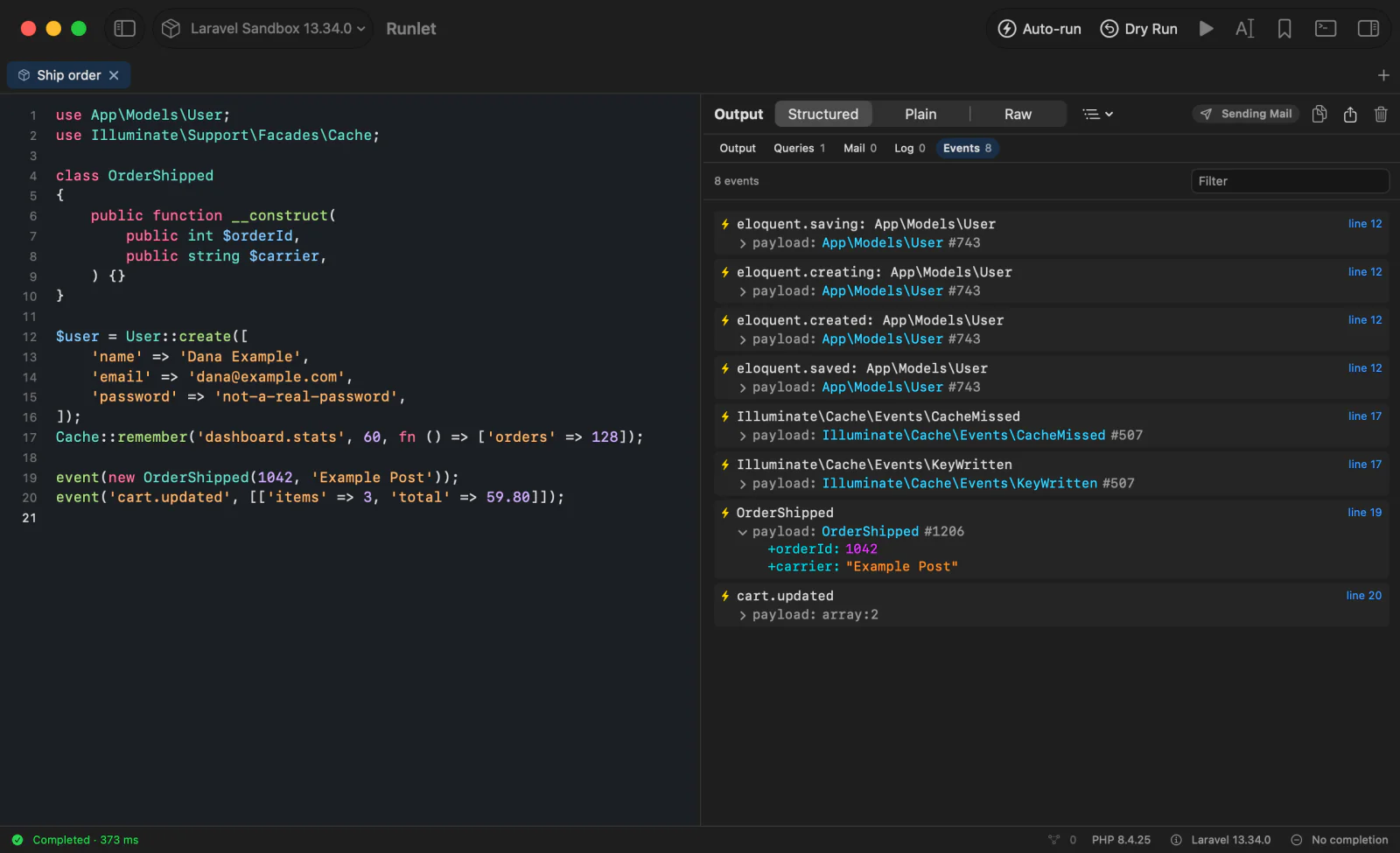
Events lists the events your application dispatched, with a short summary of each one's payload. It's off by default, because a busy run dispatches hundreds of events. Turn it on in Settings ▸ General ▸ Run Inspector ▸ Record events.
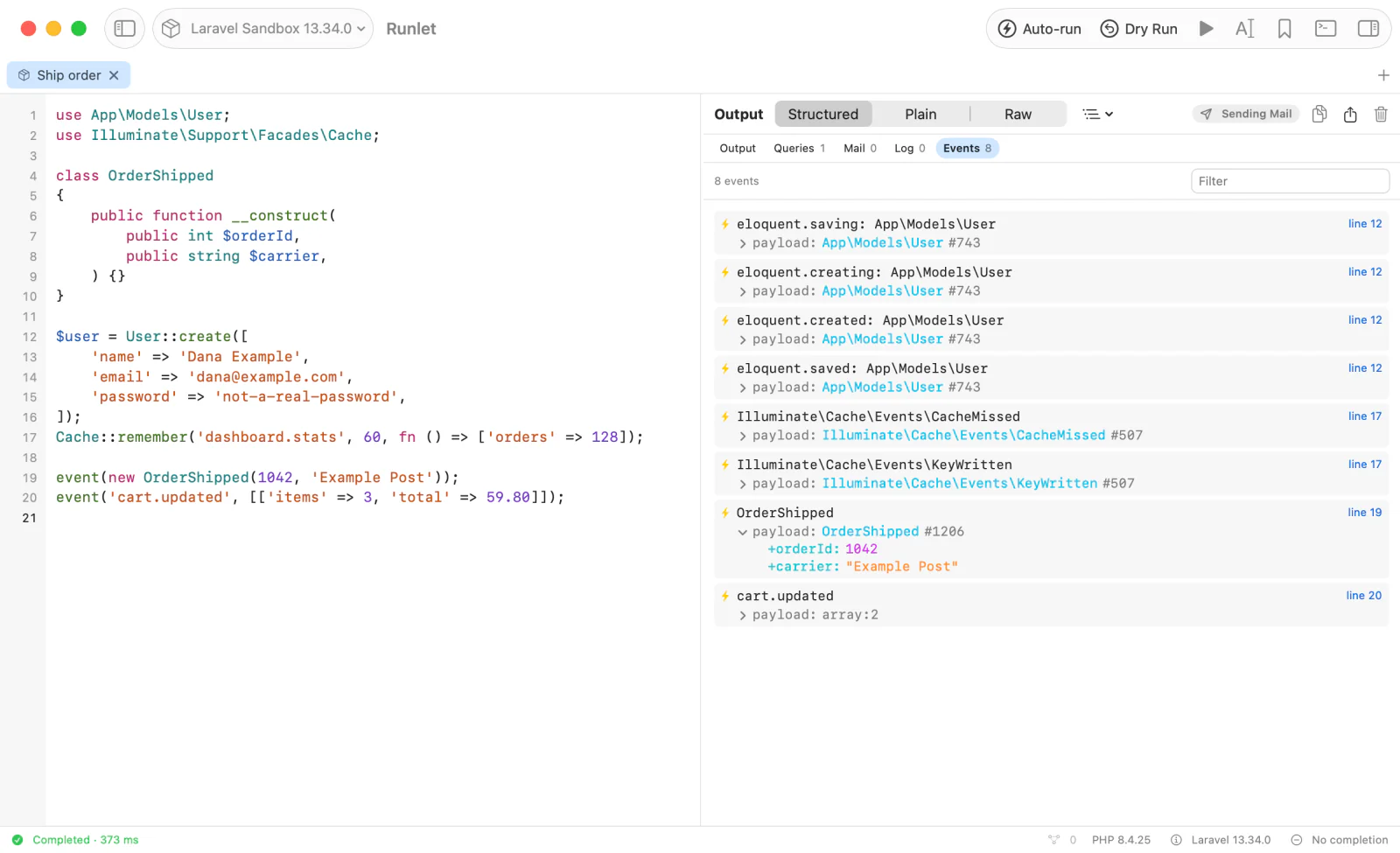
- What's left out: events other sections already show (queries, mail, logs, HTTP, and jobs), and the framework's own bookkeeping, such as
bootstrapped: …,eloquent.booted: …,eloquent.retrieved: …, viewcomposing: …events, routing, console, Redis commands, and log context. - Payloads are summaries: three levels deep, 20 entries per level, and 512 bytes per string. They're read like a dump, so no getter or accessor of yours runs.
- Filter keeps the events whose name contains what you type.
Recording events never changes what your application does: Runlet's listener runs after your listeners and returns nothing, so it can't stop an event or answer Event::until(). An event a listener stops (by returning false) or that throws in a listener before Runlet's turn isn't listed.
Sections of Your Own
A project driver can add sections, such as Cache or Payments. A snippet can record values too:
$inspector = \Runlet\Inspector::current();

$inspector->record('Debug', 'cart', $cart);
$inspector->log('info', 'Checked out', ['order' => $order->id]);
Each record links to the line that recorded it. Every method is listed in The run inspector.
Benchmarks and Profiles
\Runlet\bench() adds a Benchmarks section, and Run ▸ Profile Run adds a Profile section with a flame graph. See Benchmarks & Profiling.
Choosing What's Recorded
Settings ▸ General ▸ Run Inspector has a switch for each part of the inspector:
| Setting | Default | Records |
|---|---|---|
| Record queries, mail, and logs | On | The whole inspector. Turned off, runs record nothing, and drivers add no sections. \Runlet\notice(), warning(), and error(), benchmarks, and profiles still show: your snippet asked for them. |
| Record HTTP requests | On | The HTTP section. |
| Include request and response bodies | Off | Bodies in the HTTP section. |
| Record jobs | On | The Jobs section. |
| Record events | Off | The Events section. |
The switches apply to every target. Intercept mail keeps the inspector on for its runs, so these sections record then too.
Limits
To keep the app fast, each run records at most:
- 2,000 statements, and 2,000 other records;
- 8 MiB of records in all, and 2 MiB per HTML or text body;
- values 6 levels deep, 100 entries per level, 16 KiB per string, and 512 KiB per value;
- 200 HTTP requests and 2 MiB of them, with 8 KB per body;
- 500 jobs;
- 500 events and 1 MiB of them.
A section that reached a limit says how many records it left out, at its end.