
Code Navigation
PHP tabs know your project. Completion, hover, and signature help suggest your models, relations, and columns as you type, and you can jump to a definition, list the references to a name, apply quick fixes such as importing a class, and fold blocks out of the way.
All of this comes from PHPantom, a language server bundled with Runlet. It needs no PHP on your Mac, and none of it runs your code: at most, it changes the tab's own text.
Completion and Hover
Completion appears as you type, and Edit ▸ Show Completions (⌥Esc) asks for it. Hovering over a name shows its type and documentation, and signature help shows a call's parameters while you type its arguments. Diagnostics mark problems in the code.
- What PHPantom knows. It indexes the tab's project, or the sandbox, without running any of it. For Docker and SSH targets, it reads the profile's local folder: the checkout on your Mac.
- Snippet helpers. The
Runlet\functions and the variables your framework hands a snippet, such as$app, complete too. See Snippet API. - The status bar shows PHPantom while it's ready, and Indexing… with a percentage while it indexes. Click it for details and Reindex Project: see Keeping Up with Your Files.
- Turn it off in Settings ▸ Editor ▸ Language Service ▸ PHPantom code intelligence.
NOTE
External analyzers and formatters, such as PHPStan or PHP-CS-Fixer, are never started for a snippet.
Keeping Up with Your Files
PHPantom indexes the project when you open a tab on it, then follows the files as they change on disk: when you switch Git branches, run composer install, or save a file in another editor. A class that appears on the new branch completes right away, without restarting anything.
- Which files. PHP files,
composer.jsonandcomposer.lock(a change rescansvendor/), and.phpantom.toml; in Laravel projects also SQL schema dumps andconfig/database.php. Git's own files are skipped. - Many changes at once. A branch switch that rewrites thousands of files reaches PHPantom in a few batches, about a third of a second after the files settle. Completion keeps working meanwhile.
- Docker and SSH targets. PHPantom follows the profile's local folder, the checkout on your Mac. Changes made only inside the container or on the server aren't seen.
The Status Bar Item
| The item shows | Which means |
|---|---|
| Indexing… 42% | PHPantom is indexing the project. Hover for what it's reading, such as Scanning vendor packages (1204/2867 files). Completion waits for the first index, for up to 10 seconds; after that, it may miss what isn't indexed yet. |
| PHPantom | Ready. |
| PHPantom (limited) | Ready, but part of the project can't be indexed, for example because vendor/ isn't installed on your Mac. Hover to see why. |
| PHPantom failed | It couldn't start. Hover for the reason. |
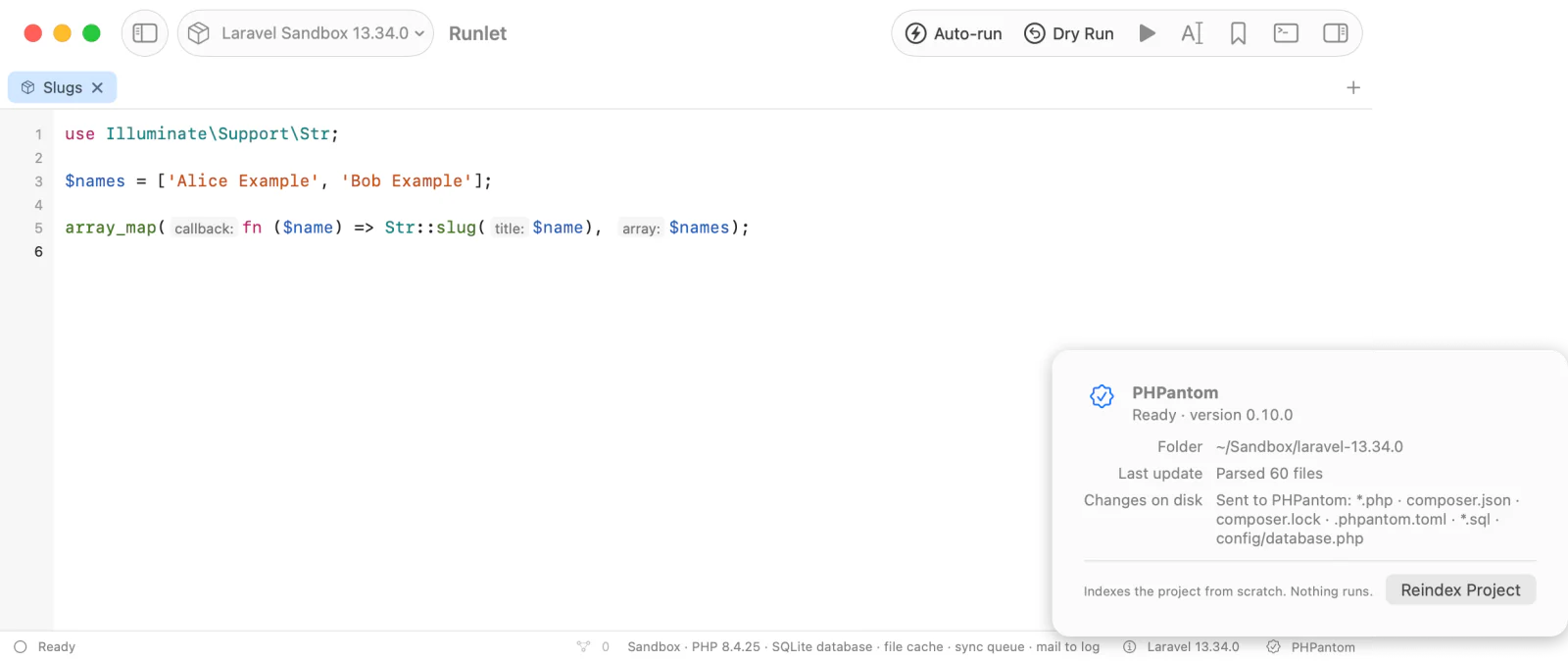
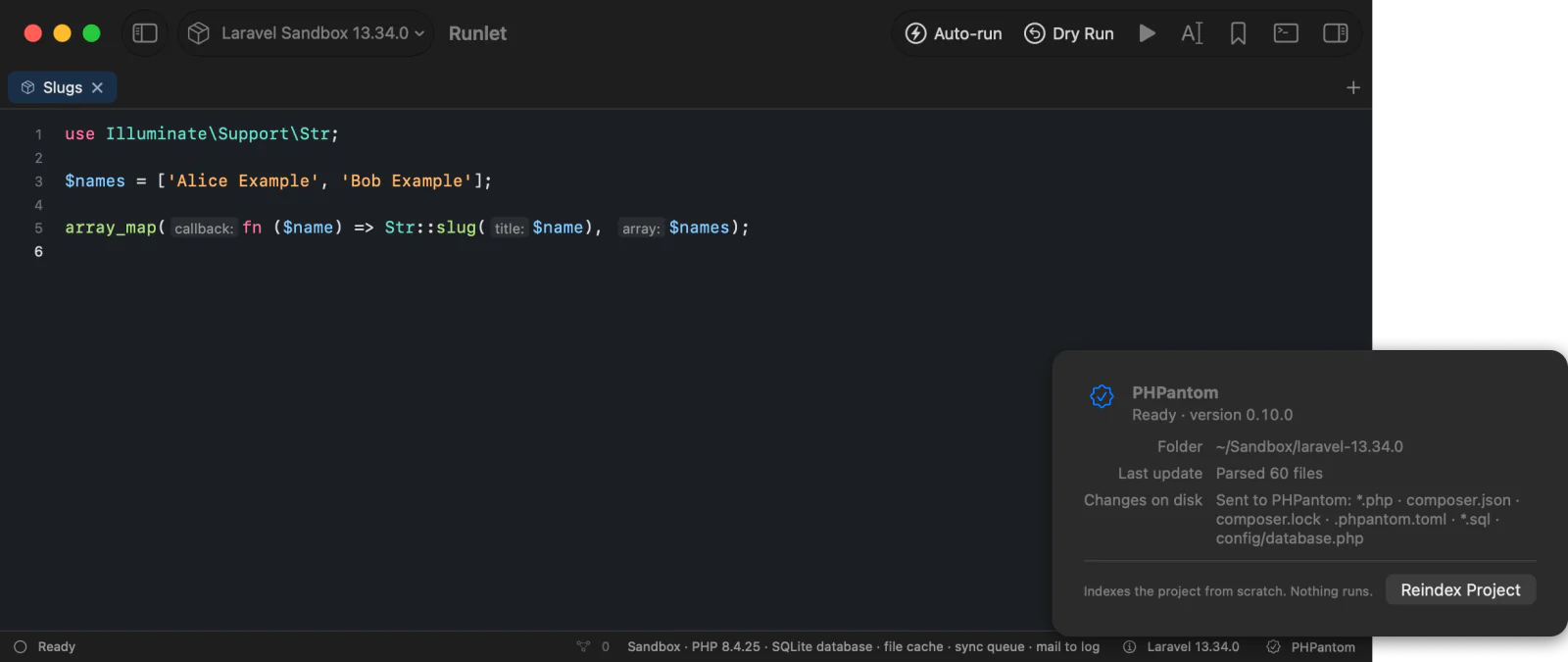
Click the item for a popover with the folder PHPantom indexes, what it did last (Parsed 60 files), the files it follows, anything that limits it, and Reindex Project.
Reindex Project
Reindex Project indexes the project again from scratch. It's in the popover, in Library ▸ Reindex Project, and in the command palette. Every tab on the same project shares one PHPantom, so they all reindex together. Nothing in the project runs or changes.
You rarely need it: use it when completion misses something that changed on disk, for example a file changed inside a container.
Navigation Commands
| Action | How | What happens |
|---|---|---|
| Go to Definition | F12, ⌘-click, the context menu, or Edit ▸ Go to Definition | See Where Definitions Open. Several definitions are listed like references. |
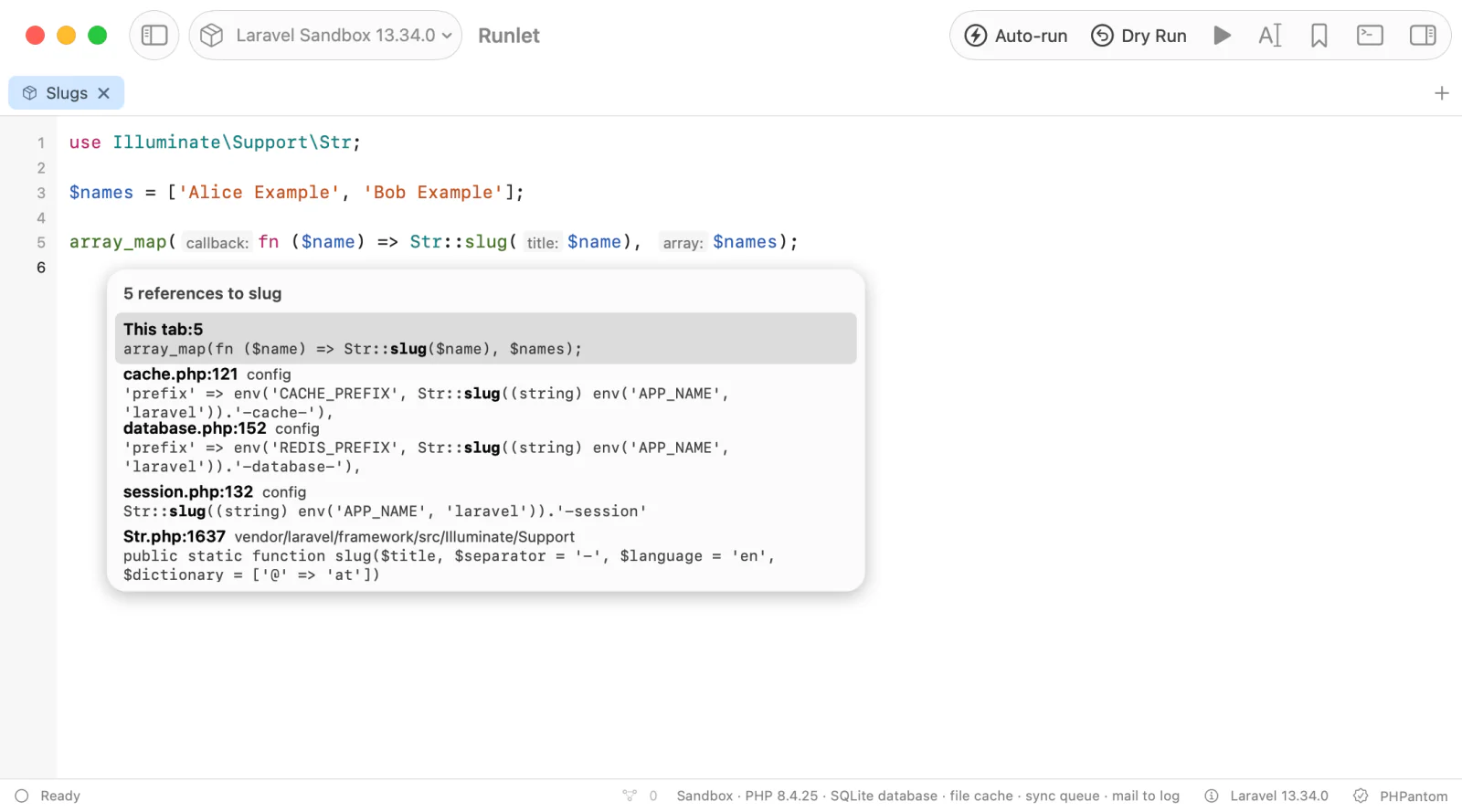
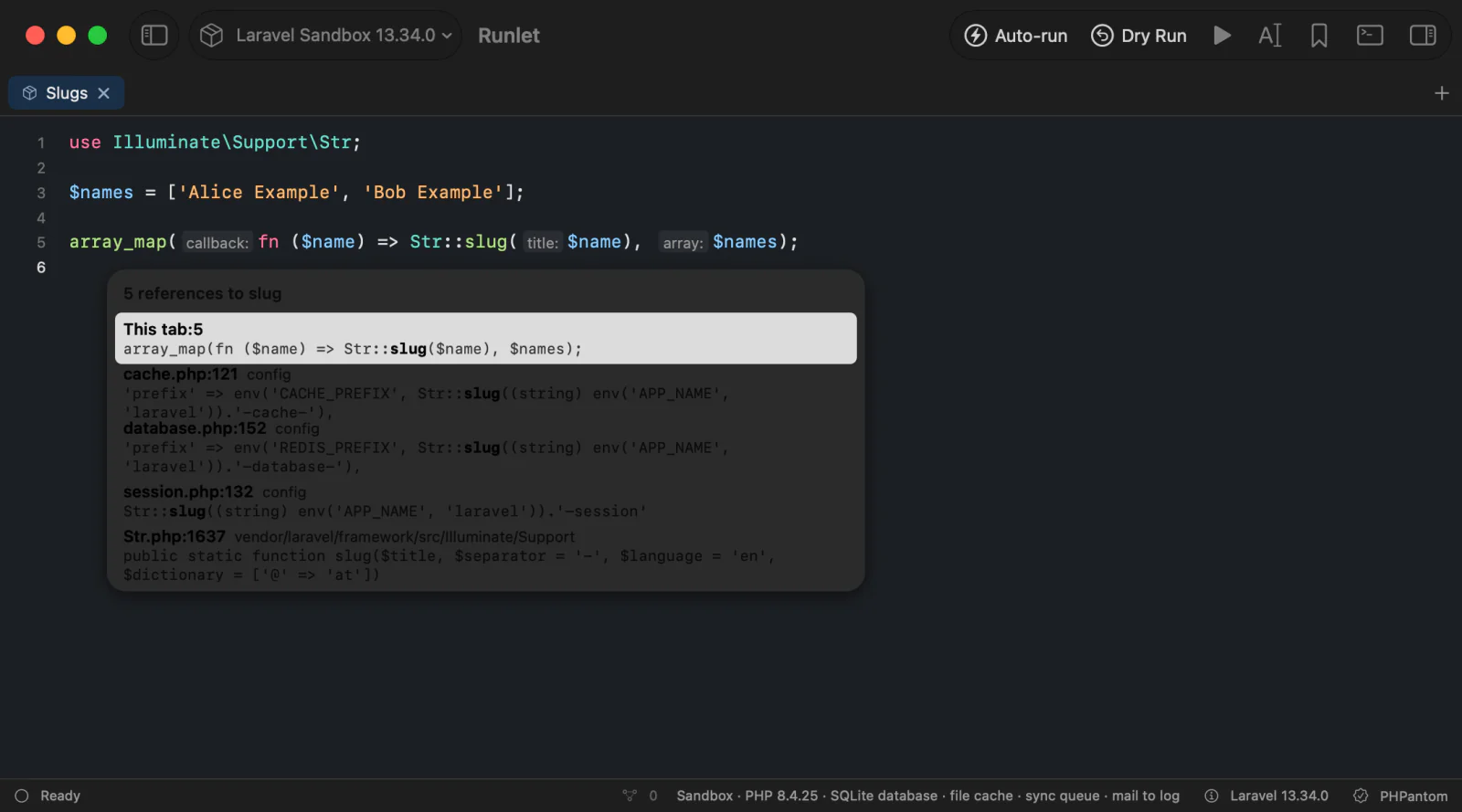
| Find References | ⇧F12, the context menu, or Edit ▸ Find References | A popover lists each reference as file:line with its line of code: the tab's own first, then project files, then vendor and other files. Return or a click opens one, as Go to Definition would. |
| Code actions | ⌥Return, the light bulb in the gutter, the context menu, or Edit ▸ Show Code Actions… | A popover lists the fixes for the caret or selection: quick fixes first (Import App\Services\PriceFormatter, Remove all unused imports), then refactorings (Inline variable). See Code Actions. |
| Inlay hints | View ▸ Show Inlay Hints (on by default) | Parameter names before arguments, and inferred types, as small labels in the code. See Inlay Hints. |
| Folding | The gutter's ▾ and ▸, or Edit ▸ Code Folding: Fold (⌥⌘←), Unfold (⌥⌘→), Fold All, and Unfold All | A function body, array, or comment block shows as {⋯}, [⋯];, or /*⋯*/. See Folding. |
These work in PHP tabs while the status bar shows PHPantom. ⌘. is Stop, so code actions use ⌥Return. Every command is in the command palette (⇧⌘P), and Settings ▸ Shortcuts can change its shortcut.
Where Definitions Open
| The definition is | It opens |
|---|---|
| In the tab | The caret moves there and selects the name. |
A variable your framework provides, such as $app | A note names the variable and its type: there is no line to go to. |
A project file (not under vendor/) | Your external editor, at its line, as file links in the output do (Settings ▸ Editor ▸ External Editor). With no editor set, it opens in a peek, which offers Reveal in Finder. |
Under vendor/, outside the project, in another tab, or in Runlet's snippet API (\Runlet\bench(), …) | A read-only peek in Runlet: the file highlighted like the editor, scrolled to the definition's line, which is marked. Open in your editor and Reveal in Finder are there for files on disk. |
Built into PHP (DateTime::format) | A note: PHPantom has no PHP source for these. |
Docker and SSH targets. PHPantom reads the profile's local folder, so definitions are files in that folder: project files open in your external editor, and vendor code opens in a peek from the local vendor/. The peek also says where the target sees the file, such as On the container: /var/www/html/vendor/…, or the server's path for SSH. A profile without a local folder knows only built-in PHP, so there's nothing of the project to go to.
Code Actions
- The tab's text only. Runlet applies an action's changes to the tab, as one undo step named after the action (Edit ▸ Undo Import App\Services\PriceFormatter), and keeps the caret on the same code. An import goes to the top of a snippet, also when it has no
<?phpof its own. - Other files aren't changed. An action that would change another file, or create, rename, or delete files, is listed with the reason and isn't applied.
- Chosen late. Some actions are worked out only when you choose them. If the code changed in the meantime, Runlet asks you to choose again.
- The light bulb appears in the gutter when the caret's line has a problem with a quick fix.
- It's an edit. An action never runs the code, except in a sandbox tab with auto-run on, which runs after it as after any edit.
Inlay Hints
Inlay hints show parameter names (cents:) before arguments, and inferred types (int) before parameters. Today PHPantom infers types for arrow-function parameters, such as fn ($p) => … in array_map, but not for variables assigned from calls.
- They aren't text. Run, Copy, Save, Format Code, and the cursor see the code as typed.
- They follow you. Hints are asked for the visible lines a moment after you stop scrolling or typing; typing next to a hint removes it until the next answer.
- View ▸ Show Inlay Hints turns them off and on for every PHP tab, and Runlet remembers your choice.
Folding
Function bodies, arrays, loops and other blocks, and comment blocks get a ▾ in the gutter. A folded block shows ▸, and its first line ends in a ⋯ pill.
- Folding never changes the text. Run, Run Selection, Copy, Save, and Format Code use all of it.
- Getting into a fold unfolds it: moving the caret inside with the arrow keys, a search result, or an error's line, or typing inside it. Typing above a fold moves it with its text.
- Folds last while the tab is open. They aren't saved.
- Moving lines treats a folded block as one line, and it stays folded (below).
Moving and Duplicating Lines
Edit ▸ Lines has four commands, in every kind of tab (PHP, SQL, Redis, and MongoDB):
| Command | Shortcut | What happens |
|---|---|---|
| Move Line Up / Down | ⌥↑ / ⌥↓ | The caret's line, or every line the selection touches, swaps with the line above or below. The selection stays on the moved text, so repeated presses keep moving it. At the first or last line, nothing happens. |
| Duplicate Line Up / Down | ⇧⌥↑ / ⇧⌥↓ | Copies the lines above or below themselves, as in VS Code. The selection stays on the upper copy for Up, and moves to the lower copy for Down. |
- Undo. Each press is one undo step, named after the command, and undoing puts the selection back. Moves don't merge: undo steps back one press at a time.
- Folds. A folded block moves as one line and stays folded: lines that touch it take all of it along, and lines moving past it skip it whole. Undoing such a move shows the block unfolded.
- Text. Indentation doesn't change, and CRLF line endings stay. A last line without a line ending swaps with the line it moves past. A selection that ends at the start of a line leaves that line out, so selecting whole lines moves just those lines.
- The editor only. Lines move only in the editor that has the keyboard. In a text field, the terminal, or a read-only peek, ⌥↑ and ⌥↓ keep their usual meaning. In the editor, they replace macOS's paragraph moves (⌥↑ to the start of the paragraph, ⇧⌥↑ to select to it).
The commands are also in the command palette, and Settings ▸ Shortcuts can change their keys.
Limitations
- Files changed outside the local folder. PHPantom follows the files on your Mac only. Reindex Project picks up anything it missed.
- Not yet supported: rename, workspace symbols, type hierarchy, and refactorings that change several files.