
MongoDB
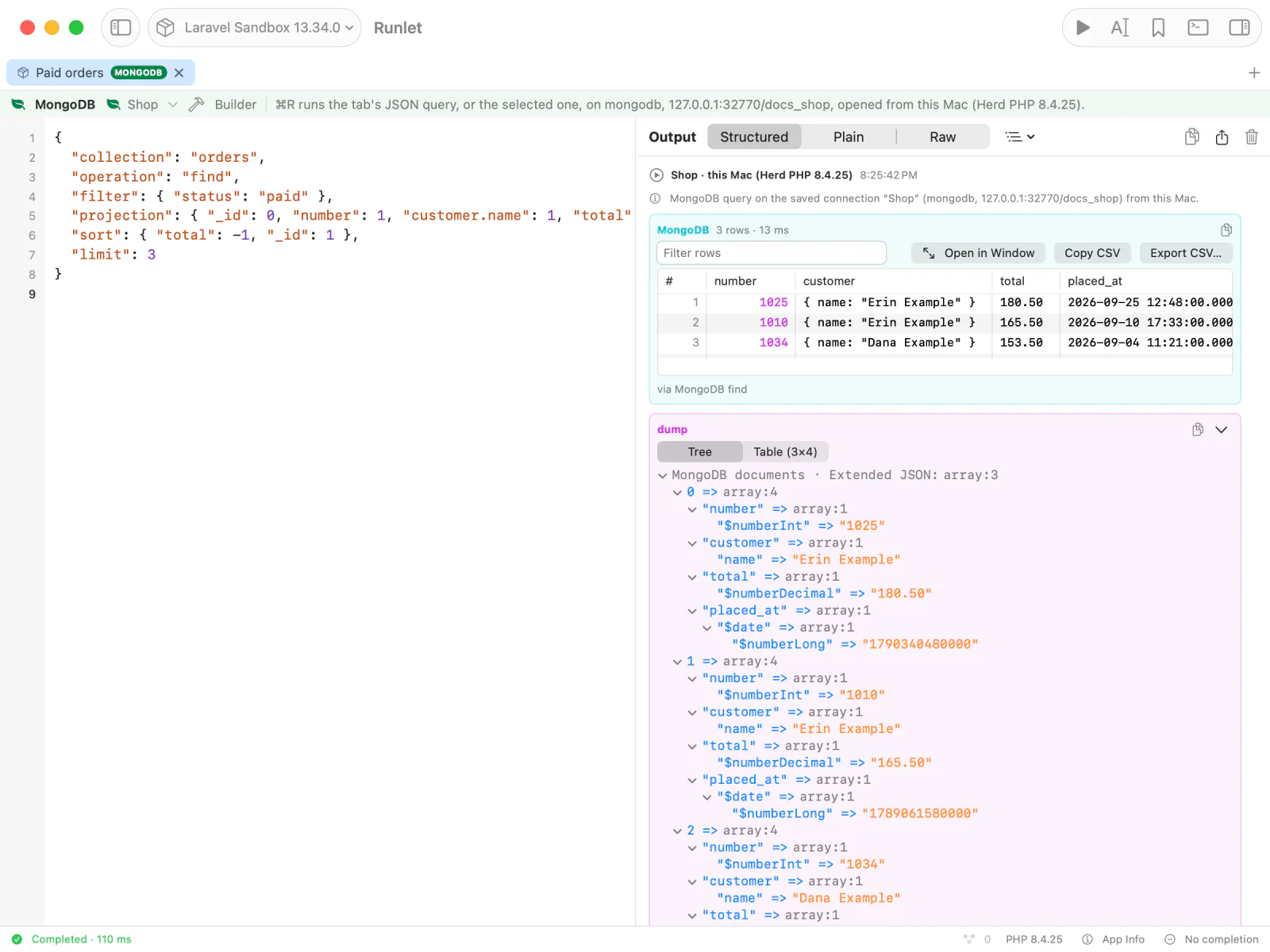
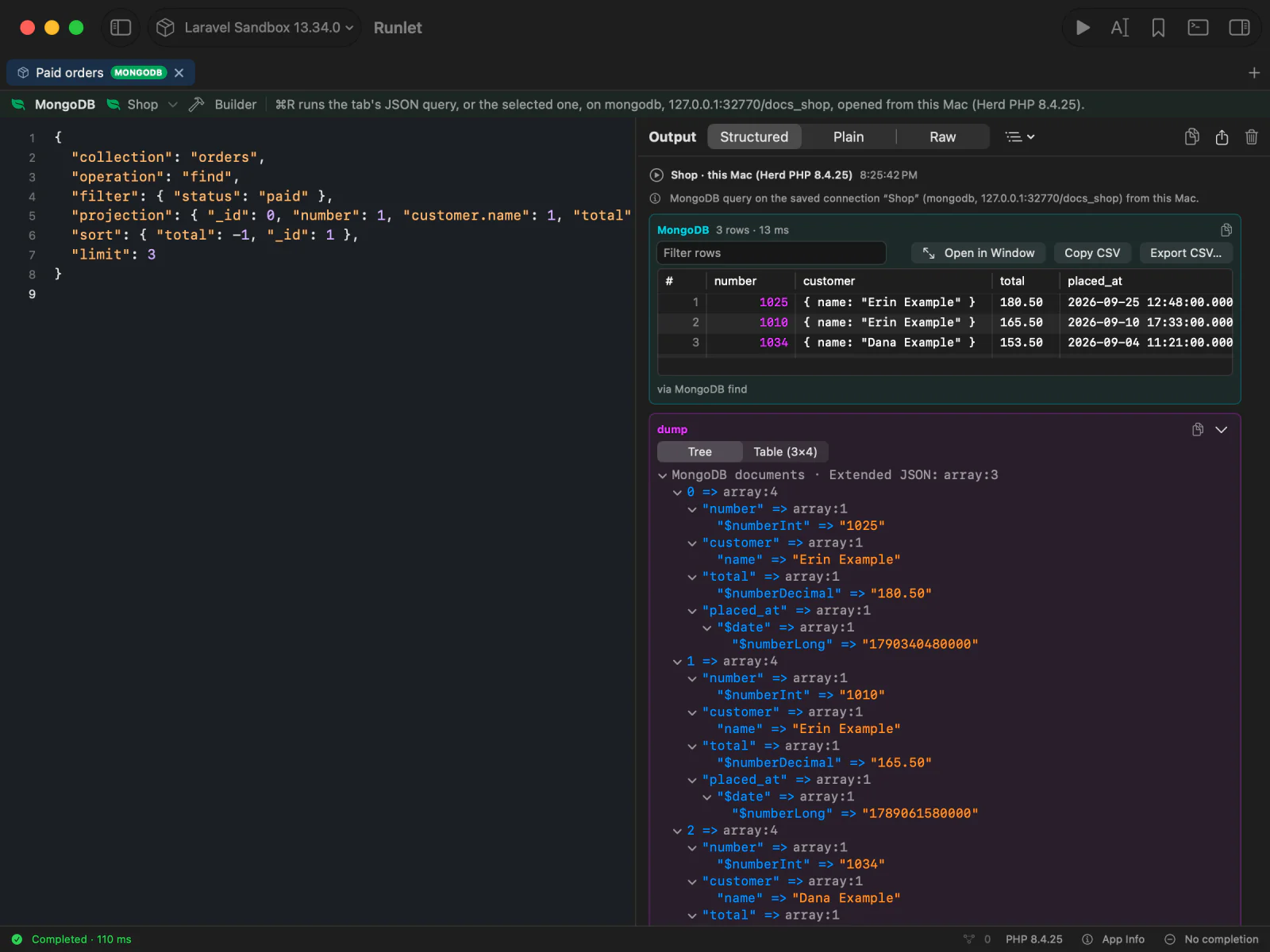
A MongoDB tab runs a query, written as JSON, on your application's MongoDB connection or on one you saved. The documents come back as a table and as an Extended JSON tree:
{
  "collection": "orders",
  "operation": "find",
  "filter": { "status": "paid" },
  "projection": { "status": 1, "total": 1 },
  "sort": { "total": -1, "_id": 1 },
  "limit": 20
}
You can also write the query in mongosh, db.orders.find({status: "paid"}).sort({total: -1}).limit(20), and Runlet translates it to this JSON before it runs. The Query Builder writes these queries for you with forms, and the Database pane lists collections and their fields. Nothing runs by itself, destructive operations always ask, and production asks before every query.
Creating a MongoDB Tab
- Choose File ▸ New MongoDB Tab (also in the command palette). The new tab uses the current tab's target, and is titled "MongoDB 1", "MongoDB 2", …
- Choose Switch to MongoDB in a tab's context menu, in the tab bar or the vertical tabs.
- Open a
.mongodbfile.
The tab has a green MONGODB badge. Opening, restoring, or selecting it never runs a query.
The bar above the editor holds the connection button. Its menu lists only MongoDB connections: Default connection (mongodb) and Other Connection… for your application's own, then the target's saved connections and those of all targets, New Connection…, and Edit Connections…. Choosing a connection never connects or runs anything. When a tab's saved connection is missing on its target, a New Connection… row shows under the bar.
Writing a Query
Write one JSON query in the tab, and press ⌘R. With several queries in the tab, select one complete query first.
The JSON form is strict JSON: comments and trailing commas aren't allowed, and a run takes one query. A query is at most 1 MiB. For a shorter way to write it, use mongosh.
Operations
Every query names an operation and, except dropDatabase, a collection, plus the fields that operation takes:
| Operation | Fields |
|---|---|
find | filter, projection, sort, skip, limit, explain, collation, hint, maxTimeMS, allowDiskUse |
findOne | filter, projection, sort, collation, hint, maxTimeMS |
aggregate | pipeline, explain, collation, hint, maxTimeMS, allowDiskUse |
countDocuments | filter, collation, hint, maxTimeMS |
estimatedDocumentCount | maxTimeMS |
distinct | filter, field, collation, maxTimeMS |
insertOne, insertMany | documents: an array of at most 1,000 documents (one for insertOne); insertMany also takes ordered |
updateOne, updateMany | filter, update, upsert, arrayFilters, collation, hint |
replaceOne | filter, replacement, upsert, collation, hint |
deleteOne, deleteMany | filter, collation, hint |
findOneAndUpdate | filter, update, projection, sort, upsert, returnDocument, arrayFilters, collation, hint, maxTimeMS |
findOneAndReplace | filter, replacement, projection, sort, upsert, returnDocument, collation, hint, maxTimeMS |
findOneAndDelete | filter, projection, sort, collation, hint, maxTimeMS |
bulkWrite | operations: at most 1,000 of insertOne, updateOne, updateMany, replaceOne, deleteOne, and deleteMany, as mongosh writes them; ordered |
createIndex | keys, and optionally unique and options (name, unique, sparse, expireAfterSeconds, partialFilterExpression, collation, hidden, weights, …) |
createIndexes | indexes: each with key, name, and index options |
dropIndex, dropIndexes | index: a name, or a keys object (dropIndex); "*", a name, or an array of names (dropIndexes). The _id index can't be dropped. |
renameCollection | to, and optionally dropTarget |
createCollection | options (capped, size, max, validator, validationLevel, validationAction, timeseries, expireAfterSeconds, collation, clusteredIndex) |
drop, getIndexes, collStats, sampleSchema | none |
listDatabases, listCollections, dbStats | none; use "collection": "metadata" |
runCommand | command: one of ping, buildInfo, hello, isMaster, connectionStatus, serverStatus, dbStats, collStats, and listCommands, which only read; use "collection": "metadata" |
dropDatabase | database (the connection's database), and no collection. See Dropping a Database. |
explainon afindor anaggregatereturns the plan as JSON:truefor the query planner's, or a verbosity,"executionStats"or"allPlansExecution", which also runs the query.- An
updateis update operators, such as{"$set": {…}}, or a pipeline of stages. A document without operators would replace the match, so it's refused: replacing isreplaceOne's. maxTimeMSis at most 25,000: reads stop after 25 seconds anyway.
Special Values
Write special values in BSON Extended JSON:
{
  "collection": "orders",
  "operation": "find",
  "filter": {
    "customer_id": { "$oid": "507f1f77bcf86cd799439011" },
    "placed_at": { "$gte": { "$date": "2026-01-01T00:00:00Z" } },
    "total": { "$gt": { "$numberDecimal": "12.50" } },
    "number": { "$regularExpression": { "pattern": "^INV-", "options": "i" } }
  }
}
{"$numberLong": "9223372036854775807"} writes a 64-bit integer. Constructors such as ObjectId("…") aren't JSON, so the JSON form doesn't take them; mongosh queries do, and Runlet translates them to Extended JSON. Server-side JavaScript ($where, $function, $accumulator) is refused in both.
mongosh Queries
A MongoDB tab also runs mongosh, the MongoDB shell's language: the collection's and the database's methods listed below, with their options. Runlet translates the query to the JSON form, then runs that JSON exactly as if you had written it. It never runs your text as JavaScript.
// Paid orders over 100 since March, newest first
db.orders.find(
  {
    status: 'paid',
    placed_at: {$gte: ISODate('2026-03-01')},
    total: {$gt: NumberDecimal('100')},
  },
  {_id: 0, number: 1, total: 1, placed_at: 1},
).sort({placed_at: -1}).limit(10)
Press ⌘R, or select a query and press ⇧⌘R (Run Selection). The output's first line shows the JSON query it ran as:
{
  "collection": "orders",
  "operation": "find",
  "filter": {
    "status": "paid",
    "placed_at": { "$gte": { "$date": "2026-03-01T00:00:00Z" } },
    "total": { "$gt": { "$numberDecimal": "100" } }
  },
  "projection": { "_id": 0, "number": 1, "total": 1, "placed_at": 1 },
  "sort": { "placed_at": -1 },
  "limit": 10
}
Methods
A collection's methods, with the options mongosh takes as their last argument:
| mongosh | Options |
|---|---|
db.orders.find(filter, projection, options) | sort, skip, limit, projection, collation, hint, maxTimeMS, allowDiskUse |
db.orders.findOne(filter, projection, options) | projection, sort, collation, hint, maxTimeMS |
db.orders.aggregate([…], options) | allowDiskUse, collation, hint, maxTimeMS, explain |
db.orders.countDocuments(filter, options), count(filter, options) | skip, limit, collation, hint, maxTimeMS |
db.orders.estimatedDocumentCount(options) | maxTimeMS |
db.orders.distinct("city", filter, options) | collation, maxTimeMS |
db.orders.insertOne(document), insertMany([…], options) | ordered |
db.orders.updateOne(filter, update, options), updateMany | upsert, arrayFilters, collation, hint |
db.orders.replaceOne(filter, document, options) | upsert, collation, hint |
db.orders.deleteOne(filter, options), deleteMany | collation, hint |
db.orders.findOneAndUpdate(filter, update, options) | projection, sort, upsert, returnDocument ("before" or "after"), returnNewDocument, arrayFilters, collation, hint, maxTimeMS |
db.orders.findOneAndReplace(filter, document, options) | the same, without arrayFilters |
db.orders.findOneAndDelete(filter, options) | projection, sort, collation, hint, maxTimeMS |
db.orders.bulkWrite([…], options) | ordered |
db.orders.createIndex(keys, options), createIndexes([keys, …], options) | name, unique, sparse, expireAfterSeconds, partialFilterExpression, collation, hidden, weights, default_language, … |
db.orders.getIndexes(), dropIndex(name or keys), dropIndexes([names]) | none |
db.orders.drop(), renameCollection("name", dropTarget), stats() | none |
- Writes need a filter:
deleteOne,deleteMany,remove, andfindOneAndDeletetake one, and{}matches every document. - Updates take update operators,
{$set: {…}}, or a pipeline,[{$set: {…}}]. A document without operators is refused: usereplaceOneto replace a whole document. - The mongo shell's older methods work too:
insertbecomesinsertOneorinsertMany;update(filter, update, {upsert, multi})becomesupdateOneorupdateMany(orreplaceOnefor a whole document);remove(filter[, justOne])becomesdeleteManyordeleteOne;countbecomescountDocuments. - Counting part of the matches,
countDocuments(filter, {skip, limit}), becomes theaggregatewith$match,$skip,$limit, and$countthat drivers run for it. - createIndex names the index as MongoDB does when you give no name:
{status: 1, placed_at: -1}isstatus_1_placed_at_-1.backgroundis accepted and left out; it has done nothing since MongoDB 4.2.
After find(), chain .sort(), .skip(), .limit(), .collation(), .hint(), .maxTimeMS(), .allowDiskUse(), and .explain(), in any order. .count() turns the find into countDocuments. .batchSize(), .pretty(), and .toArray() change nothing Runlet shows, so they're accepted and left out; after aggregate(), so are .pretty() and .toArray(), and .explain() works there too.
.explain() takes "queryPlanner" (the default), "executionStats", or "allPlansExecution", and can come first: db.orders.explain("executionStats").find({…}).
The database's methods, and the shell's show:
| mongosh | JSON query |
|---|---|
show collections, show tables, db.getCollectionNames(), db.getCollectionInfos() | listCollections |
show dbs, show databases, db.adminCommand({listDatabases: 1}) | listDatabases |
db.createCollection("events", options) | createCollection |
db.stats() | dbStats |
db.serverStatus(), db.version(), db.hello() | runCommand with serverStatus, buildInfo, or hello |
db.runCommand({…}), db.adminCommand({…}) | runCommand, for the commands that only read (see Operations) |
db.getSiblingDB("shop").dropDatabase() | dropDatabase, which names the database. Plain db.dropDatabase() is refused, so the name is always in the query. |
db.getCollection("order-items") names a collection that isn't a plain word, and db.shop.orders is the collection shop.orders, as in mongosh.
Inside the parentheses you write the values themselves, the way mongosh does: keys without quotes, strings in single or double quotes, trailing commas, and // and /* */ comments. Numbers stay as you write them: 12.50 stays 12.50.
Special Values in mongosh
| mongosh | Becomes |
|---|---|
ObjectId("507f1f77bcf86cd799439011") | {"$oid": "507f1f77bcf86cd799439011"} |
ISODate("2026-03-01"), ISODate("2026-03-01T09:30:00+02:00") | {"$date": "2026-03-01T00:00:00Z"}, {"$date": "2026-03-01T07:30:00Z"}: in UTC, and a date without a zone is UTC |
NumberDecimal("12.50") | {"$numberDecimal": "12.50"} |
NumberLong("9007199254740993") | {"$numberLong": "9007199254740993"} |
new ObjectId(…) works too. Write any other special value in Extended JSON, as in the JSON form: {$regex: "^INV-", $options: "i"}, or {$numberInt: "5"}.
What It Refuses
Runlet reads only the values you write, and refuses everything else before anything runs. The message names the line and column, and says what to write instead:
Line 3, column 3: $where runs JavaScript on the server, which MongoDB tabs don't support: use $expr with query operators instead. Nothing ran.- JavaScript: other functions and constructors (
Date(),NumberInt(5),Math.max(1, 2)), variables, expressions such as1 + 2, regular expression literals (/^INV-/i), template strings,.forEach()and.map(),mapReduce, anddb.eval(). - Server-side JavaScript:
$where,$function, and$accumulator. - Options Runlet sets itself:
comment(Stop finds the operation by it),writeConcern,readConcern,readPreference,session,let, andbypassDocumentValidation. Any other option a method doesn't list above is refused by name. - Commands that change things through runCommand: use the method instead, such as
db.orders.drop(). - Another database:
db.getSiblingDB()only names the database fordropDatabase(); for anything else, choose a connection to that database. - Several queries: select the one to run.
The JSON is what runs, so everything else on this page applies to it: a read-only connection refuses a translated write, deleteMany({}) and dropIndex(…) ask first, production asks before every query, and Run History keeps the JSON.
Results
A result has a table of the top-level fields, and the canonical Extended JSON tree, which keeps every type tag. The table shows values readably:
| Extended JSON | Table cell |
|---|---|
{"$oid": "…"} | ObjectId("…") |
{"$date": …} | 2026-01-01 00:00:00.000+00:00, in UTC, as SQL tabs show dates |
$numberInt, $numberLong | The number |
$numberDouble, $numberDecimal | The exact text, such as 12.50 |
$binary | BinData(0, "aGVsbG8="); subtype 3 or 4 of 16 bytes as UUID("…"); long values as their size |
$timestamp, $regularExpression, $minKey, $maxKey | Timestamp({ t: 1, i: 2 }), /^paid/i, MinKey, MaxKey |
| A document or an array | mongosh-like text: { name: "Customer 1", since: ISODate("2026-01-01T00:00:00.000Z") } |
Load More
A find, aggregate, or distinct that fills a page shows Load More under the result, where an SQL tab shows Load Next. It reads the next page of the same query, on the same connection, and adds it to the card: its rows to the table, and its documents to the tree. The card counts what it holds: "Documents 1–2,000 in 2 pages; more may follow."
- Documents have no fixed shape, so a field a later page brings becomes a column at the end, empty in the rows before it.
- Each page is a separate read, not a snapshot. Sort on a unique field, such as
"_id": 1after your own sort, so documents don't repeat or go missing. - Production asks again for every page. A page can be stopped while it loads, is listed in the Connection Manager, and is a Run History entry of its own.
- ⌘R runs the query from its first page again. Changing the query or the connection, or clearing the output, ends paging.
| What | Limit |
|---|---|
| Page size | Rows per page in Settings ▸ General ▸ SQL Results, at most 1,000 documents |
| Per card | 50,000 documents |
| Per page | 200 table columns and 4 MiB of document JSON |
distinct is also bound by MongoDB's limit on a command's result. An explicit limit: 0 returns no documents.
Query Builder
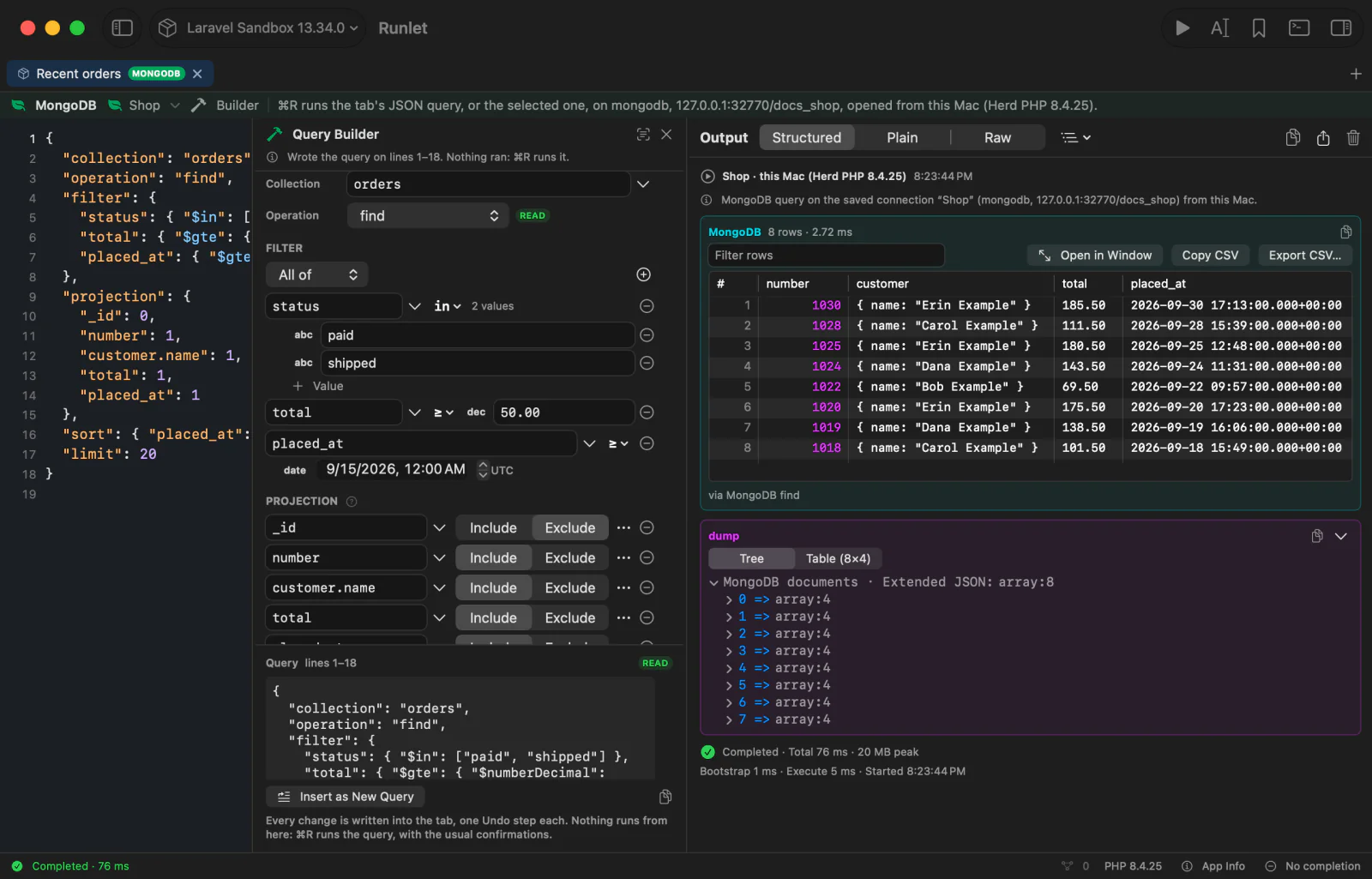
The Query Builder builds a tab's JSON query with forms and writes it into the tab, so the editor always shows exactly what ⌘R runs. The builder itself never runs anything.
Open it with the bar's Builder button, View ▸ Show Builder, or ⌥⌘B. (In a Redis tab, the same command opens the Command Builder.) It sits beside the editor; drag its edge to resize it.
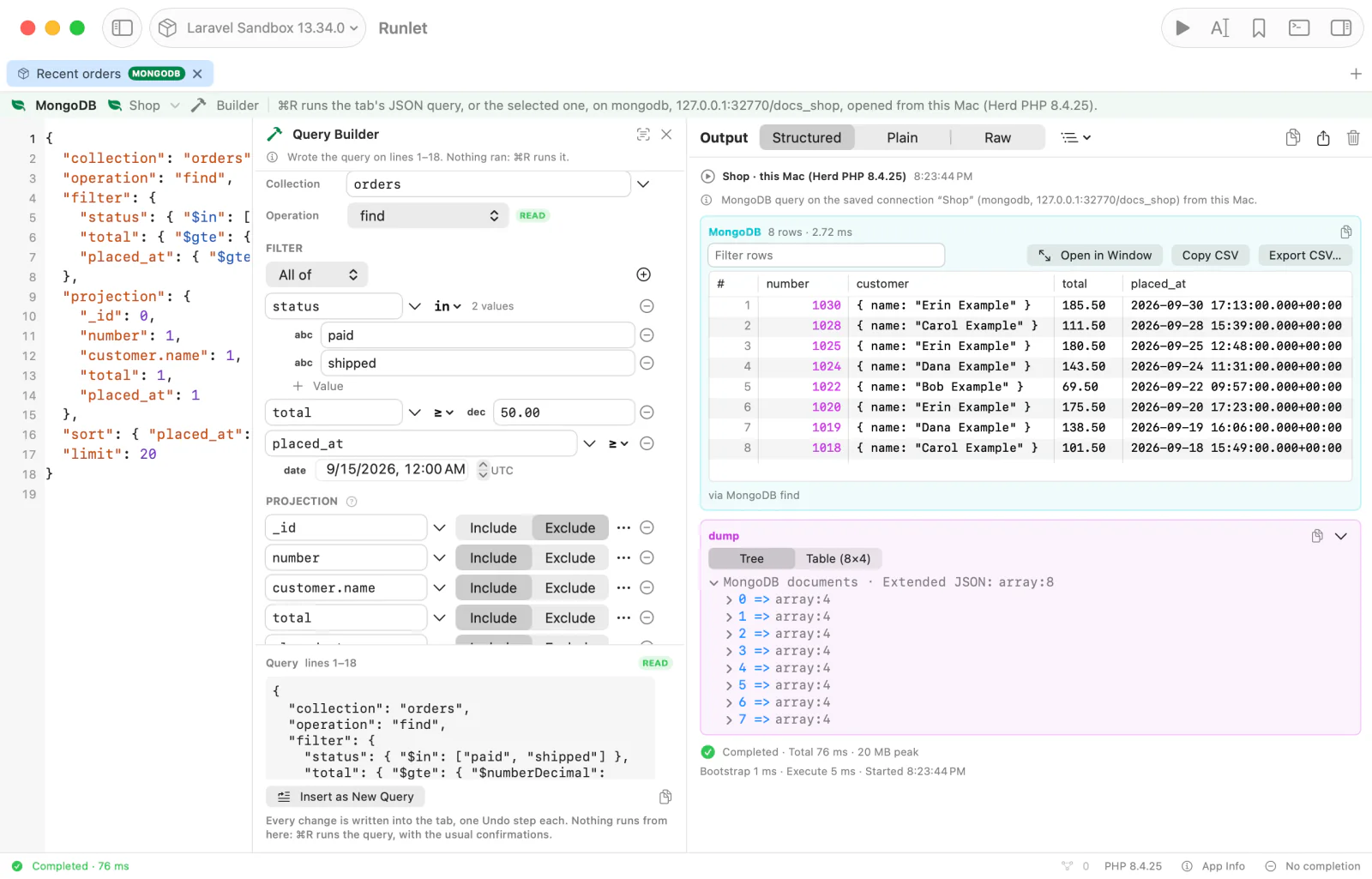
It has forms for find, findOne, countDocuments, distinct, and aggregate, and for the writes insertOne, insertMany, updateOne, updateMany, replaceOne, deleteOne, and deleteMany. Writes are marked ✎ in the Operation menu, with a WRITE or DESTRUCTIVE badge beside it and in the preview.
Collection and Filter
- Collection: type it, or choose one of the collections the Database pane loaded.
- Filter: rules of a field, an operator, and a value. Fields come from the collection's sampled fields, with their types, and you can type any path, nested ones too (
customer.city).
| Operator | Writes |
|---|---|
= | The value itself: "status": "paid" |
≠, >, ≥, <, ≤ | $ne, $gt, $gte, $lt, $lte |
in, not in | $in, $nin, with a list of values |
exists | $exists |
regex | $regex, with the i, m, s, and x options |
type | $type, with its aliases |
Rules go in All of, Any of, and None of groups ($and, $or, $nor), nested as deep as you need. Rules on one field share one operator object:
"total": { "$gte": 10, "$lt": 100 }Typed Values
A value has a type, and the builder writes Extended JSON for it:
| Type | Writes |
|---|---|
| Date | A date picker in UTC: {"$date": "2026-03-01T09:30:00Z"} |
| ObjectId | 24 hexadecimal digits, checked as you type: {"$oid": "…"} |
| Decimal128 | Exactly as typed: {"$numberDecimal": "12.50"} |
| Int64 | {"$numberLong": "…"} |
| Regex | {"$regularExpression": …} |
| Snippet input | {"$input": "name"}, filled by a snippet's input |
| Number, true or false, null, string, or any JSON | As written |
Choosing a sampled field sets the value's type from the field's: an ObjectId field gets an ObjectId value, and a UTCDateTime field a date picker. A value that isn't valid yet, such as a short ObjectId or a number with a comma, is outlined, and the builder doesn't write it until it is; the note says why.
Projection, Sort, and Pipeline
- Projection: Include or Exclude per field, or an expression.
- Sort: fields in order, ascending or descending; ↑ and ↓ reorder them.
- Skip and Limit,
distinct's Field, and Explain forfindandaggregate. - Pipeline: a card per stage, for
$match(the same filter form),$project,$group,$sort,$limit,$skip,$unwind,$lookup,$addFieldsand$set, and$count, and a JSON stage for anything else.$groupgroups by nothing, a field, several fields, or an expression, with accumulated fields using$sum,$avg,$min,$max,$count,$push,$addToSet,$first, and$last.$unwindhas the index field and "keep documents without the array".$lookuptakes a loaded collection, and its foreign field from that collection's sampled fields.- Move cards up and down, duplicate, remove, or disable them. A disabled stage isn't written, and stays in the builder while it's open.
- Switching a
findtoaggregatestarts the pipeline from its filter, sort, skip, limit, and projection.
- Update: changes with
$set,$unset,$inc,$push, and$pull, typed like filter values. Replacement (replaceOne) and Documents (the inserts) are JSON.
Writing to the Tab
Every change rewrites the query in the tab, pretty-printed, once the builder has been still for 0.4 seconds. Typing a value is one edit, and each edit is one Undo step: Undo Query Builder.
- Only the query the builder read is rewritten, and only the part that changed, so the lines around it, the caret, and the scroll position stay.
- With several queries in a tab, the builder works on the selected one, or the one at the caret. Insert as New Query adds a copy after it, which the builder then edits. Select selects it, so ⌘R runs it alone.
- Unfinished parts wait. A rule, field, or change without a field name isn't written until it has one, and an empty group isn't written at all (MongoDB refuses one). Fields an operation doesn't take stay in the builder, unwritten, and come back when you switch back.
- The preview under the form shows the query, how Runlet treats it, and why ⌘R would refuse it: an update without changes, a
distinctwithout its field, or a write on a read-only connection.
Reading a Query
Opening the builder reads the selected query, or the one at the caret, into the forms. So do Read Query in its header, editing the text (shortly after you stop), and moving the caret to another query. Reading never changes the text: it changes only when you change something in the builder.
A query read and written back is the same JSON, with its members in the same order and its numbers as you wrote them (1.50 stays 1.50). What the builder has no form for stays a JSON block in its place, editable as text, so nothing is lost. That includes operators such as $elemMatch, $expr, $text, $all, and $size; stages such as $facet, or $lookup with a pipeline; update operators such as $rename; and fields such as createIndex's keys.
A query that isn't valid JSON, or isn't closed, shows why, with Start from Collection: it adds a new find of the chosen collection after it, and leaves the text it couldn't read as it is. A blank tab offers the same.
The builder reads and writes the JSON form only. In a tab of mongosh, it leaves the mongosh as it is, and Start from Collection adds a JSON query after it. The results of a mongosh query don't offer Filter by This Value.
Fields and Collections
The builder's collections and fields come from what the Database pane already loaded with Load Collections and Sample Fields. The builder never reads the server by itself. Without sampled fields, it offers Sample Fields, which reads like the pane's button, and production asks first.
Filter by This Value
Right-click a cell of a find's or an aggregate's result table and choose Filter by This Value in the Query Builder. It adds field = value to the filter (for an aggregate, to its last $match, after the stages that made the field), typed from the cell: an ObjectId, a UTC date, or a Decimal128 or Int64 by the field's sampled type. It's written like any other change. Documents and arrays aren't offered.
Connections
The Application's Connection
By default, a MongoDB tab uses your Laravel application's MongoDB connection, so Runlet needs no credentials:
- Default connection (mongodb) uses Laravel's
mongodbconnection, and Other Connection… names another one. Runlet reaches the driver's manager through Laravel MongoDB'sDB::connection(name). - A project driver's
mongoConnection(?string $name)comes first, when it has one. It gets the name chosen in the tab, ornullfor the default, and returns aMongoDB\Driver\Managerand the database's name:
public function mongoConnection(?string $name)
{
    $manager = new \MongoDB\Driver\Manager('mongodb://127.0.0.1:27017');

    return ['manager' => $manager, 'database' => 'shop'];
}
Runlet never copies your application's credentials into saved connections.
Saved Connections
A saved MongoDB connection has the fields every saved connection has, and these:
| Field | Notes |
|---|---|
| Host, Port | Port 27017 by default. Enter a host, not a URI: passwords stay in the Keychain, never in a saved URI. |
| Database | The database the tab's queries use. |
| User, Password | The password is stored only in the macOS Keychain. |
| DNS SRV (mongodb+srv) | Connects with mongodb+srv. It can't use an explicit port or an SSH tunnel, and turns TLS on by default. |
| Authentication database | admin by default. |
| Authentication mechanism | Default, SCRAM-SHA-256, SCRAM-SHA-1, or X.509. |
| Replica set, Read preference | See Replica Sets. |
A saved connection can be available on one target or on all targets, and connect from the target's PHP, from this Mac, or through an SSH tunnel, like any saved connection. A tunnel connects only to its local forward, with a direct connection to one server.
TLS
Under Advanced, choose Off, Verify CA (the CA only, without the host name), or Verify CA and host name. The driver always checks the certificate, against the CA certificate file when one is set, else against the system's trust store; verification is never turned off.
- A client certificate and key are for servers that require one, and for X.509. A PEM file with both can go in Client certificate alone.
- Files are paths where the connection opens: on your Mac, or on the target. One that isn't readable there is named before Runlet connects. Encrypted keys aren't supported.
- Through a tunnel, the driver connects to 127.0.0.1, so Verify CA and host name needs a certificate that names 127.0.0.1. Verify CA doesn't.
X.509 Authentication
X.509 (client certificate) authenticates with the TLS client certificate, against $external, so TLS must be on with a client certificate. Leave the password empty. The user name is optional: it's the certificate's subject, such as CN=reporting,O=Example.
Replica Sets
With a Replica set name, the driver finds the members from the host, and reads where the Read preference says: primary, primaryPreferred, secondary, secondaryPreferred, or nearest. Through an SSH tunnel, it reaches one member only, with a direct connection.
Which PHP
MongoDB connections need PHP's mongodb extension. From this Mac, Runlet uses the first PHP that has it, in this order:
- Runlet's own PHP (Settings ▸ PHP). An older build of it has no
mongodbextension, and is skipped until you click Update in Settings ▸ PHP. - The default PHP from Settings ▸ PHP.
- The PHP Runlet picks automatically.
- Every other installed PHP, Herd's included.
With none, the run says so and points to Settings ▸ PHP. Test Connection names the PHP that opened the connection. On a target whose PHP lacks the extension, Runlet suggests connecting from this Mac, or installing it there.
Import From TablePlus
Import from TablePlus imports TablePlus's MongoDB connections (driver Mongo or MongoDB) as saved MongoDB connections. TablePlus connects to MongoDB with a connection URL, so Runlet reads a mongodb:// or mongodb+srv:// string into the fields, or else TablePlus's host, port, database, and user fields. The string itself is never stored.
| TablePlus | Runlet |
|---|---|
| Host and port | The first host and its port (27017 when unset). A seed list's other hosts are named in a note: with a replica set, the driver finds them; through an SSH tunnel, it connects to the first only. |
mongodb+srv | DNS SRV on, no port, and TLS on by default |
| The path's database | Database. Also the authentication database when the string has a user and no authSource, as MongoDB does, except for SRV, which uses admin. |
authSource, authMechanism | Authentication database (admin by default) and mechanism. Only SCRAM-SHA-1 and SCRAM-SHA-256 are kept; X.509, LDAP, Kerberos, and AWS ($external) leave a note. |
replicaSet, readPreference | Replica set, and read preference: one of the five, matched ignoring case. Another leaves a note. |
tls or ssl, and TablePlus's TLS menu | TLS on (verified) or off. TablePlus's menu isn't documented for MongoDB, so any setting reads as on, with a note. tlsInsecure, and CA or client certificate files, leave notes: Runlet always verifies, against the system's trust store. |
| Other options | retryWrites, w, appName, and the timeouts are dropped quietly; others, such as directConnection, are named in a note. Values of options that can hold secrets are never kept. |
| Over SSH | An existing or new SSH profile, as for SQL connections. SRV can't use a tunnel, so an SRV connection is imported to connect from this Mac directly, with a note. To tunnel, enter one member's host and port, turn SRV off, and choose the profile. |
A password inside the string is treated like a password in TablePlus's Keychain: it's copied into Runlet's Keychain only with Also copy passwords, without a Keychain prompt since it's in TablePlus's file, and otherwise left out with a note. If TablePlus's Keychain item for a MongoDB connection holds a whole connection string, only its password is copied.
A string Runlet can't read, such as one whose password has an unencoded /, imports nothing from it, and a connection without a readable host is greyed out.
Collection Explorer
With a MongoDB tab selected, the Database pane shows Collections and Server. Its header shows the target, the connection, and its badges. Nothing reads by itself, and every read asks on production.
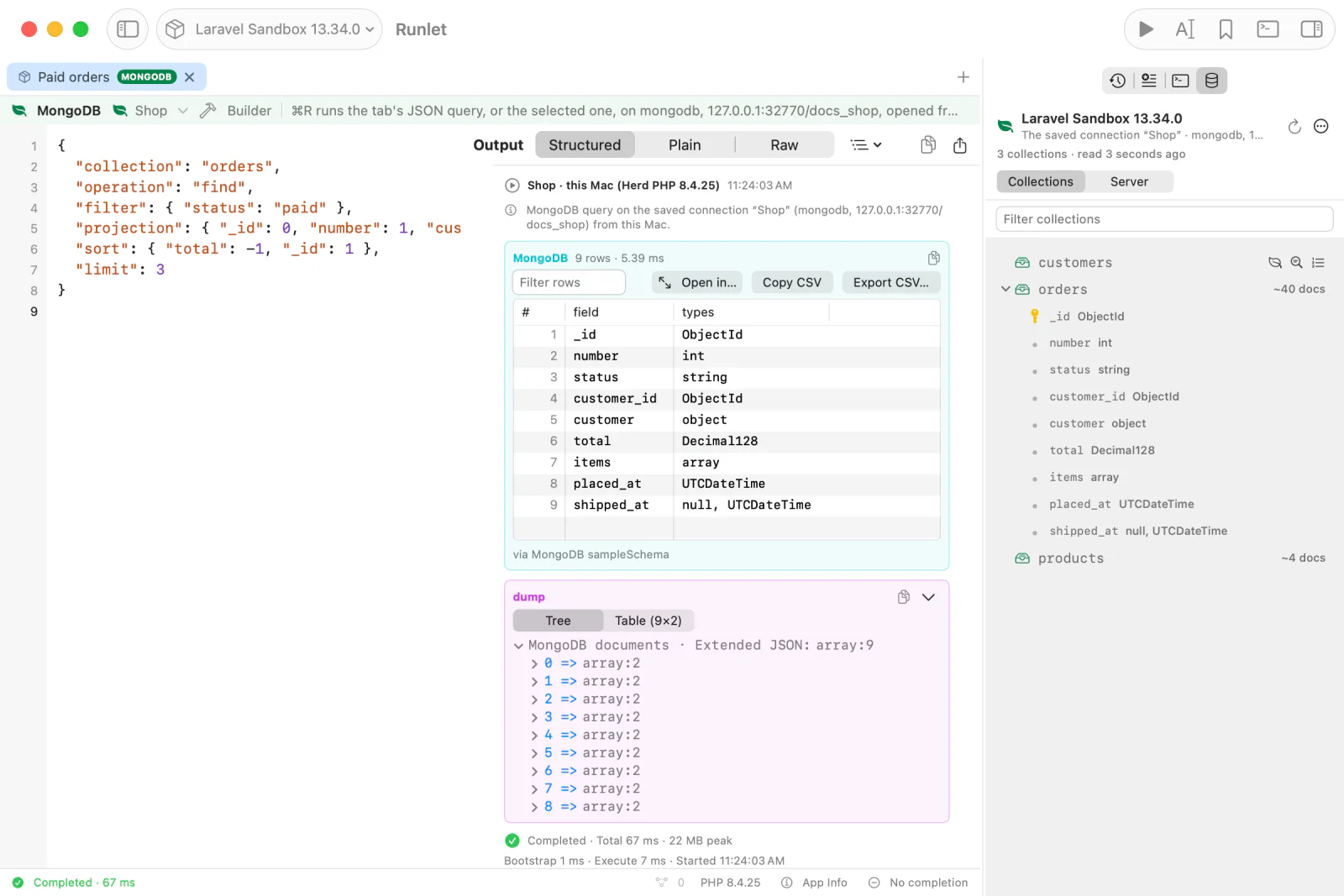
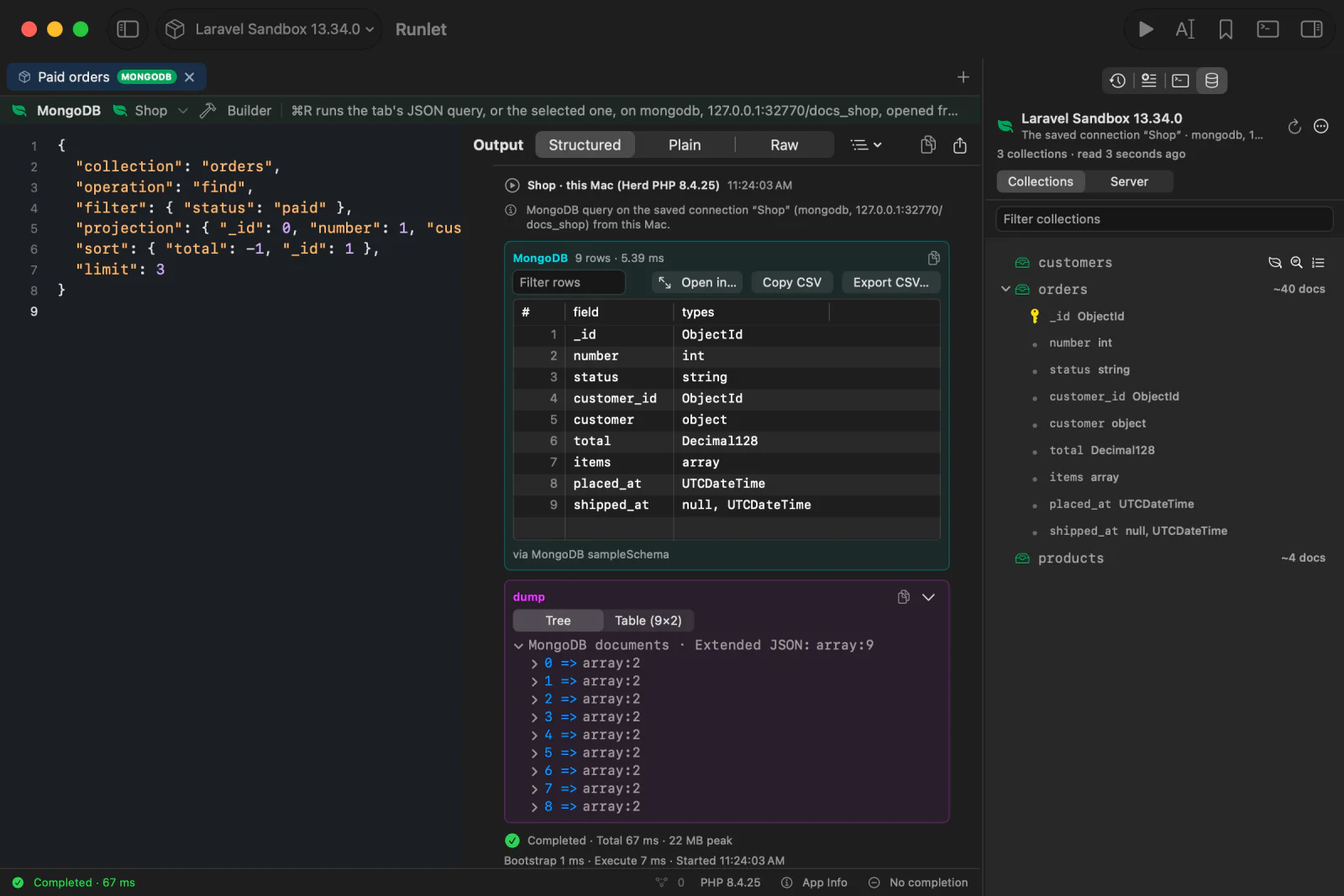
Load Collections reads up to 100 collection names and types, with estimated counts, never documents. Collections are listed by name, with a filter.
Hover over a collection to see its buttons for the first three actions below, each with a tooltip that says what it does. Right-click a collection for all of its actions, by name. The rest of the time, a collection shows only its name and its estimated count, so long names fit.
| Action | What it does |
|---|---|
| Open Find Query (or double-click) | Opens a new MongoDB tab on the same connection with a find of the first 50 documents. It doesn't run. |
| Sample Fields | Reads up to 50 random documents, and lists their fields and types under the collection and in the output. Completion and the Query Builder offer them, without reading again. |
| Indexes | Reads the collection's indexes into the output. |
| Copy Name | Copies the collection's name. |
With VoiceOver, the first three are the collection's actions.
Sample Fields names types as BSON does: ObjectId, UTCDateTime, Decimal128, Binary, object, array, string, int, double, bool, and null.
The header's menu has Reload Collections, List Databases (the databases you're authorized for), and Forget Collections. What the pane read stays in memory, kept apart per target, connection, and saved connection's version.
Server Details
Server, in the Database pane, shows the server the tab's reads go to. Nothing is read until you click Read Server Details:
- Server: a
serverStatussummary (version, uptime, connections, memory, storage engine, and operation counters), with the replica set's state fromhello, which anyone may read. - Operations: the server's operations from
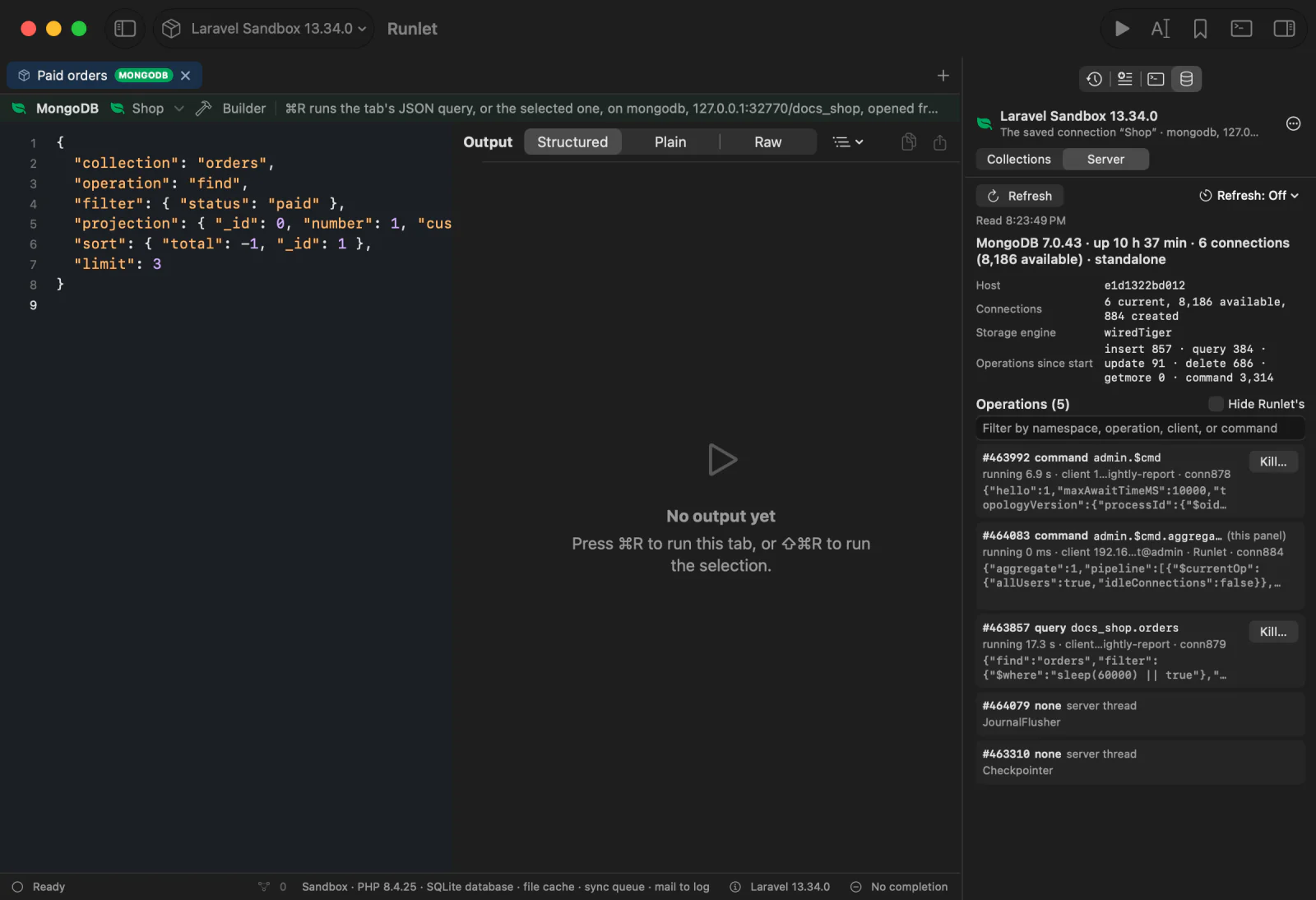
$currentOp, with the opid, kind, namespace, running time, client, users, application name, and the command, shortened and with credentials removed. A filter narrows them, and Hide Runlet's hides the operations of Runlet's own runs. The pane's own read is marked (this panel), and the server's own threads (Checkpointer, …) server thread.
Without the inprog privilege, the list has only your user's operations, and says so. Production asks before every read. A refresh interval (5, 15, or 60 seconds) is off by default, isn't offered on production, and stops when the section hides.
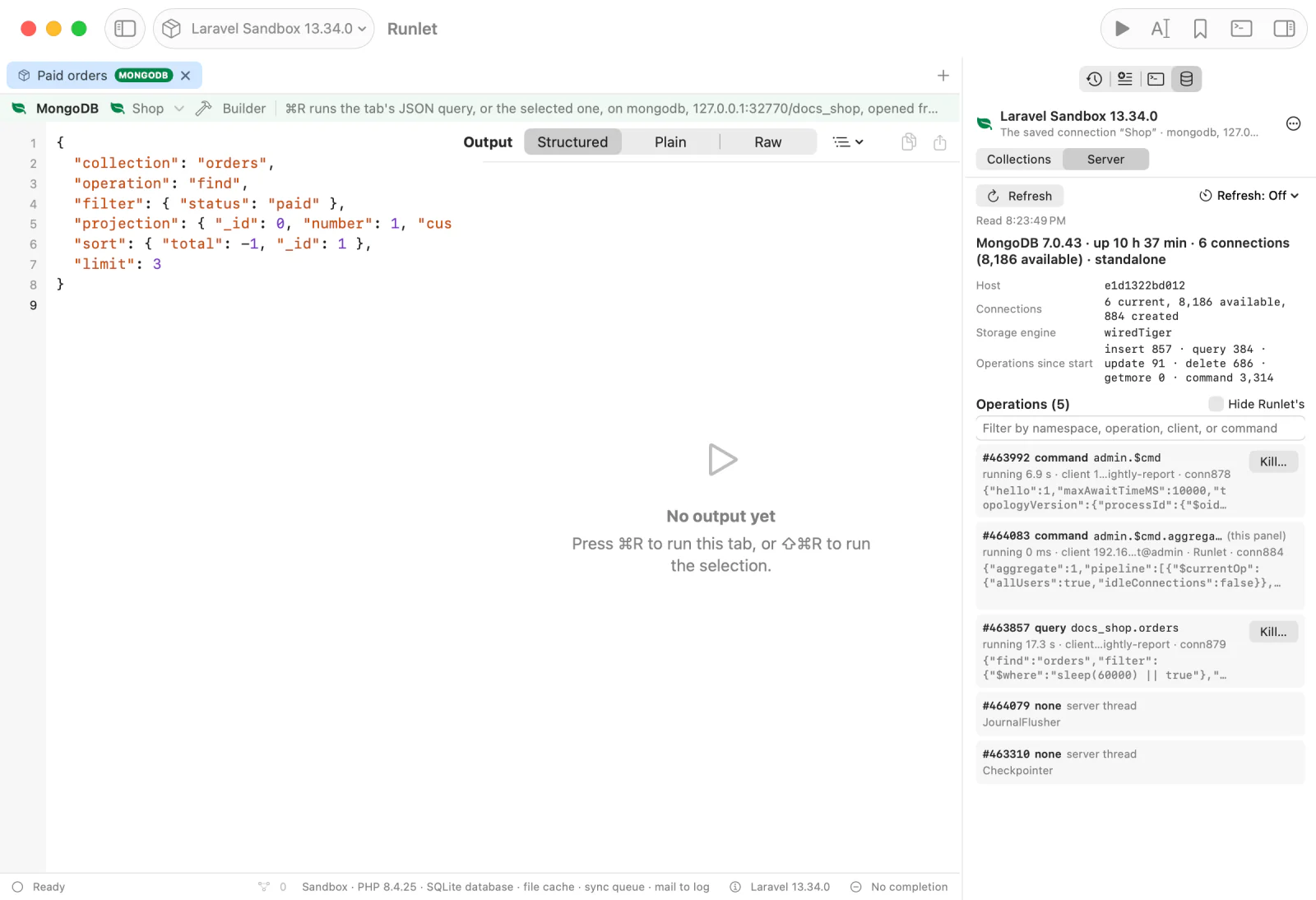
Kill… on an operation always asks first, on every connection; ⌘Return kills, and a plain Return cancels. The confirmation names the operation, its kind and namespace, its client, user, and running time, and the connection, and shows the command. The pane's own read and server threads can't be killed. After you confirm, Runlet checks, with a fresh connection, that it reached the server the list came from, that the operation is still the one listed (the same namespace and kind), and that it isn't Runlet's own; then it sends killOp. The outcome shows under the buttons and in the Run Log.
Stopping a Query
Stop ends the operation on the server, not only in Runlet, as SQL tabs cancel a statement:
- Every operation a MongoDB tab sends is tagged with the run (MongoDB 4.4 and later), and runs on one server.
- On Stop, Runlet opens the same connection again, checks that it reached the same server, finds your user's operations with that tag, and sends
killOp. It never kills another user's operations. - Then it stops the run, and the output shows "Interrupted by Stop." and "Killed the operation on the server (killOp 4711)." When the operation had already finished, or Runlet couldn't kill it, it says so instead.
Stop never asks, on production either. It works on the target, from this Mac, and through an SSH tunnel, and for Load More's pages.
WARNING
A write may have taken effect before it was killed.
Snippets
Snippets of MongoDB tabs, personal or in the project's .runlet/snippets/ folder as .mongodb files, start with a block of // lines, then hold one query, in JSON or mongosh:
// @title Paid orders of a customer
// @description The newest first
// @connection Documents (saved)
// @input string $customer "Customer" = "Customer 3"
// @input int $limit "How many" = 10

{
  "collection": "orders",
  "operation": "find",
  "filter": { "customer.name": { "$input": "customer" }, "status": "paid" },
  "sort": { "placed_at": -1, "_id": 1 },
  "limit": { "$input": "limit" }
}@title(or@label, as PHP and SQL snippets call it) and@descriptionmay continue on the following//lines.@connectionworks as for SQL snippets: a bare name, orName (saved)for a saved connection only.@inputlines are snippet inputs:string,int,float, andbool, with labels, defaults, and choices. Their values fill{"$input": "name"}placeholders as JSON values: a string quoted and escaped, a number, true, or false, never pasted in as text. A placeholder written inside a string, or a comment, stays text. In mongosh, write{$input: 'name'}too. The query keeps its layout and key order, and the input form previews the JSON each placeholder becomes.
The block is the first run of // lines, and counts only when it has one of these tags. Opening a snippet opens a MongoDB tab on its connection, with the query only; nothing runs. Saving a MongoDB tab to the project writes this format, and copying a project snippet to your personal snippets keeps its @input lines. Redis snippets use the same tags after #; see project snippets.
Run History and snippets keep a reference to the connection, never its definition.
Safety and Current Scope
- Nothing runs by itself. Opening, restoring, or selecting a MongoDB tab never runs it, and AI clients can't run MongoDB tabs or see saved connections and their passwords.
- mongosh is translated, never run. Every check on this page sees the translated JSON.
- Production asks before every query, every metadata read, and every Load More page. The grace period for PHP snippets doesn't apply.
- Passwords stay out of everything. A saved connection's password reaches PHP only on its standard input, and passwords, and the user part of MongoDB URIs, are removed from results. Queries can't hold a URI with credentials.
- Reads have a time limit of 25 seconds on the server.
Destructive Operations
These always ask first, on every connection:
drop,dropDatabase,dropIndex,dropIndexes, andrenameCollection;deleteManyandupdateManywith an empty filter, which change every document;deleteOne,replaceOne,findOneAndDelete, andfindOneAndReplacewith an empty filter, which change whichever document the server finds first;- a
bulkWritewith a delete, or with anupdateManyorreplaceOnethat has an empty filter.
The confirmation names the operation, the collection, the database, and the connection, and shows the query's line and text. A plain Return cancels, and so does Esc: press ⌘Return, or click the red button, to run it. On production, the production question follows.
Dropping a Database
dropDatabase is written without a collection:
{ "operation": "dropDatabase", "database": "shop" }- The name must be the connection's database, and
admin,local, andconfigare refused. - It always asks, naming the database and the connection, and production asks again after it. A read-only connection refuses it.
- Neither
dropnordropDatabaseasks you to type the name in the confirmation, as Redis'sFLUSHALLdoesn't: naming the database in the query is that check.
Read-Only Connections
MongoDB has no read-only session, so on a read-only connection, Runlet refuses writes before sending them, in the app and again in the runner: inserts, updates, deletes, replaces, the findOneAnd… operations, bulkWrite, drop, dropDatabase, createIndex, createIndexes, dropIndex, dropIndexes, renameCollection, createCollection, and pipelines with $out or $merge. Reads, explain, statistics, and runCommand's commands work.
TIP
For enforcement by the server, connect as a MongoDB user with read-only roles.
Not Supported Yet
- mongosh beyond the methods above, and JavaScript of any kind. Views (
createView), search indexes, change streams (watch), transactions, and users and roles aren't supported. - The Query Builder reading mongosh.
- Copy as mongosh and Copy as Laravel query in the Query Builder.