
Connections
SQL, Redis, and MongoDB tabs run on your application's own connection by default, the one its code uses, so Runlet needs no credentials from you. For any other database, save a connection: Runlet keeps its password in the macOS Keychain and nowhere else.
The Connection Manager shows everything Runlet has open right now, from SSH connections to running statements, and closes any of it.
Saved Connections
Save a connection for a database your application doesn't configure: a read replica, a reporting or legacy database, another service's database, a project without a driver, or your app's database as another user.
Saved connections work in SQL, Redis, and MongoDB tabs. A tab's connection menu offers only connections of its kind: an SQL tab never lists a Redis connection, and a Redis tab never lists an SQL one.
Creating a Connection
You can create and edit saved connections in several places:
- New Connection… and Edit Connections… in a tab's connection menu. New Connection… switches the tab to the new connection when you save it.
- The Databases list in a local project's options, and in the Docker and SSH profile forms.
- Settings ▸ Databases, which manages connections that belong to all targets and lists every target's connections. Tabs on every target offer the connections of all targets, the sandbox's too.
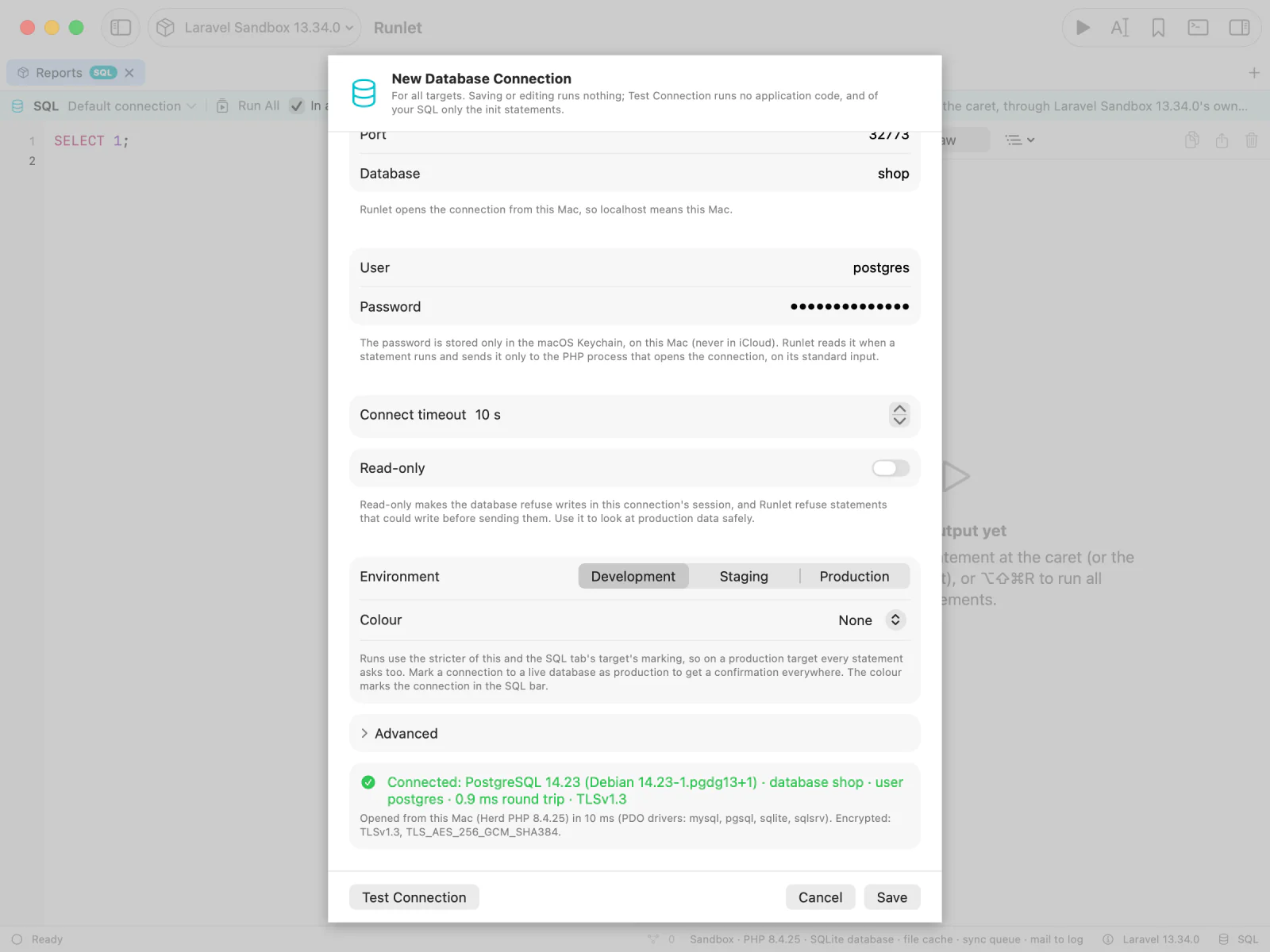
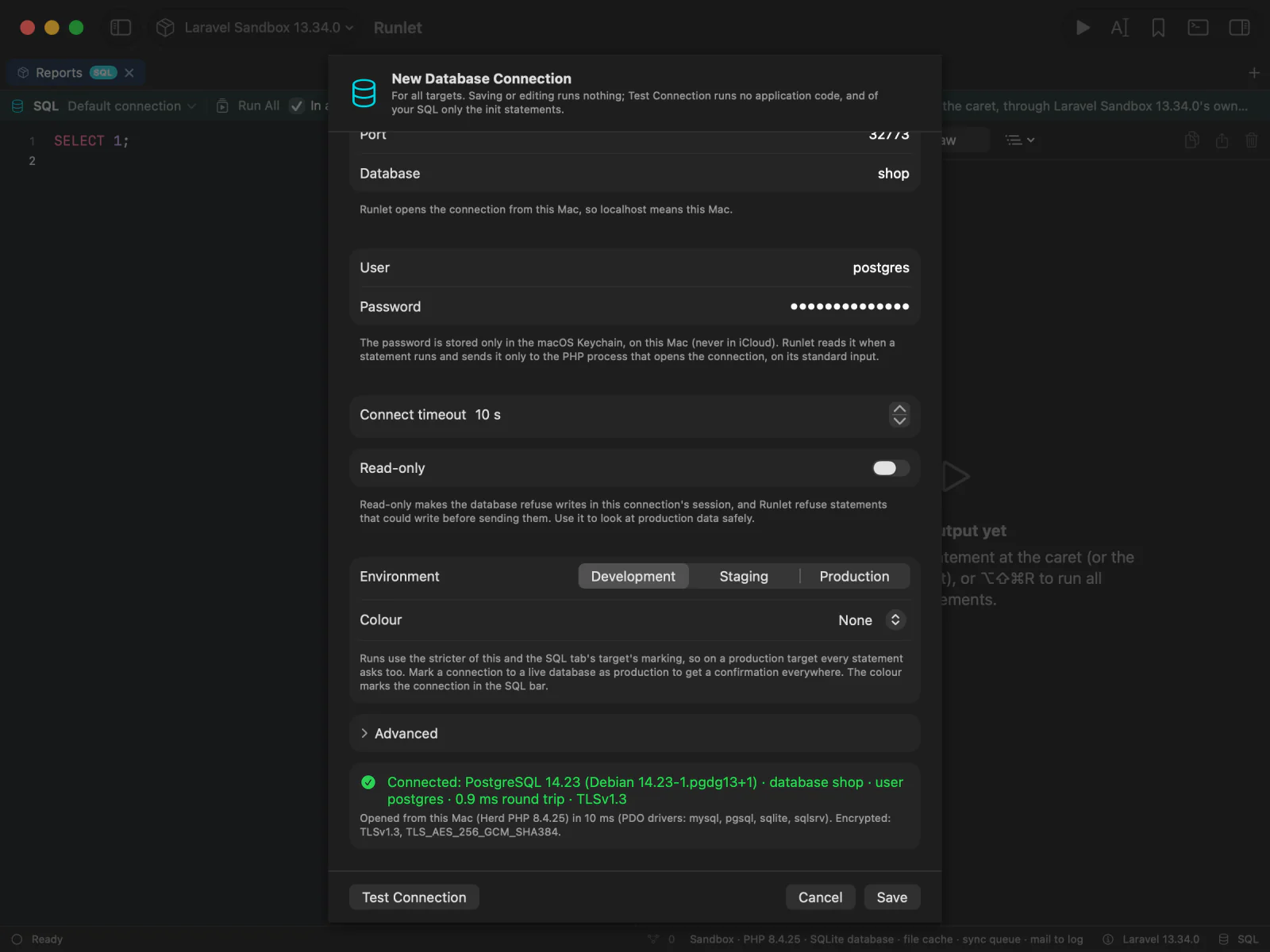
| Field | Notes |
|---|---|
| Name | Unique within the target, or among the connections of all targets. |
| Available on | The target, or All targets. |
| Connect from | The target's PHP (the default), This Mac, or This Mac, through SSH profile. See below. |
| Driver | MySQL / MariaDB, PostgreSQL, an SQLite file, SQL Server, a custom PDO DSN, Redis, or MongoDB. |
| Host, Port | The host is resolved where the connection opens, so a Compose service name works for a Docker profile. A Unix socket can replace them. |
| Database | Optional for MySQL and PostgreSQL. For SQLite, the file on the target (Runlet opens existing files only). |
| User, Password | The password is optional, and stored only in the macOS Keychain. |
| Connect timeout | Seconds, 10 by default. |
| Read-only | See Read-only connections. |
| Environment, Colour | Development, staging, or production, and a colour, like a target's. See Environment and colour. |
| Advanced | A Unix socket, charset, TLS, init statements, and DSN options. See Connection options. |
By default, the connection opens in the target's own PHP: the project's PHP on your Mac, the container's for a Docker profile, or the server's for an SSH profile. For an SQL database, that PHP needs the database's PDO driver: the official php:*-cli images, for example, have pdo_sqlite but not pdo_mysql or pdo_pgsql. Redis connections need no extension, and MongoDB connections need PHP's mongodb extension.
A statement on a saved connection runs no project code: no driver, no autoloader, and no application code share the process that holds the password. Results say where they came from:
via saved connection "Reporting" (pgsql, db.internal:5432/reports)Testing a Connection
Test Connection in the editor opens the connection where its runs do, and reports:
- the server's version, the database, and the user;
- the round trip, and whether the session is encrypted;
- the PHP that opened it, with its PDO drivers. If that PHP lacks the driver, it lists the drivers it has.
Test Connection runs none of your SQL, so it doesn't ask on production.
From This Mac, and for All Targets
Connect from: This Mac suits a database your Mac can reach but the target's PHP can't:
- a port that Docker Desktop, OrbStack, DBngin, or Herd publishes;
- a cloud database whose allow-list has your office;
- a server whose PHP has no
pdo_pgsql; - a
php:*-clicontainer without the MySQL or PostgreSQL driver, the Docker-based Laravel sandbox among them.
How it works:
- Which PHP. The first PHP on your Mac that has the connection's driver: Runlet's own PHP (it has MySQL, PostgreSQL, SQLite, Redis, and MongoDB support), then your default PHP, then every other installed PHP. When it isn't the first, the run header says why. When none has the driver, nothing runs, and the message names the driver and the PHPs it checked.
- Names and paths are your Mac's.
localhostmeans your Mac, not a container or server. Sockets, SQLite files, and TLS files are paths on your Mac. - It runs in an empty folder of Runlet's. Nothing of the project runs, and nothing is written to its directory.
A connection saved for All targets always opens from your Mac. Every tab of its kind lists it under Saved connections (all targets), and its schema is read once for every target.
Through an SSH Tunnel
Connect from: This Mac, through SSH profile suits a database only a server can reach, such as one behind a bastion or a Docker service on the server, when that server's PHP can't open it. Runlet forwards a local port through the SSH profile's connection, and opens the database with your Mac's PHP, as GUI database clients do.
- Choose the SSH profile, and enter the host and port as that server sees them:
localhostmeans the server, and a name such asdb.internalor a Compose service works. - MySQL, PostgreSQL, SQL Server, Redis, and MongoDB (without DNS SRV) can use a tunnel. An SQLite file, a custom DSN, and a Unix socket can't.
- The forward listens only on 127.0.0.1, is shared by the connection's runs, and closes 5 minutes after its last use, or when the SSH profile disconnects or Runlet quits.
- Runlet asks before connecting. When the SSH profile isn't connected, a run asks Connect to “bastion” for the SSH tunnel? and never connects by itself. A profile that logs in with a password or a two-factor code opens Connect… in a terminal.
- Everything works through the tunnel: statements, Run All, Explain, Load Next, completion, the Database pane, and Stop.
NOTE
With TLS, PostgreSQL's Verify CA and host name still checks the server's name through a tunnel. MySQL's driver checks the certificate against 127.0.0.1, so use Require, or a certificate that names 127.0.0.1. For SQL Server, add the DSN option HostNameInCertificate.
A run through a tunnel uses the strictest of the target's, the connection's, and the SSH profile's environment. The SSH targets page explains the shared SSH connection the tunnel uses.
Read-Only Connections
Turn on Read-only to look at data, production data included, without changing it. The bar above the editor shows a READ-ONLY badge with a lock, and the output says "in a read-only session".
On MySQL, MariaDB, PostgreSQL, and SQLite, the database enforces it. Right after connecting, before any statement of yours, Runlet makes the session read-only and checks that it took; otherwise nothing runs.
| Database | What the database then refuses |
|---|---|
| MySQL, MariaDB | INSERT, UPDATE, DELETE, schema changes, and SELECT … FOR UPDATE |
| PostgreSQL | Writes to tables, every CREATE, ALTER, and DROP, FOR UPDATE and FOR SHARE, nextval(), and writes from functions |
| SQLite | Every write: the file is opened read-only |
Runlet refuses before sending, too: statements that could write, statements that would make the session writable again, and statements it can't classify. The message says why:
This statement can change data or the schema (UPDATE), so Runlet doesn't send it on the
read-only connection “Reporting replica”. Nothing ran.
Run All Statements checks every statement first, and runs none of the script if one is refused.
WARNING
Read-only is a strong safety net, not a permission system. Functions with side effects called from a SELECT aren't detected (MySQL still runs GET_LOCK() or a stored function that writes), and behind a transaction-pooling proxy the setting can miss later statements. For a guarantee, connect as a database user that only has read privileges.
Redis and MongoDB have no read-only session, so Runlet refuses every command or operation that can write before sending it, in the app and again in the runner. See Redis and MongoDB.
Read-only is a setting of saved connections; your application's own connections aren't made read-only. SQL Server and custom DSNs don't support it: connect as a user that can only read instead.
Connection Options
The editor's Advanced section holds what managed databases, local servers, and some schemas need. It opens by itself when a connection uses any of it.
| Option | MySQL / MariaDB | PostgreSQL | SQL Server |
|---|---|---|---|
| Unix socket | yes | yes (the socket's directory) | — |
| Charset | utf8mb4 by default | the server's by default | — (UTF-8) |
| TLS modes | Off, Require, Verify CA and host name | Off, Prefer, Require, Verify CA, Verify CA and host name | Off, Require, Verify CA and host name |
| CA, client certificate, client key | yes | yes | — |
| DSN options | — | libpq keywords (application_name, …) | DSN keywords (ApplicationIntent, …) |
| Init statements | yes | yes | yes |
- TLS files are paths where the connection opens: on your Mac, in the container, or on the server. Encrypted client keys aren't supported; decrypt the key (
openssl pkey -in key.pem -out client.key) and keep the file private. - Init statements run after connecting, before your statement, such as
SET search_path TO reporting, publicorSET time_zone = '+00:00'. At most 20, one statement each. They can't control transactions, production confirmations list them, and on a read-only connection they run inside the read-only session. - DSN options that hold a password are refused: "Runlet keeps passwords only in the Keychain: put it in the Password field".
- SQL Server needs Microsoft's
pdo_sqlsrv(with its ODBC driver) orpdo_dblibin the target's PHP; Runlet's own PHP has neither. It isn't verified against a live server yet. - A custom PDO DSN (
oci:,odbc:,firebird:, …) is for drivers Runlet doesn't model. Type the DSN without a password; the Password field still works.
Redis and MongoDB connections have their own TLS options: see Redis and MongoDB.
Environment and Colour
Mark a saved connection development, staging, or production, with a colour, like a target. A development project can hold a connection to the production replica: mark that connection as production.
A run uses the stricter of the target's and the connection's marking. So a production connection on a development target asks before every statement, Run All, and Load Schema, exactly as a production target does. The bar above the editor shows the connection's colour and its STAGING, PROD, or READ-ONLY badges, and Run History marks the run with the stricter environment.
Passwords
A saved connection's password is stored only in your login keychain, never in Runlet's files, logs, Run History, sessions, workspaces, or AI clients' results. Runlet reads it when a run starts (after any production confirmation) and sends it only to the PHP process that opens the connection, on its standard input, never as an argument or environment variable. PHP replaces it with ••• in everything it reports.
NOTE
Runlet isn't signed with an Apple Developer ID yet, so after an update, macOS may ask once whether Runlet may use the password. Choose Always Allow. Deny stops that run: "The password of the saved connection “Reporting” couldn't be read, so nothing ran."
- Deleting a connection deletes its Keychain item.
- Duplicating a connection, or a profile, copies it without the password.
- Workspaces keep only a connection's name, and AI clients never see saved connections.
Import From TablePlus
Import from TablePlus… creates saved connections from the ones TablePlus keeps.
NOTE
The import sits behind the feature flag Import connections from TablePlus in Settings ▸ Advanced, off by default. With the flag off, nothing about TablePlus appears. With it on, the button is in Settings ▸ Databases and Edit Connections….
Runlet reads TablePlus's connection list only when you click: ~/Library/Application Support/com.tinyapp.TablePlus/Data/Connections.plist (or the Setapp edition's), or a copy you choose with Choose File…. Encrypted .tableplusconnection exports can't be read. Nothing connects during the import.
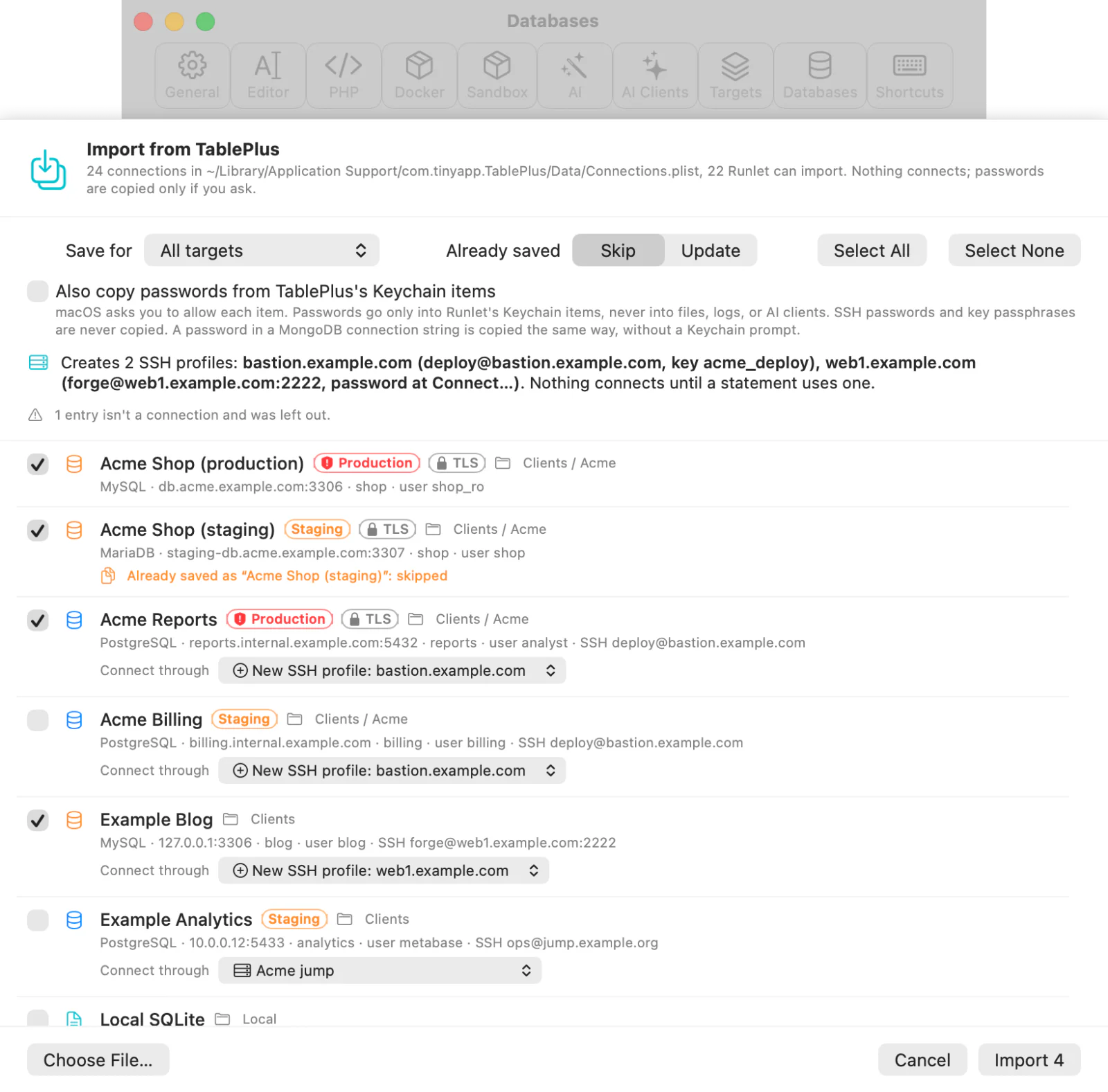
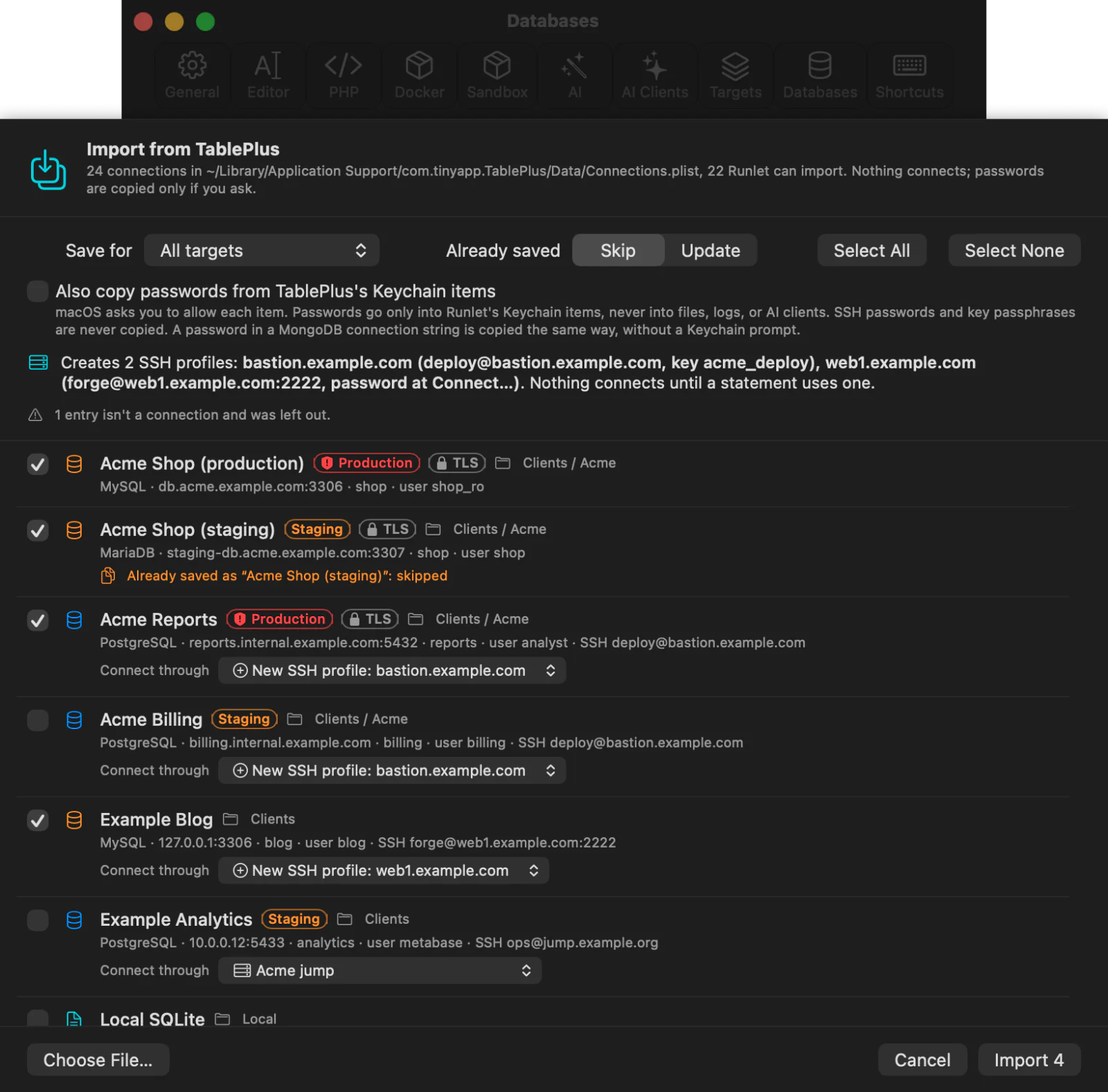
The sheet lists every connection, none selected, with its driver, host, database, user, group, environment tag, TLS, and SSH. Connections Runlet can't import (Cassandra, DynamoDB, Elasticsearch, Oracle, …) are greyed out with the reason. Above the list, choose:
- where to save them (All targets by default);
- whether to skip or update connections you already imported;
- whether to copy passwords.
| TablePlus | Runlet |
|---|---|
| MySQL, MariaDB, PostgreSQL, SQL Server | The same driver |
| SQLite | An SQLite file, opened from this Mac |
| Redis, MongoDB | A saved Redis or MongoDB connection |
| Environment tag | production → production; staging and testing → staging; local and development → development |
| Status colour | The nearest Runlet colour |
| Read-only switch | Read-only |
| Over SSH | This Mac, through SSH profile: an existing profile for the same server, or a new one per server |
| Anything else | This Mac, since TablePlus connects from your Mac |
Passwords are opt-in. With Also copy passwords from TablePlus's Keychain items ticked, Runlet reads each imported connection's item, and macOS asks you to allow each one. A copied password goes straight into Runlet's own Keychain item. SSH passwords and key passphrases are never read or copied.
The summary lists what was imported, updated, and skipped, the new SSH profiles, and what needs your attention, such as a missing password. Use Test Connection to check a connection.
Connection Manager
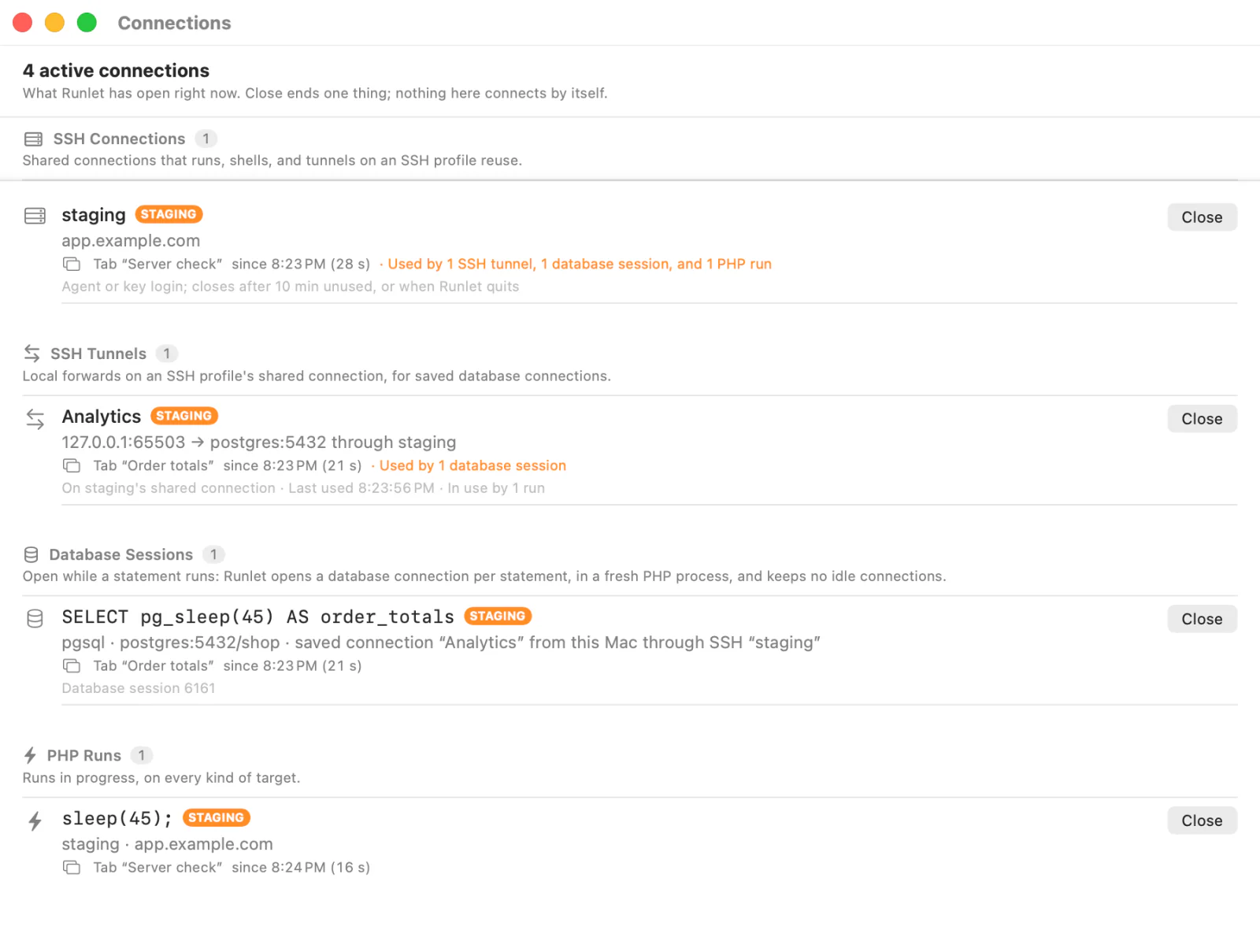
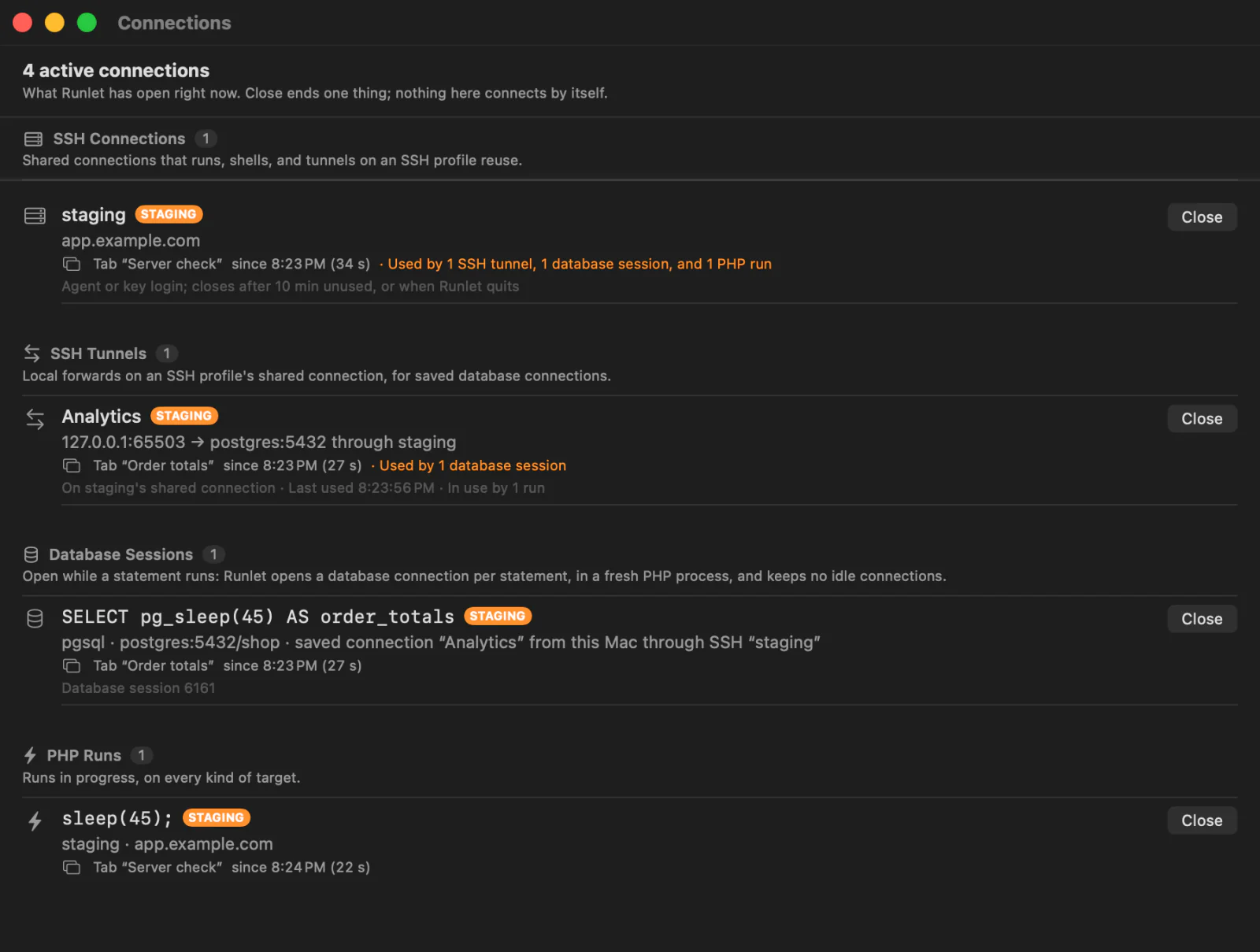
The Connection Manager lists everything Runlet has open right now, in one window, and closes any one of it: SSH connections and tunnels, database sessions, PHP runs, AI clients, and logs it follows.
To open it:
- choose Window ▸ Connections (⇧⌘C; change it in Settings ▸ Shortcuts);
- click the connection count at the bottom right of a window's status bar;
- or search for "connections" in Open Anything (⌘P) or the command palette (⇧⌘P).
Opening it again brings the window to the front. The status bar's count has a tooltip with the counts per kind. At zero, the count stays, dimmed, so the window is always a click away. While runs wait for a free run slot, an hourglass with their number follows the count (see Queued Runs).
What It Lists
Rows are grouped by kind. Each row shows what the connection is, where it goes, which tab or feature uses it, when it started, and a production badge when the target, the SSH profile, or the saved connection is marked production.
| Section | Rows | Where it goes |
|---|---|---|
| SSH Connections | An SSH profile's shared connection, from Connect… or opened by a run. The row says how its login closes: a password or two-factor login stays until you disconnect; an agent or key login closes after the profile's Keep connection time, or when Runlet quits. | user@host:port, and the jump host |
| SSH Tunnels | A forward that a saved connection opens through an SSH profile. The row shows when it opened, when it was last used, and whether a run holds it. | 127.0.0.1:<port> → <host>:<port> through <profile> |
| Database Sessions | Running database work: a statement, Run All, Explain and Explain Analyze, a Load Next page, Load Schema, Show Definition, and the Database pane's Server reads, Cancel Query, and Kill Session. A statement's row shows its first line, and its session id on the server once the database reported it. | The driver, the database, and the connection: the target's application connection, or a saved connection with where it opens (the target's PHP, this Mac, or a tunnel) |
| PHP Runs | Runs in progress on every target: the sandbox, local projects, Docker, and SSH. The row shows the code's first line. | The target |
| AI Clients | AI clients connected to Runlet's MCP server, by the name the client reports. | Runlet's MCP server on this Mac |
| Log Follows | A log the Logs window follows in a container or on a server: docker logs, docker exec … tail -F, or ssh … tail -F. Read-only. Files on this Mac open no connection and aren't listed. | tail -F on <host>, docker logs <container> on this Mac, … |
An SSH connection's row also says what uses it, such as "Used by 1 SSH tunnel, 1 database session, and 1 PHP run": runs on its profile, statements that run there, and tunnels on it. A tunnel's row says which statements use it.
Database sessions exist only while work runs. Runlet opens a database connection per statement, in a fresh PHP process, and keeps no idle connections or pool. A database row appears when a statement starts and goes away when it ends.
The list updates by itself as things open and close. It shows only what Runlet already keeps track of: listing never connects, reads, or runs anything, and nothing goes to the network. While the window is open, Runlet checks the SSH profiles' control sockets on your Mac every few seconds, as the status bar's SSH status does, so a shared connection that ended by itself (its keep time ran out, or the network changed) leaves the list.
Queued Runs
Runlet runs at most four runner processes at once. A further PHP run or SQL statement waits for a free run slot. A waiting run has started nothing: no PHP process, no database connection, and no use of an SSH connection or tunnel. So the Connection Manager lists it, but doesn't count it.
- Its row stays in its kind's section (PHP Runs or Database Sessions), after the active rows and in the order the runs will start, marked Queued. It shows "Queued since 10:42 (12 s)" and its place: "Next to start" or "2nd in line". The section header shows "1 queued" beside its count.
- The counts in the status bar and the window's header are of active connections only. While runs wait, the status bar shows an hourglass with their number, the header says "8 active connections, 1 run queued", and the tooltip starts "8 active, 1 queued", with a line per kind ("4 PHP runs, 1 queued").
- SSH connections and tunnels don't count queued runs among their users, and closing an SSH connection doesn't warn that they end with it: they haven't used it yet. A tunnel added for a queued statement does count it: the forward was added before the run was queued.
- When the run gets its slot, its row becomes an ordinary running row, and its start time is when it actually started.
- Close on a queued row takes it out of the queue, as the tab's Stop does. Nothing was launched or sent, so nothing needs cancelling on a server.
The tab says so too. Its status bar shows "Queued · next to start" instead of the timer, an SQL tab's running row says it connects when it starts, and the output and the Run Log say why it waits: "4 runs are going, at most 4 at once; next to start". On Stop, they say "Removed from the queue before it started; nothing was sent." Once it runs, the Run Log says how long it waited.
Database work outside tabs (Load Schema, Load Next, the Database pane's Server section) waits for a slot the same way, but its rows show as running while they wait.
Closing a Connection
Every row has a Close button, and a context menu with Close, Reveal Tab (selects the tab the connection belongs to, if any), and Copy Destination.
| Kind | What Close does | Asks first |
|---|---|---|
| SSH connection | Disconnects the shared connection (ssh -O exit), as the profile's Disconnect does. The profile's tunnels are removed first. | When runs, statements, or tunnels use it ("they end with it"), or when its login used a password or two-factor code ("you'll have to log in again with Connect…") |
| SSH tunnel | Cancels the forward (ssh -O cancel). The SSH connection stays, and the next run adds the tunnel again. | When a run holds it: a statement, a schema read, or Test Connection |
| Database session | Stops the work, as its own Stop does. For a statement, Run All, Explain Analyze, and a Load Next page, Stop cancels the statement on the server first. Load Schema and the Server section's reads stop; Show Definition's sheet closes. | Never |
| PHP run | Stops the run, as the tab's Stop does. | Never |
| Log follow | Stops following, as the Logs window's Stop does: the tail (or docker logs) ends in the container or on the server too. | Never |
| AI client | Drops that client's connection. Its requests waiting for approval are withdrawn, and runs it started finish in their tabs. The MCP server keeps listening, so the client's next tool call connects again. To refuse clients, turn off Settings ▸ AI Clients ▸ Allow AI clients to connect. | Never |
Closing never asks the production question: stopping and disconnecting are always allowed. A row whose Close is under way shows Closing….
No Secrets
Rows show host names, ports, user names, database names, and connection names. They never show a password, a token, a key, or a DSN with credentials. Runlet doesn't put them in, and the list also removes anything that looks like one (user:password@, password=…, IDENTIFIED BY '…') from every row's text. Tunnels show only host:port.