
Redis
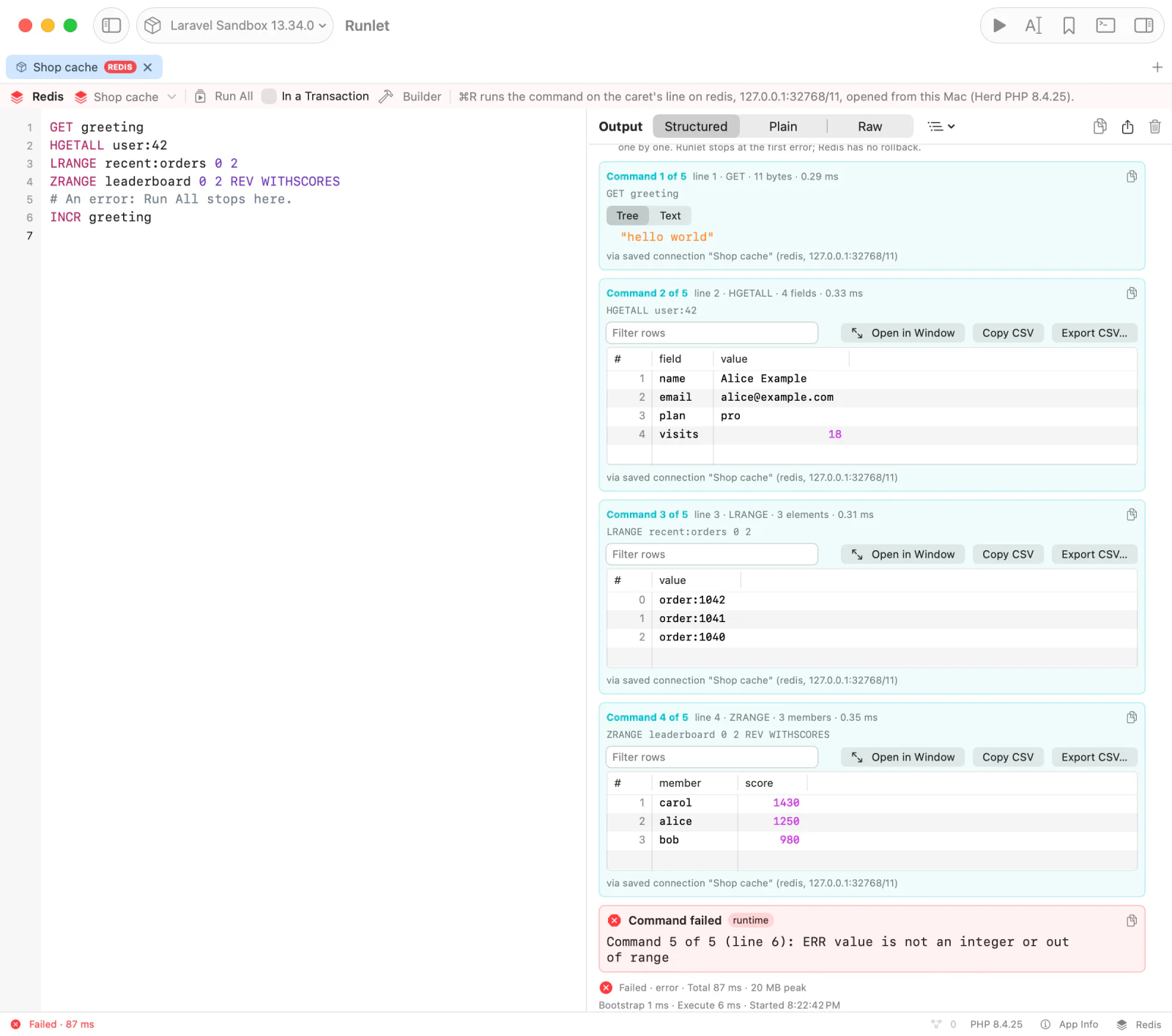
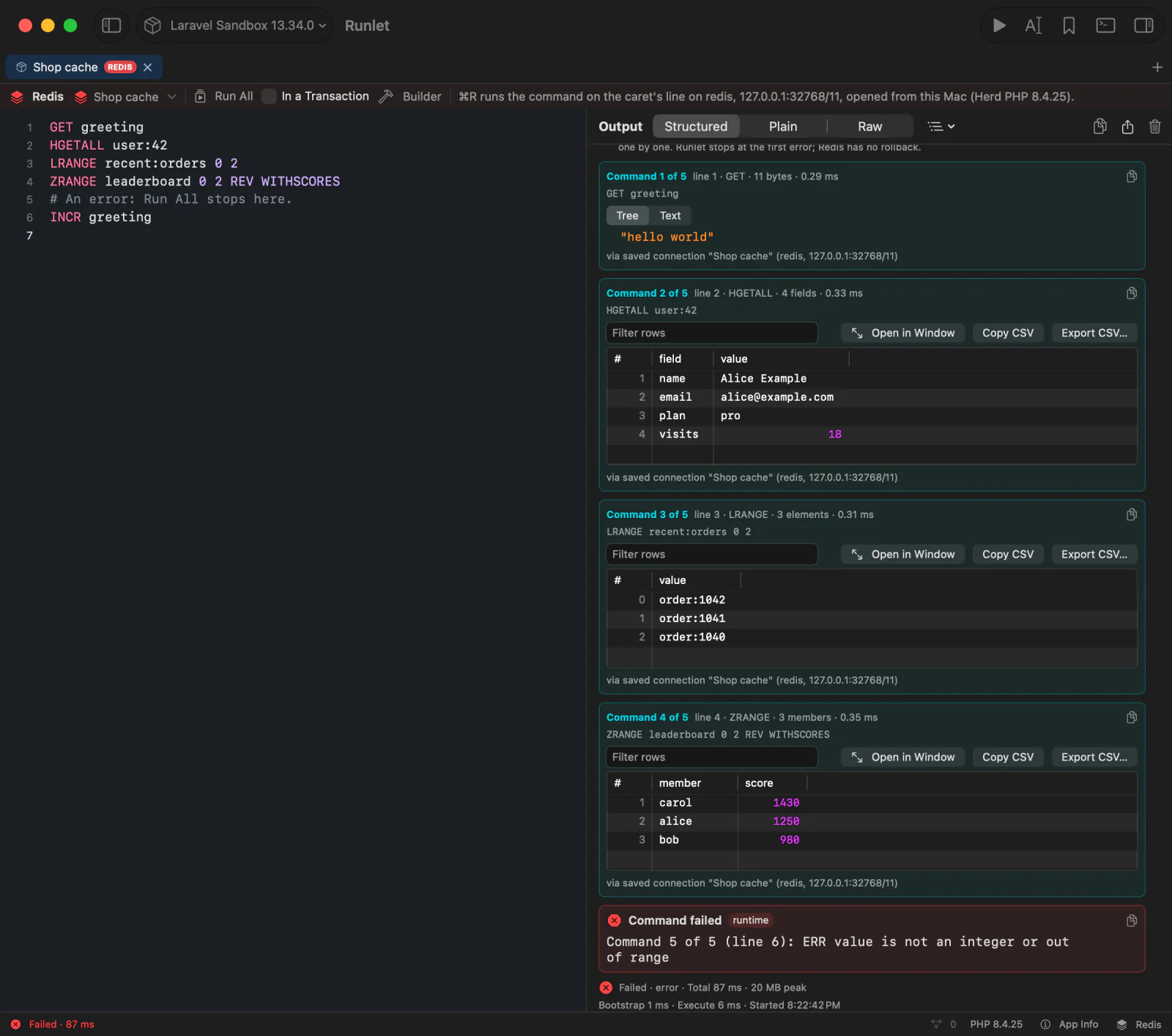
A Redis tab runs Redis commands, one per line, on your application's own Redis connection or on a Redis connection you saved. Each reply shows as a structured card: hashes, lists, sets, sorted sets, and streams as tables, strings with the string viewers, and errors in red.
SET greeting "hello world"
HGETALL user:42
ZRANGE leaderboard 0 9 REV WITHSCORES
With a Redis tab selected, the Database pane browses keys with SCAN (never KEYS) and reads the server's details. Nothing runs by itself, dangerous commands always ask, and production asks before every run.
Redis tabs work like SQL tabs: the same saved connections, opened from the target, from this Mac, or through an SSH tunnel; read-only and environment marking; Run History and snippets that remember the connection; and the Connection Manager.
Creating a Redis Tab
- Choose File ▸ New Redis Tab (also in the command palette). The new tab uses the current tab's target.
- Choose Switch to Redis in a tab's context menu, and Switch to PHP to go back. A connection of another kind, such as an SQL connection, doesn't carry over.
- Open a
.redisfile. Save As saves a Redis tab as a.redisfile.
The tab has a red REDIS badge, and a Redis bar above the editor with the connection, Run All, In a Transaction, the Builder button, and what ⌘R will do.
Running Commands
Type one command per line, quoted the way redis-cli quotes. A line that starts with # is a comment:
# Strings with spaces need quotes
SET greeting "hello world"
SET note 'it\'s here'
SET bytes "\x00\xff line one\nline two"
Double quotes understand \n, \r, \t, \", \\, and \xHH for any byte, so binary values survive. Single quotes understand \'. The editor completes commands, options, and key names, and hovering a command shows its syntax.
Running One Command
Run (⌘R) runs the command on the caret's line, or the selected one. On a blank or comment line, it runs the next command below, or the last one above. A selection that holds several commands is refused: Run runs one.
Run All
Run All (⌥⇧⌘R, or the bar's button) runs every command of the selection, or of the tab, in order on one connection.
It stops at the first error, and says which commands didn't run. The commands before the error stay done: Redis has no rollback.
In a Transaction
The In a Transaction checkbox (off by default, saved with the tab) wraps Run All in MULTI and EXEC. Redis queues every command, then runs them all, and each command's reply comes from EXEC.
- A command Redis refuses to queue, such as one with a syntax error, discards the whole transaction, so nothing runs.
- While it's on, typed
MULTI,EXEC,DISCARD,WATCH, andUNWATCHare refused. Turn it off to run your own transaction.
SELECT n switches the database for the rest of the run, and the card says which database each reply came from.
Replies
| Reply | Shown as |
|---|---|
| Bulk string | The value, with the string viewers (JSON, URL-encoded, Base64, …). Bytes that aren't UTF-8 show as hex. |
| Integer, double, boolean | (integer) 5, (double) 1.5, (true) |
| Status | OK, PONG, in green |
| Nil | (nil) |
HGETALL, HSCAN, CONFIG GET, HRANDFIELD … WITHVALUES | A field and value table |
ZRANGE … WITHSCORES (and ZRANGEBYSCORE, ZREVRANGE, ZPOPMIN, ZPOPMAX, ZSCAN, …) | A member and score table, sorted by number |
SMEMBERS, SINTER, SUNION, SDIFF, SSCAN, RESP3 sets | A member table |
LRANGE and other lists | A value table, numbered from the range's start |
XRANGE, XREVRANGE, XREAD | An entry table: the id, and one column per field |
SCAN | A key table, and the next cursor |
Nested replies (COMMAND INFO, XINFO, …) | A value tree |
| Error | The error, in red. Run All stops there. |
Tables have the output's filter, Copy CSV, Export CSV…, and Open in Window. Copy on a card copies the reply as redis-cli would print it.
Large Replies and Load More
A reply keeps at most the Rows per page of Settings ▸ General ▸ SQL Results (1,000 by default) elements per level, twice as many for field and value or member and score pairs. A top-level string keeps 512 KiB, a nested string 8 KiB, and the whole reply 8 MiB. The card says how many elements it left out.
Runlet still reads the whole reply from Redis, so a huge LRANGE 0 -1 is slow. Read big keys in pages instead:
SCAN,HSCAN,SSCAN,ZSCAN: Load More runs the command again from the reply's cursor and adds the rows to the card, until the cursor is0.LRANGE,ZRANGE, andZREVRANGEby index: when the limit cut the reply, Load More reads the elements after the ones shown.
Each page runs on the same connection, and production asks first.
Connections
The bar's connection menu offers your application's Redis connections and your saved Redis connections. Choosing one never connects or runs anything.
The Application's Connections
By default, a Redis tab uses your application's own connection, so Runlet needs no credentials. The run boots the application on its target and asks its driver for the connection:
- Laravel:
Redis::connection('<name>'): the default connection, or a key ofconfig('database.redis')such asdefaultorcache, which the menu lists after a run. Commands are sent raw, so the connection's key prefix and serializer don't apply. Redis Cluster connections aren't supported yet. - A project driver can return its own connection from
redisConnection(): a phpredisRedis, a Predis client, a Laravel connection, or a callable.
Saved Redis Connections
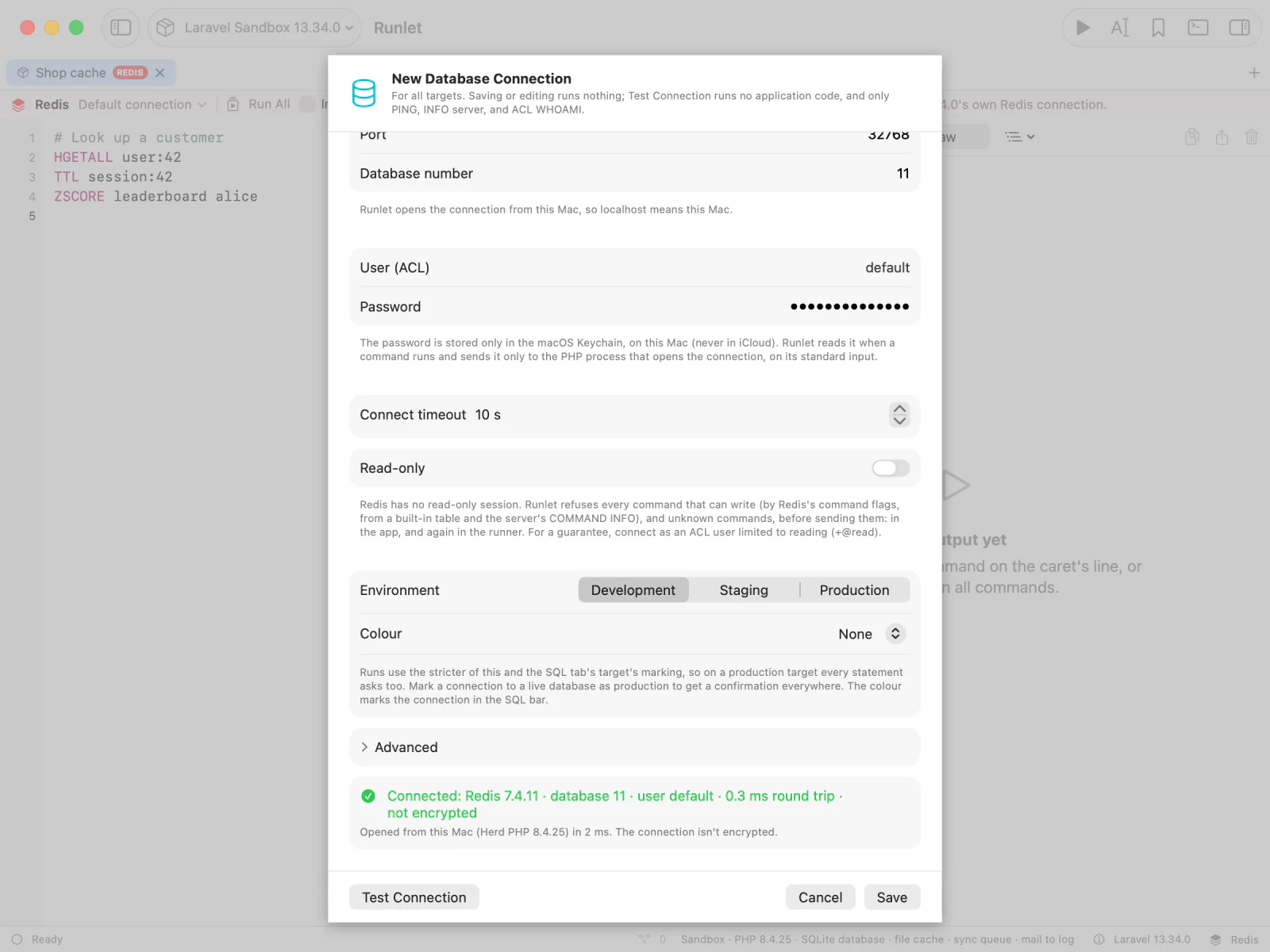
New Connection… in a Redis tab's connection menu starts a connection of the Redis kind, or choose Redis as the driver in any connection editor. Besides the fields every saved connection has, it has:
| Field | Notes |
|---|---|
| Host, Port | Port 6379 by default. Or a Unix socket, under Advanced. |
| Database number | 0 by default. |
| User (ACL), Password | The user is optional. The password is stored only in the macOS Keychain. |
| TLS | Under Advanced: Off, Require (encrypted, but the certificate isn't checked), or Verify CA and host name, with an optional CA file, client certificate, and client key. |
Runlet opens a saved Redis connection with its own small Redis client, so no PHP extension is needed. It works with the target's PHP, Runlet's PHP, and any PHP 7.4 or later on your Mac; TLS needs PHP's openssl extension. The run boots no project code.
Test Connection sends PING and reports the Redis version, the database, the user, the round trip, and whether the connection is encrypted.
Import from TablePlus brings in TablePlus's Redis connections too: the host, port, database number, user, TLS (as Require; choose Verify CA and host name under Advanced if you want it), SSH, and the environment tag.
Command Builder
The Command Builder helps with command names, argument order, and options. It writes the command into the tab as text, so the editor always shows exactly what runs, and the builder itself never runs anything.
Open it with the bar's Builder button, View ▸ Show Builder, or ⌥⌘B. It sits beside the editor; drag its edge to resize it. (In a MongoDB tab, the same command opens the Query Builder.)
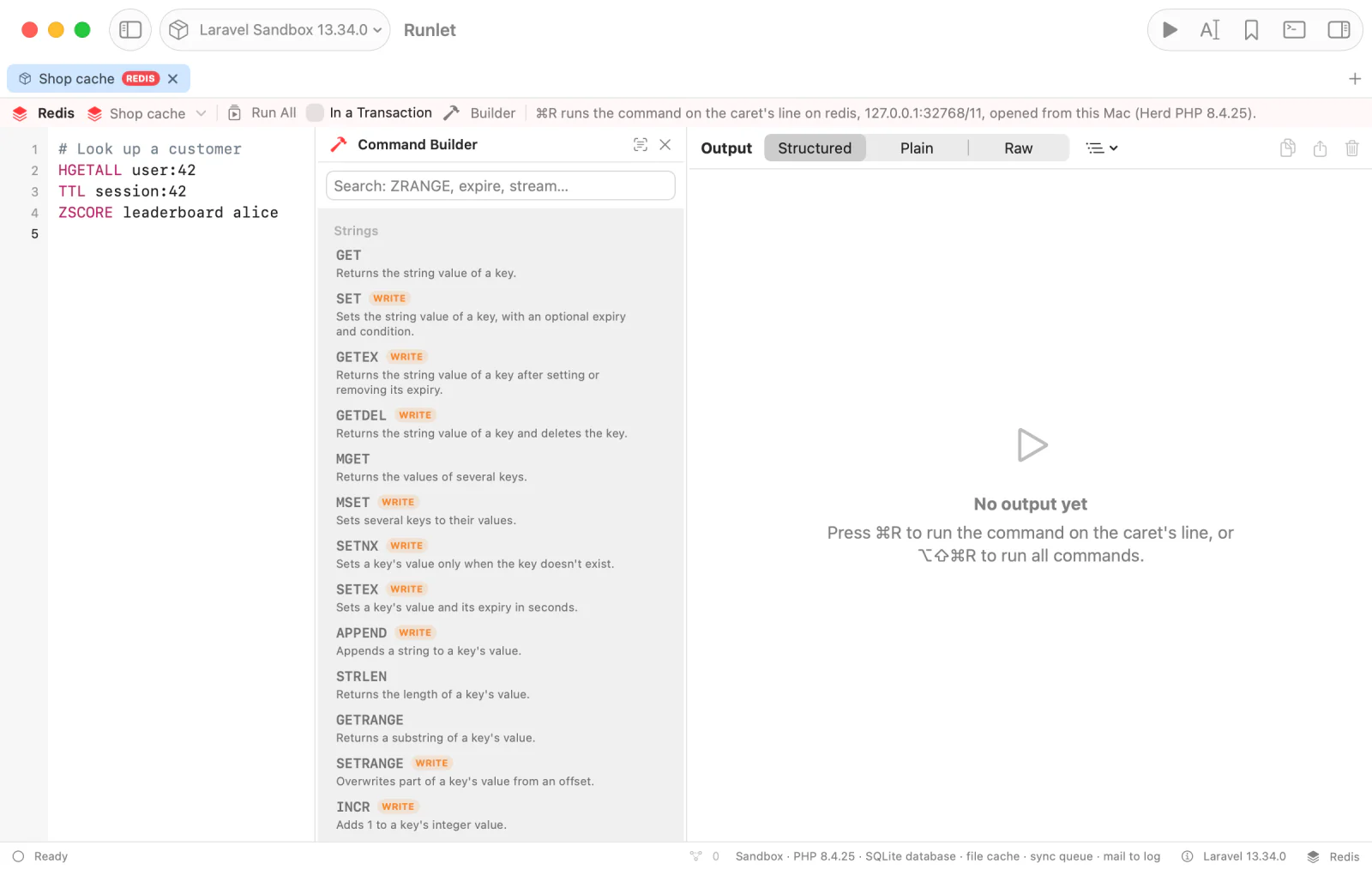
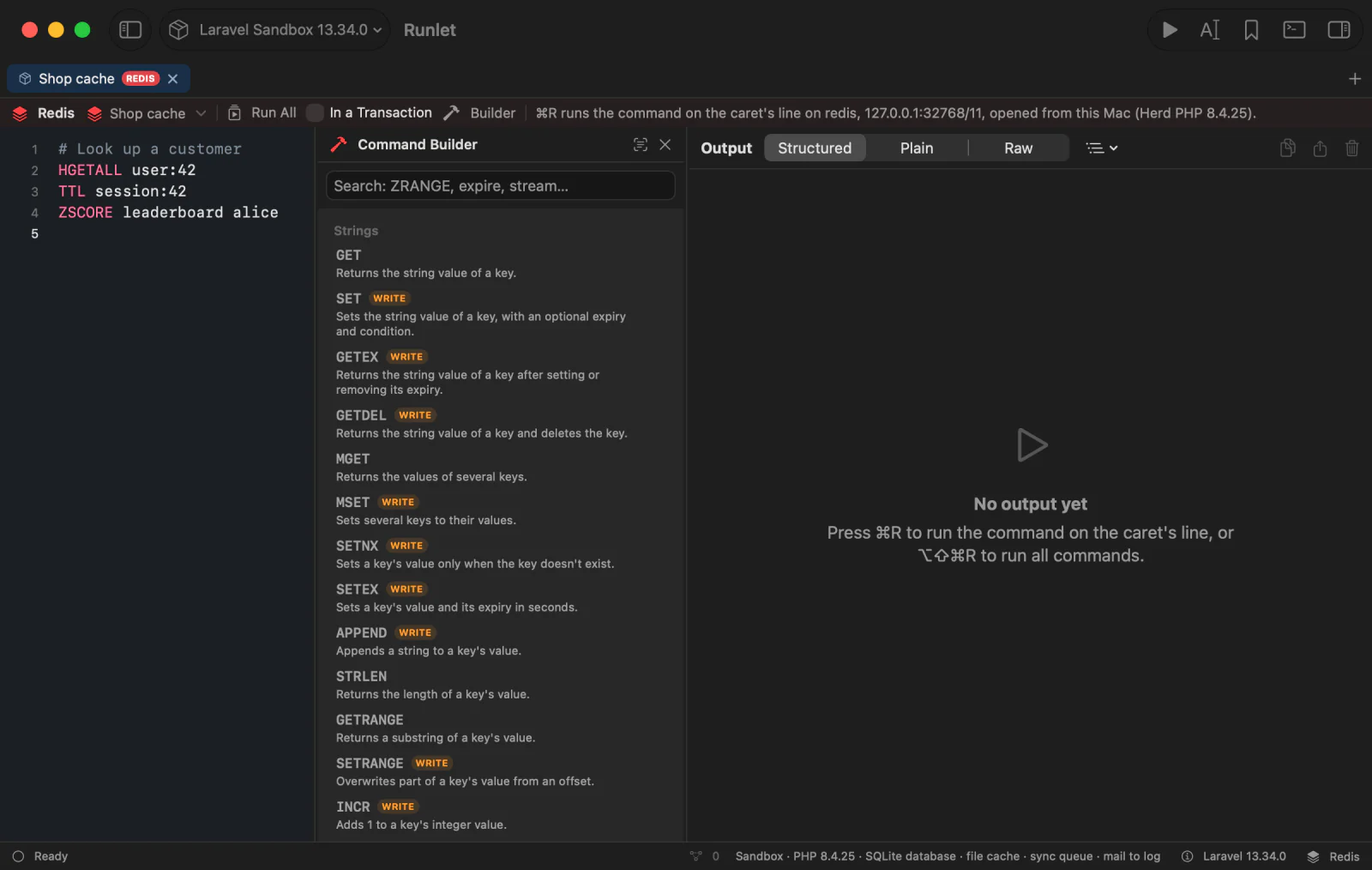
Pick a command. Search by name or summary (
zrange,expire,stream). Commands are grouped by data type (strings, hashes, lists, sets, sorted sets, streams, keys, server), and marked WRITE, DANGEROUS, or BLOCKS, the way every run checks them. Another command… gives a form of raw arguments for a command Runlet has no syntax for.Fill in the form. It follows the command's syntax, shown under its name as Redis's docs write it:
- a field per value, and checkboxes for options (
NX,GET,REV,WITHSCORES); - a choice where options exclude each other (
EX | PX | EXAT | PXAT | KEEPTTL,BYSCORE | BYLEX); - groups you turn on (
LIMIT offset count,XADD's trimming); - rows you add and remove for repeated arguments (
HSETfield and value pairs,ZADDscore and member pairs,XREAD STREAMSkey and id pairs).numkeysis counted for you.
Numbers are checked, and durations show their unit, common values, and what they come to (
3600= 60 min). An empty field is left out; a field's Empty String writes"". Key names complete from the key browser's last scan of the tab's connection; typing never reads anything from Redis.- a field per value, and checkboxes for options (
Check the preview. It's the exact line, quoted the way the tab reads it (
"two words",\nfor a line break), with how Runlet will treat it (a read, a write, dangerous, or refused on a read-only connection) and what's missing.Insert it. Insert puts the line on a new line after the caret's (or on the caret's line when it's blank). Replace Line puts it in place of the caret's command, keeping its indentation. Each is one edit that Undo takes back.
Then ⌘R runs it, with the usual read-only refusals, dangerous-command confirmations, and production rules.
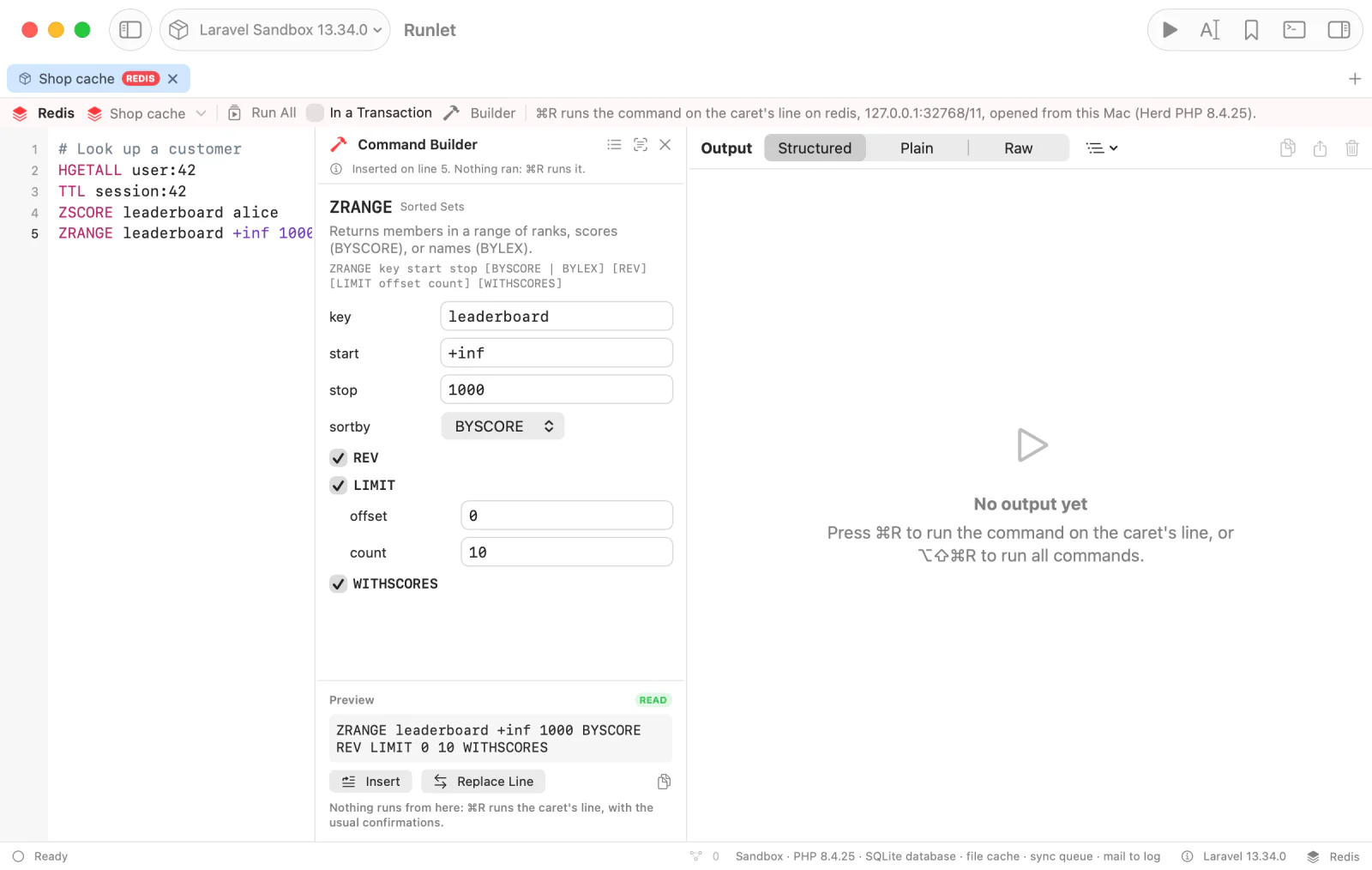
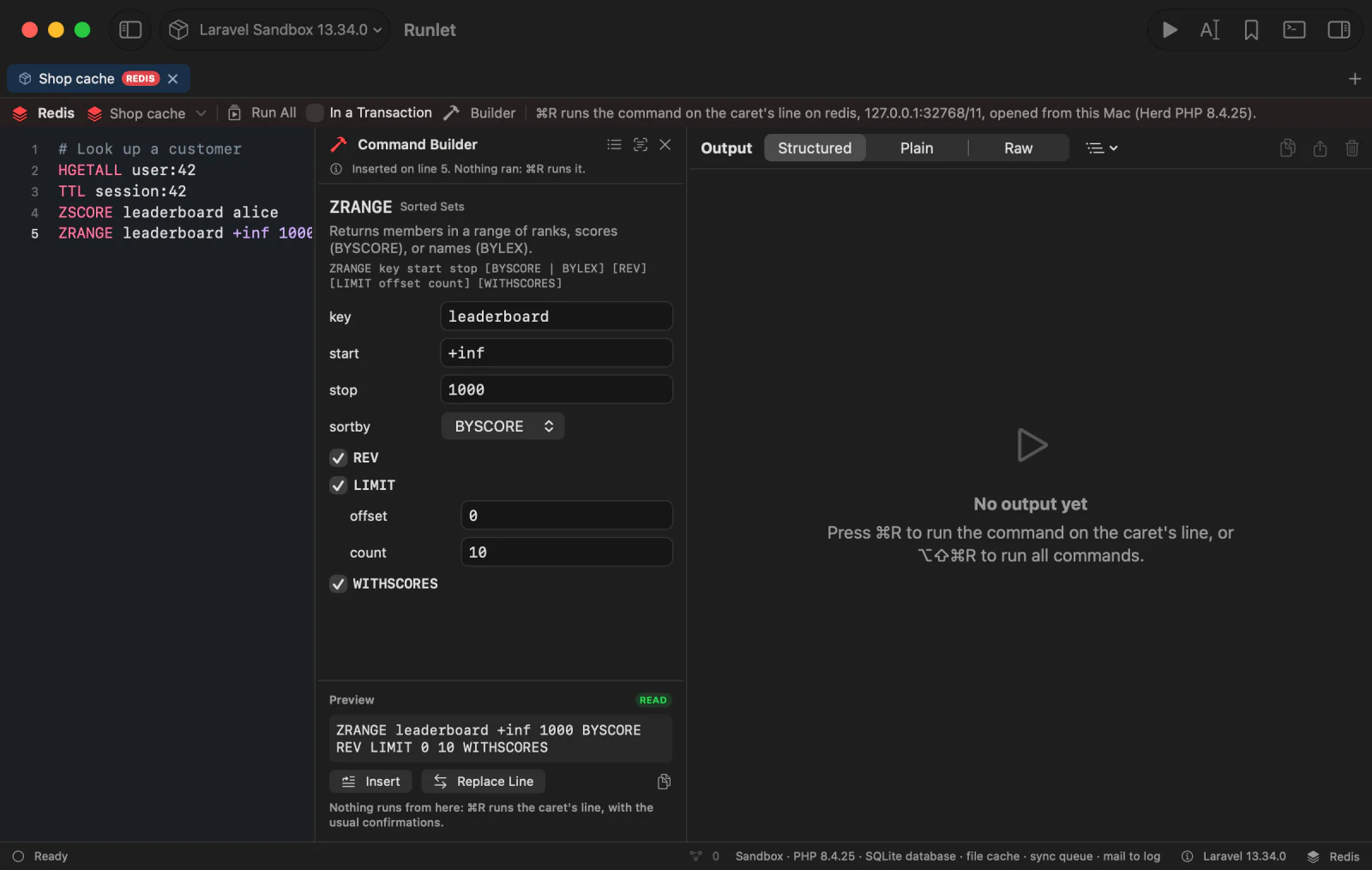
Read Line (the builder's text button, and opening the builder) reads the command on the caret's line into the form. Options can be in any order and case: set k v ex 60 nx reads as SET k v NX EX 60. Words the form can't place stay as raw arguments, written after the others, so nothing is lost, and a command typed halfway fills what it has. A line the builder can't read (an unclosed quote, or bytes that aren't UTF-8) leaves the form fresh and the text untouched.
The builder knows the syntax of about 150 commands: the common ones of every data type, including ZRANGE's BYSCORE, BYLEX, REV, and LIMIT, XADD, XRANGE, XREAD, XINFO, and Redis 7.4's hash-field expiry; SCAN, HSCAN, SSCAN, and ZSCAN; and server commands such as INFO, DBSIZE, MEMORY USAGE, CONFIG GET, and SLOWLOG GET.
Completion
Redis tabs complete as you type: two characters of a word show what fits there, and Show Completions (⌃Space or ⌥Esc) shows the list anywhere. Return or Tab inserts the selected item, and Esc closes the list.
NOTE
Typing never sends anything to Redis. The list comes from Runlet's command table, and from key names Runlet already read.
| What | Where, and how |
|---|---|
| Commands | At the start of a line, with their syntax as Redis's docs write it (ZRANGE key start stop [BYSCORE | BYLEX] [REV] [LIMIT offset count] [WITHSCORES]), their summary, and WRITE, DANGEROUS, BLOCKS, and STREAMS marks. Commands Runlet has a syntax for come first, then the other commands it knows, with how it treats them. SUBSCRIBE, PSUBSCRIBE, SSUBSCRIBE, and MONITOR have a STREAMS mark; commands that change the reply protocol or start replication stay hidden. The list follows your case: zr → zrange. |
| Subcommands | A container command (CLIENT, CONFIG, XINFO, MEMORY, OBJECT, SLOWLOG, …) inserts its name and a space, and lists its subcommands: CLIENT LIST, CLIENT KILL, XINFO STREAM, … |
| Options | The ones the syntax allows at the caret, in order: ZRANGE key 0 -1 offers BYSCORE, BYLEX, REV, LIMIT, and WITHSCORES; SET key value offers NX, XX, GET, EX, PX, EXAT, PXAT, and KEEPTTL; SCAN 0 offers MATCH, COUNT, and TYPE. An option already used, or one another excludes (NX after XX), isn't offered, and none is where a value goes (SET key |, where NX would be the value). Each shows its syntax, such as EX seconds. |
| Values | INFO's sections, SCAN … TYPE's types, and common CONFIG GET parameters. |
| Key names | Where a key goes (GET, HGETALL, DEL a b, RENAME a, ZUNIONSTORE dst 2 a, XREAD STREAMS, MEMORY USAGE, …), from what Runlet already read for the tab's connection and database. Keys of the command's type come first (HGETALL lists hashes first) when the key browser read their type. A name is inserted quoted the way the tab reads it ("my key"); inside a quote you opened, it's escaped for that quote, and the caret goes after the closing one. |
Hover a command or subcommand to see its syntax, its summary, its group, and how Runlet treats it.
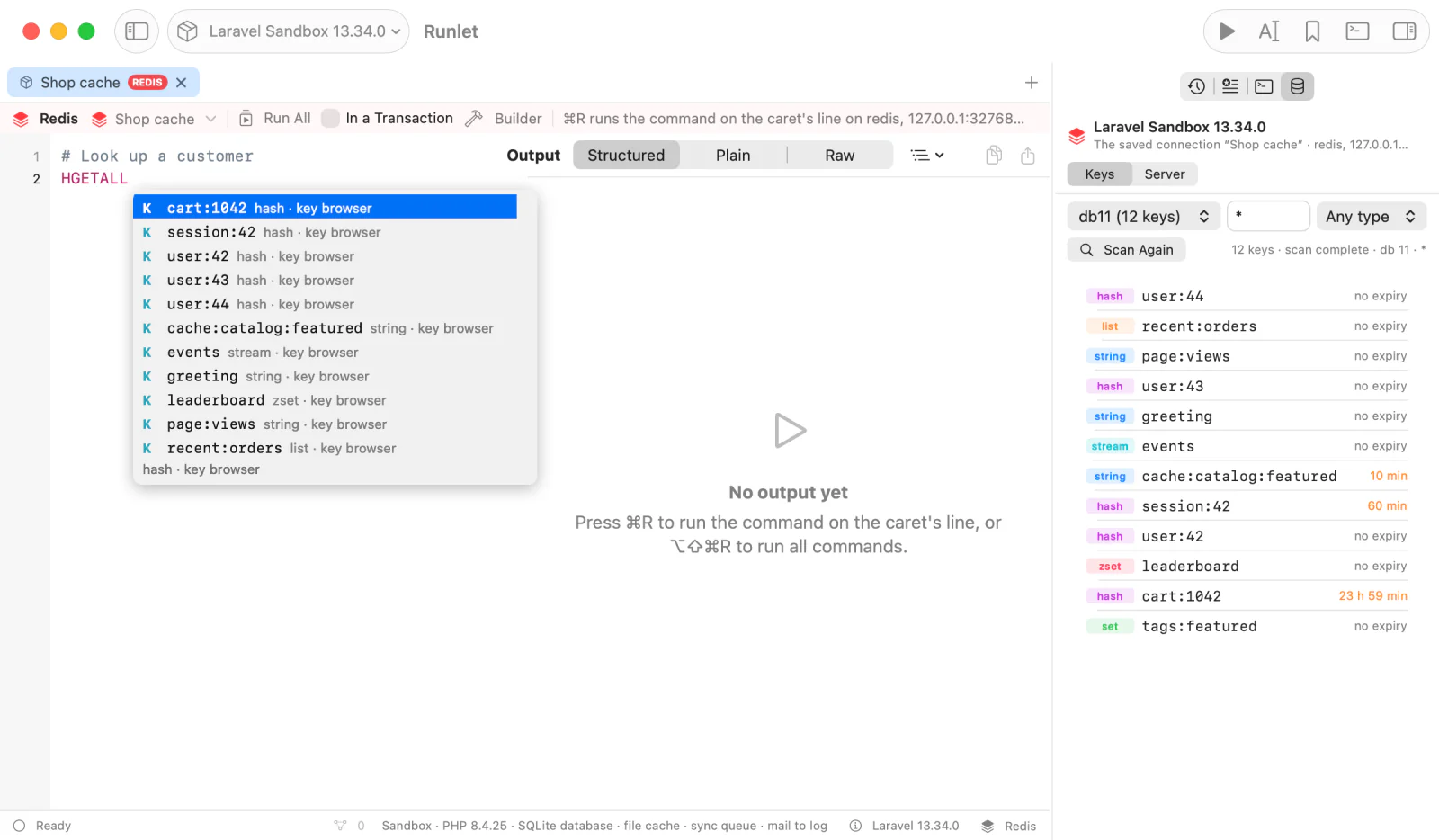
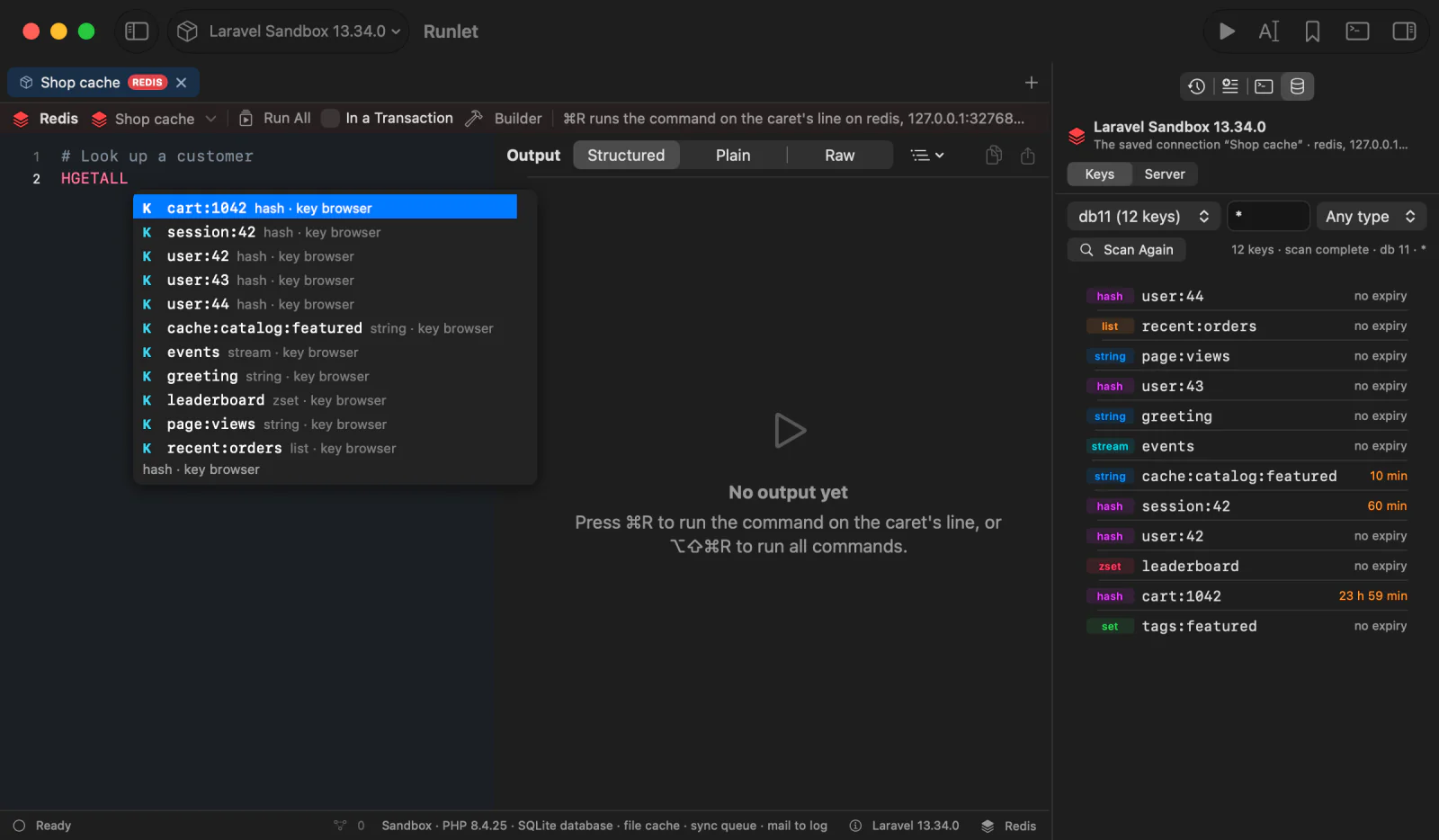
Loading Keys for Completion
Key names come from the key browser's last scan, from keys this tab's replies listed (SCAN, KEYS, RANDOMKEY), and from Load Keys for Completion…:
- It's the list's last item where a key goes. Show Completions shows it when nothing else fits.
- It runs one
SCAN 0 MATCH <prefix>* COUNT 1000in the tab's database, with what you typed as the prefix (its*,?,[,], and\escaped). It reads key names only: no types, TTLs, orINFO. Production asks first. - When that scan didn't reach the end of the database, the item becomes Load More Keys for Completion… and continues from its cursor. It isn't offered once every key with the prefix is known.
Loaded names stay in memory while Runlet runs, and the Run Log notes each load. The tab's database is the saved connection's database number; for an application connection, it's the database of the tab's last reply (0 before any).
Key Browser
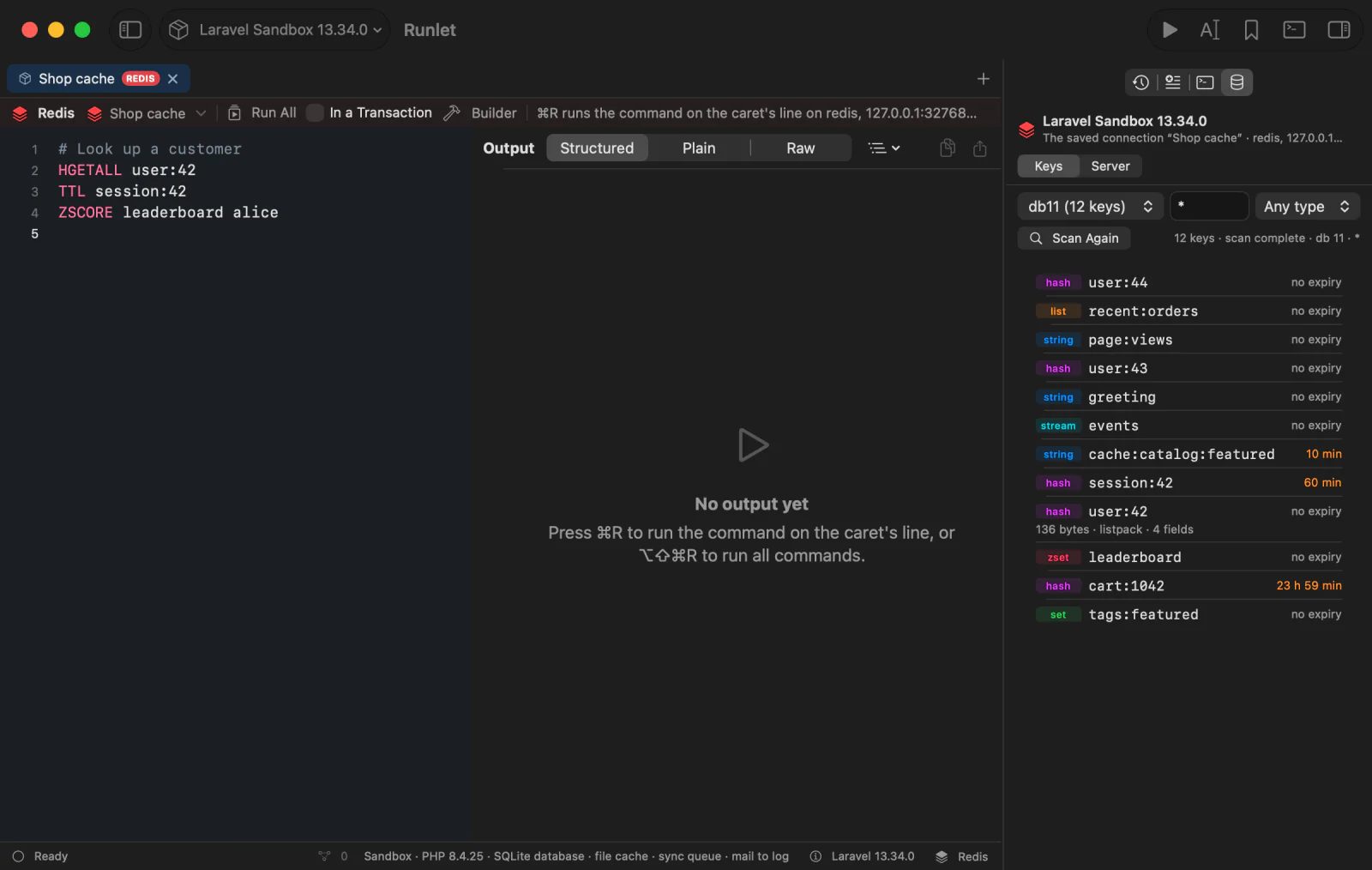
With a Redis tab selected, the Database pane (Library ▸ Database, ⇧⌘B) shows the tab's connection, with Keys and Server. Everything reads on demand only, and production asks first.
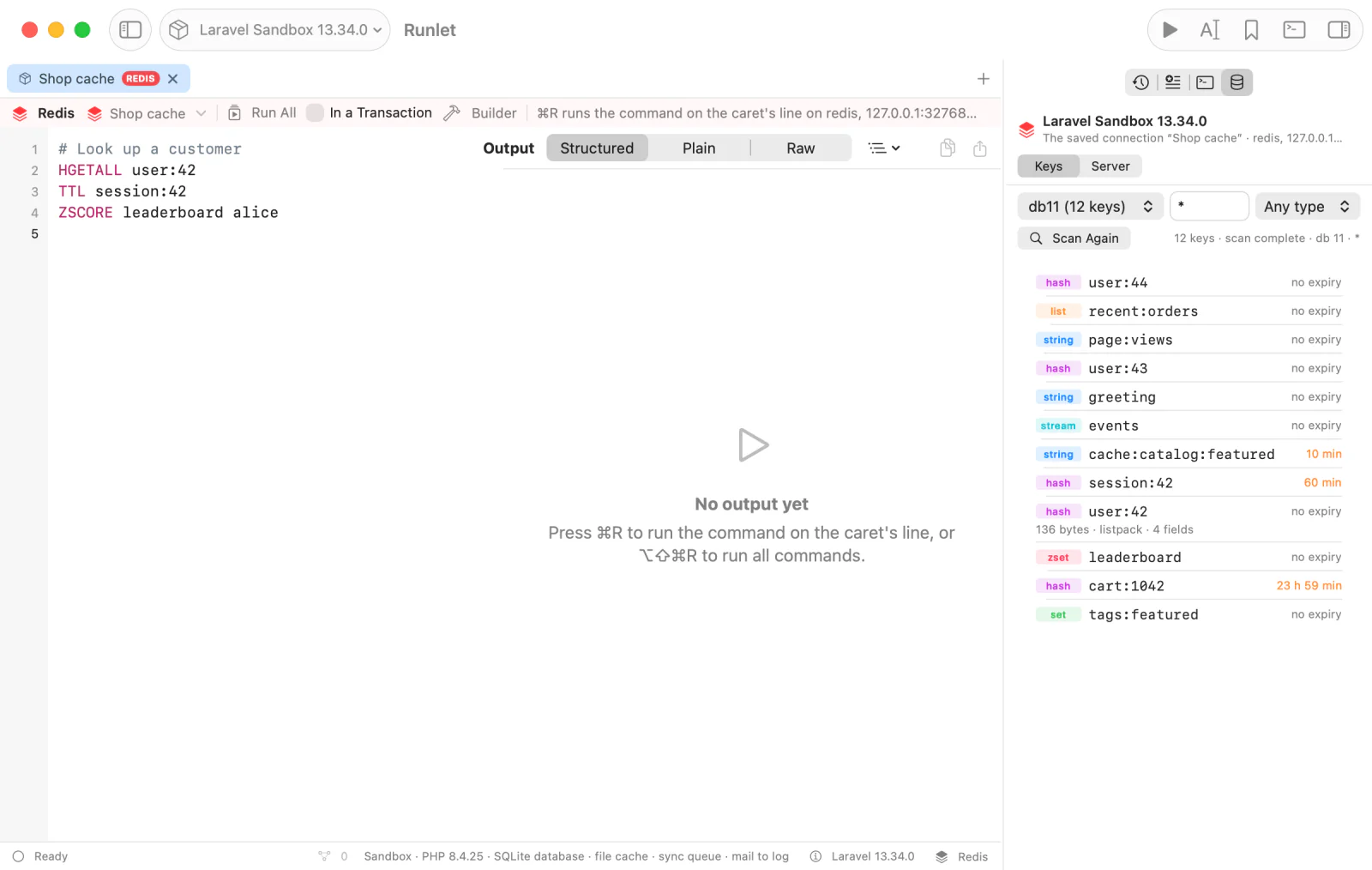
- Pick the database. The menu lists as many as
CONFIG GET databasesreports, with the number of keys in each one that has some. - Type a pattern,
SCAN'sMATCH:*,?,[ab]. Optionally pick a type. - Scan reads one page with
SCAN … COUNT 200, neverKEYS, with each key's type and TTL. Load More continues from the cursor until the scan is complete.
NOTE
A SCAN may return a key twice, and keys added meanwhile may be missed: Redis's cursors promise only that keys present the whole time show up.
A key's context menu has:
| Item | What it does |
|---|---|
| Open Value (or double-click) | Reads the value by its type, at most a page of elements (GET, HSCAN for a hash, SSCAN for a set, LRANGE, ZRANGE … WITHSCORES, XRANGE), and shows the reply card in a sheet. Its Insert Command puts that read on its own line in the tab. |
| Memory Usage | Reads MEMORY USAGE, OBJECT ENCODING, and the length. |
| Copy Key | Copies the name. |
| Insert Command | Opens the Command Builder with the key filled in: the read for its type (GET, HGETALL, LRANGE 0 -1, SMEMBERS, ZRANGE 0 -1 WITHSCORES, XRANGE - +), TTL, EXPIRE…, PERSIST, DEL, or RENAME…. |
Neither Insert Command runs anything. A huge hash or set is never read in one call.
Server Details
Server in the Database pane shows the server of the tab's connection. Read Server Details reads INFO and CLIENT LIST:
- the version, mode, uptime, clients, and memory, in one line;
- the
INFOsections; - every connected client, with its address, name, user, database, last command, age, idle time, and whether it's blocked. The pane's own client is marked (this panel).
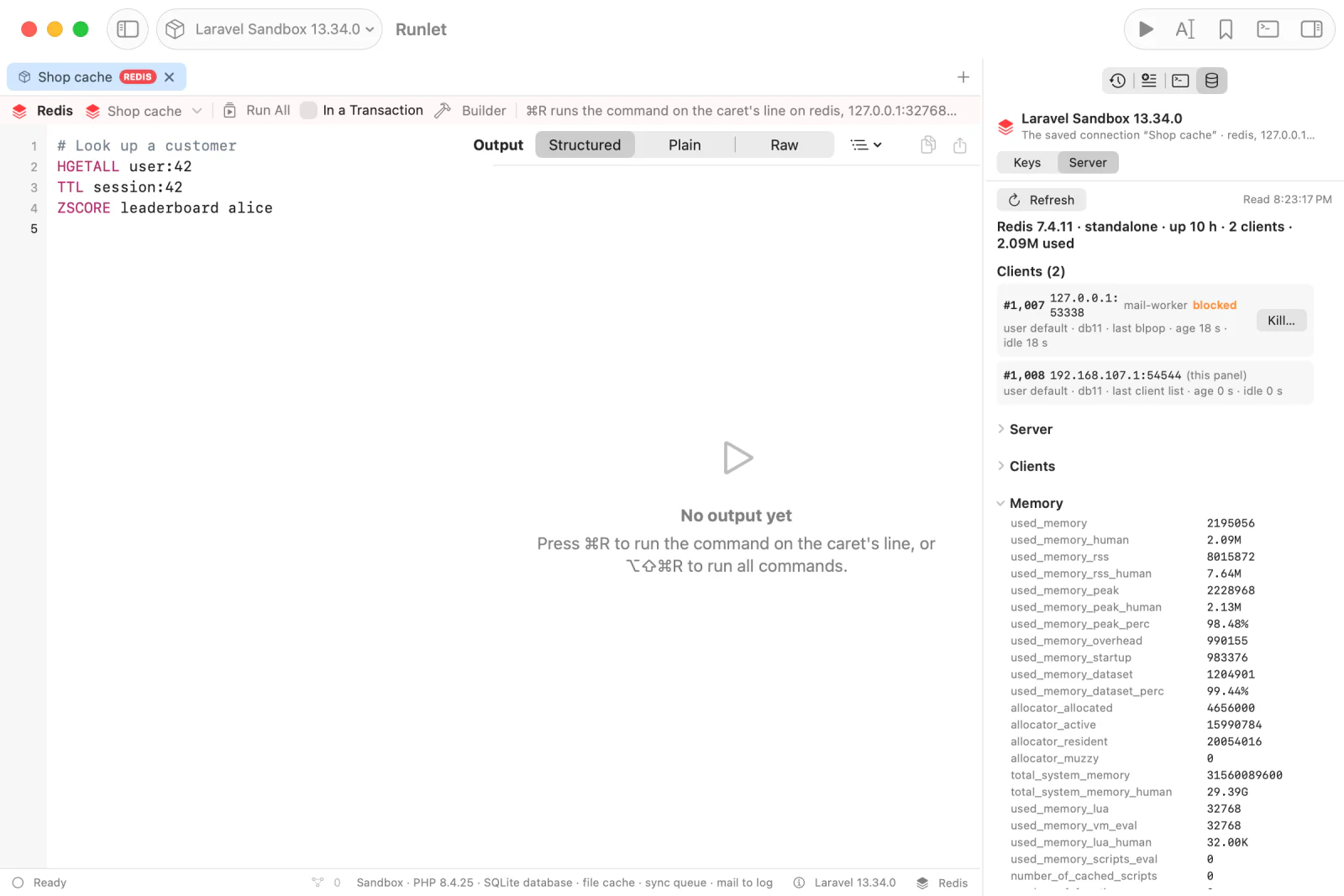
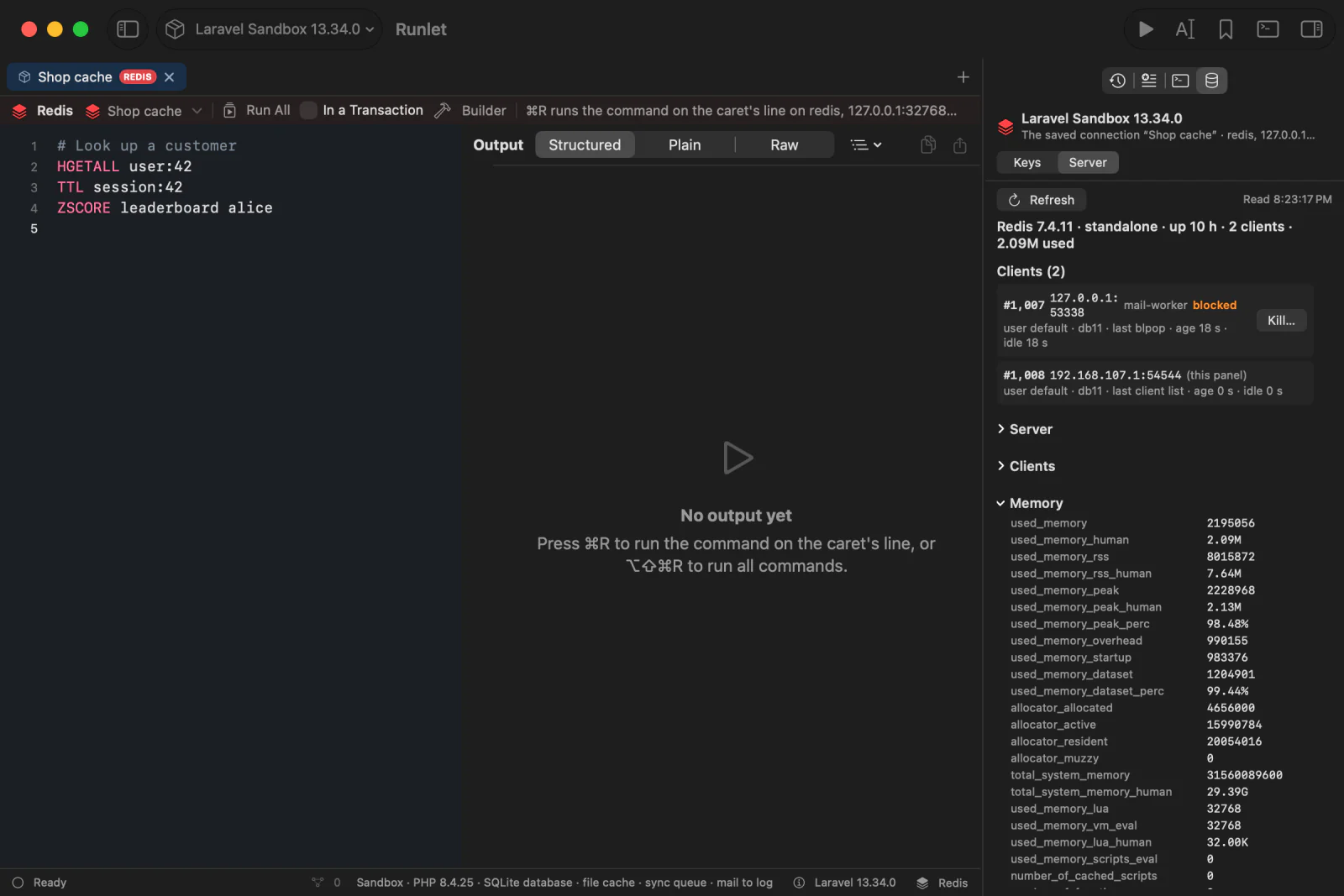
Kill… on a client always asks first, on every connection, in the same confirmation as the dangerous commands: ⌘Return kills, and a plain Return cancels. Runlet then checks, with a fresh connection, that it reached the same server, that the client isn't the panel's own or its own, and that it's still the client listed, and sends CLIENT KILL ID. The outcome shows in the panel and in the tab's Run Log.
History and Snippets
Run History keeps a Redis run's commands, with passwords as •••, and its connection: an application connection's name, or a saved connection's name. Opening an entry or a Redis snippet opens a Redis tab on that connection, and never runs it.
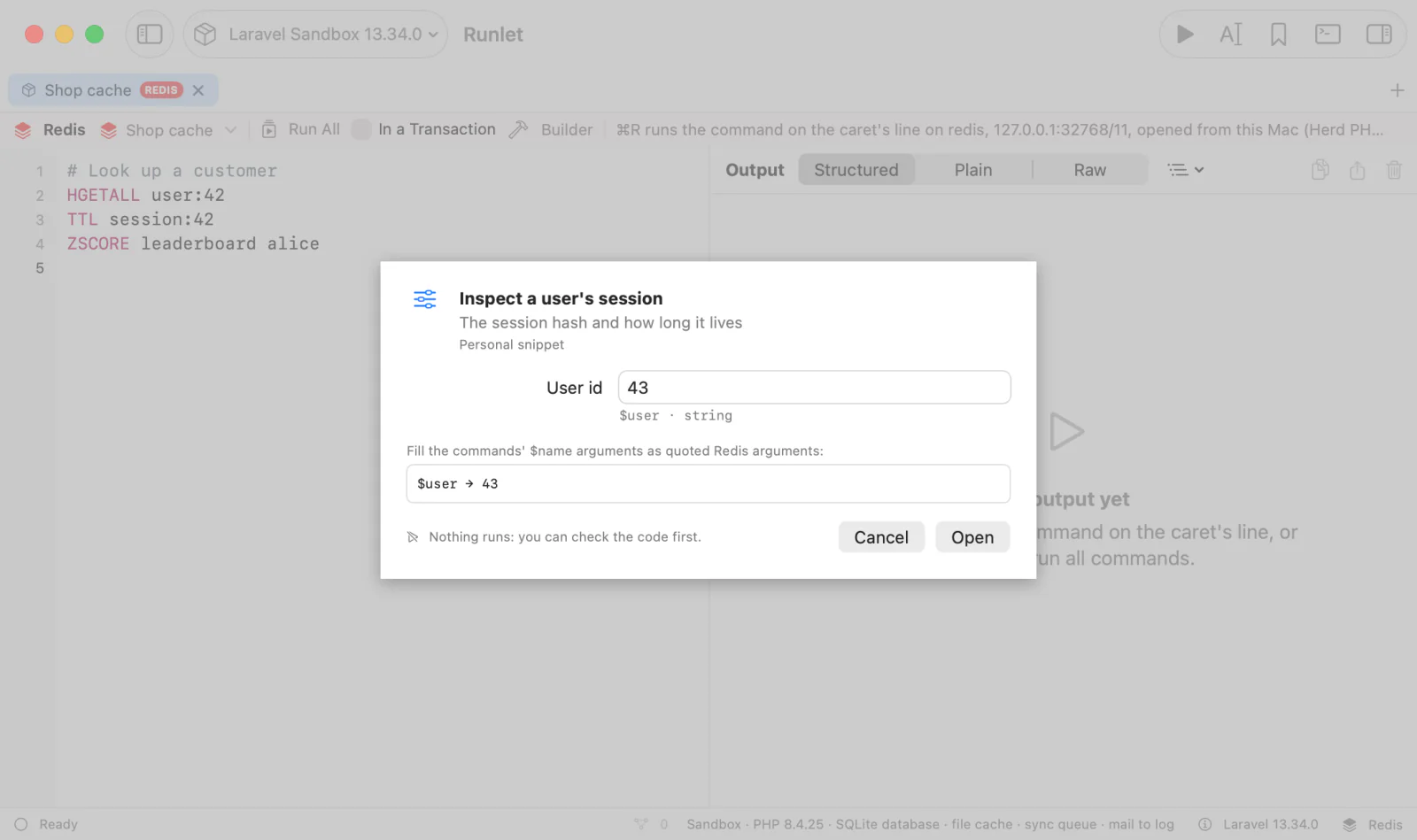
Snippets saved from a Redis tab are Redis snippets, with a REDIS badge and a connection picker. Save Snippet to Project… writes a .runlet/snippets/<name>.redis file, so a team can share runbooks through git:
# @title Inspect a user's session
# @description The session hash and how long it lives
# @connection cache
# @input string $user "User id" = "42"
HGETALL session:$user
TTL session:$user
A leading block of # lines holds @title, @description, @connection, and @input; then come the commands, one per line. An input's value fills $name in unquoted arguments, or ${name} when a letter, digit, or _ follows it (${user}_lock). The whole argument is written back as one Redis argument, quoted when it needs to be, so a value with spaces, quotes, or line breaks never splits it or starts another command. Placeholders inside quotes stay text. Personal Redis snippets take @input lines too. See Redis snippets and snippet inputs.
Safety
- Nothing runs by itself. Opening, importing, or restoring a Redis tab never runs it. Redis tabs never auto-run, and AI clients can't run them.
- Production asks before every run, every Load More page, and every key browser and server read. The confirmation shows the commands (passwords as
•••), warns about those that can write, and says whether Run All runs inMULTIandEXEC. - Passwords are hidden. A saved connection's password stays in the Keychain. A password you type (
AUTH,HELLO … AUTH,MIGRATE … AUTHorAUTH2,ACL SETUSER … >secret,CONFIG SET requirepassormasterauth) shows as•••in Run History, the output, confirmations, the Connection Manager, and AI clients' snippet tools.
Dangerous Commands
These commands always ask first, on every connection, production or not, naming the command and what it does:
MONITOR, FLUSHALL, FLUSHDB, KEYS (use SCAN or the key browser), DEBUG, SHUTDOWN, SAVE, CONFIG SET, CONFIG REWRITE, SCRIPT FLUSH, CLIENT KILL, MIGRATE, SWAPDB, REPLICAOF and SLAVEOF, FAILOVER, MODULE LOAD and UNLOAD, ACL SETUSER and DELUSER, FUNCTION FLUSH and DELETE, and CLUSTER RESET, FAILOVER, FORGET, and FLUSHSLOTS.
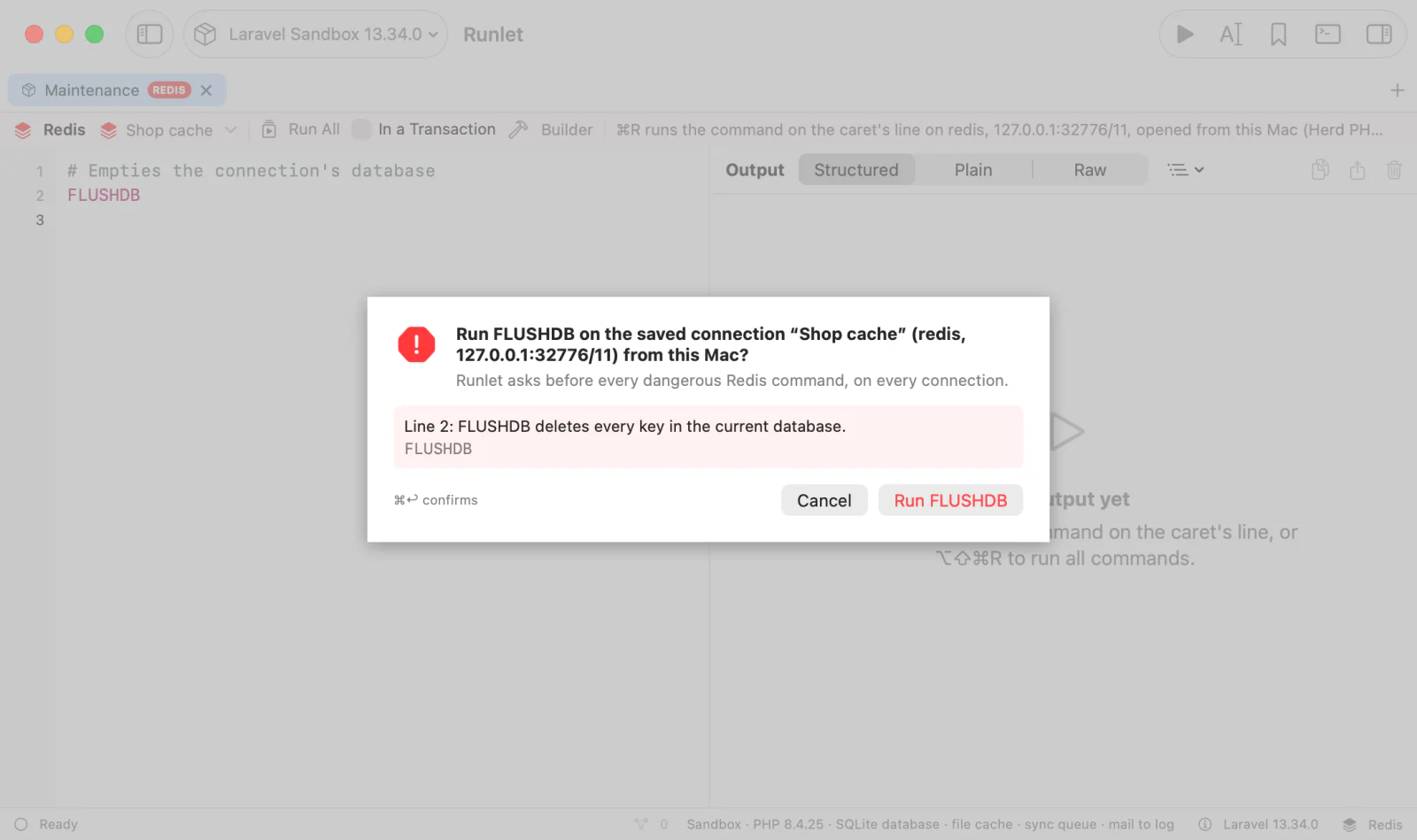
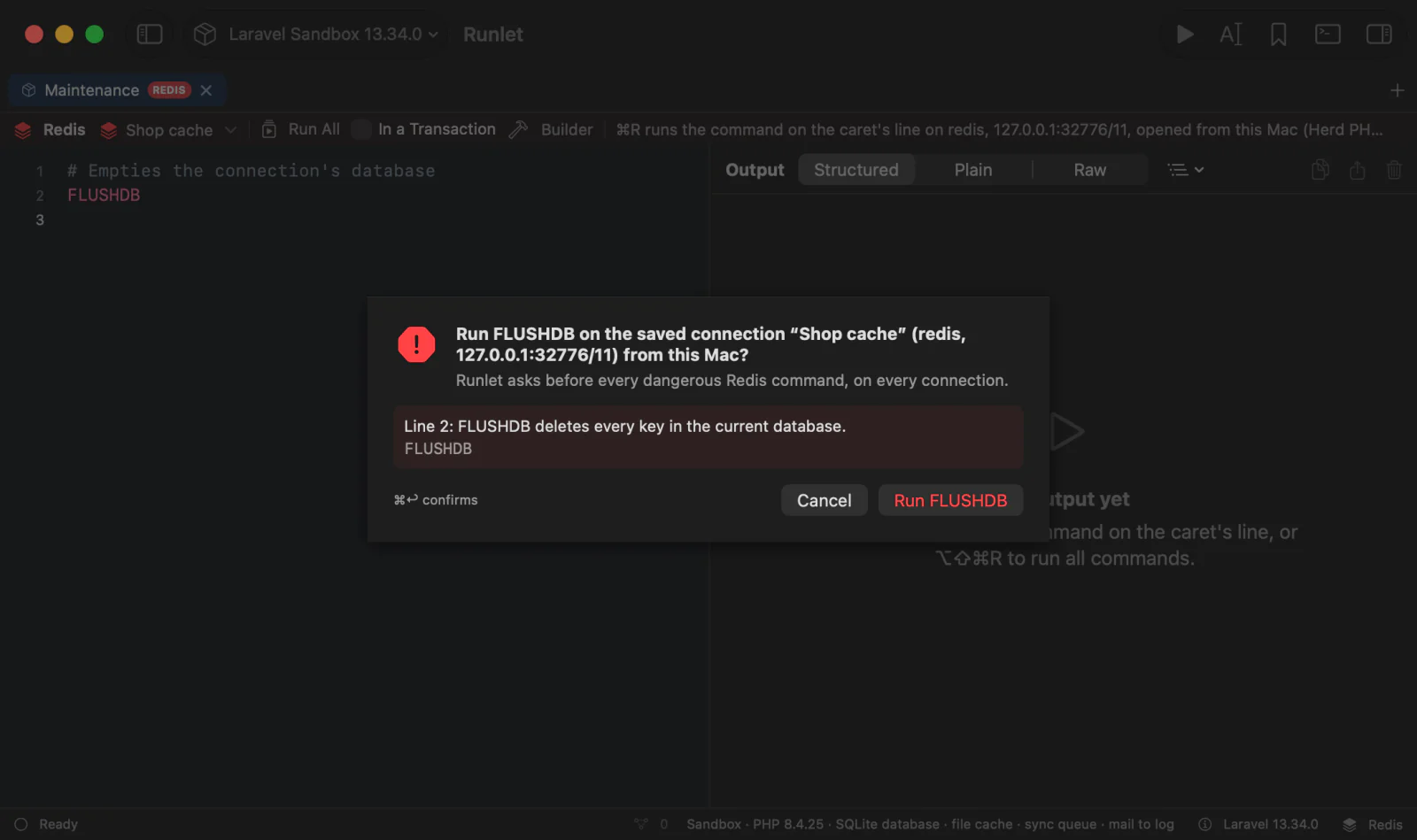
A plain Return cancels, and so does Esc: press ⌘Return, or click the red button, to run the command.
Read-Only Connections
Redis has no read-only session. So on a read-only connection, Runlet refuses, before anything is sent, every command that isn't a read, a supported live stream, connection state (AUTH, SELECT, PING, …), or transaction control, and every command it doesn't know. It checks in the app, and again in the runner, which also asks the server's COMMAND INFO and refuses what the server marks as a write. One refused command refuses the whole Run All.
TIP
For a guarantee, connect as an ACL user that can only read (+@read). Pub/Sub also needs the appropriate subscribe commands and channel permissions; +@read alone doesn’t grant them.
Live Streams
Put the caret on one of these lines and press ⌘R:
SUBSCRIBE orders notifications
PSUBSCRIBE orders.*
SSUBSCRIBE shard-events
MONITOR
The run stays open, with one live card showing message times, channels, patterns, and payloads. Click a row to expand its payload with the string viewers, including JSON. MONITOR rows show the database, client, and command instead.
The tab is busy while it streams. Publish from another Redis tab:
PUBLISH orders '{"event":"order.created","id":42}'Pause holds the list while messages continue arriving and the count rises. Resume shows the buffered messages, even if the stream ended while paused. Clear empties the list while keeping the total. Clear Output (⌘K) does the same while a stream is running, keeping its card and controls visible. After the stream ends, Clear Output removes the card and its state. Stop, ⌘., or Close in the Connection Manager ends the run and closes its socket. A paused list still loses old rows when the buffer reaches its limits.
The card keeps the newest 5,000 messages, within 8 MiB of payload and metadata. It reports how many older rows were dropped. Each payload keeps at most 64 KiB; binary bytes are preserved within that limit. The runner forwards at most 1,000 messages per second and counts the rest as skipped by rate limit. Oversized replies are counted separately as omitted. Below the rate cap, malformed or unexpected replies also count as omitted; above it, replies are skipped before parsing or encoding. The paused “new” count includes only messages forwarded to the card. A stream ends after 10 minutes without a message or 30 minutes overall, with a note. Pausing doesn’t stop either timer.
WARNING
MONITOR shows commands other clients send, including their values, and can slow a busy server. It always asks first. Runlet hides the passwords it recognises in AUTH, HELLO … AUTH, MIGRATE … AUTH or AUTH2, ACL SETUSER, and CONFIG SET password options, and preserves Redis’s own (redacted) markers. It can’t hide other values. Return cancels; ⌘Return confirms. Production also asks with this warning.
Read-only connections allow all three subscription commands and MONITOR after its confirmation. PUBLISH remains a write. Run All can start a single streaming line, but refuses a stream mixed with other commands or In a Transaction. Run the stream alone with ⌘R.
A MONITOR line larger than 8 MiB is discarded through its end without retaining the rest of the line. The stream continues with the next command. General payload, channel, and argument scrubbing follows the existing rule for saved passwords: only passwords of four or more characters are scrubbed from results. Recognized password arguments and error messages are always redacted.
Streams use saved connections from the target, from this Mac, or through an SSH tunnel. Application connections through phpredis, Predis, and Laravel open a dedicated socket with that connection’s parameters. A driver’s callable and Cluster connections can’t provide a dedicated stream; use a saved connection instead. Stream channel names are literal: include the application’s channel prefix when its publisher adds one. Laravel’s phpredis publisher uses its configured prefix, so subscribe to the prefixed channel name.
Messages stay in memory. They aren’t saved to session state, Run History, the Run Log, snippets, or output exports, and aren’t included in AI chat or Explain or Fix context. History records one summary when the run ends: its command, connection, duration, counts, and reason. Restoring a tab or opening history never restarts a stream, and MCP run tools can’t start one.
TIP
To watch key changes, try PSUBSCRIBE __keyspace@0__:*. The server must have the appropriate notify-keyspace-events configuration enabled first.
Stopping a Command
Stop ends the run, which closes its connection. Redis drops a client blocked in BLPOP, BRPOP, XREAD BLOCK, WAIT, … at once. Runlet doesn't also send CLIENT KILL: a closed connection is enough for a blocked client, and CLIENT KILL can't interrupt a long-running command, such as a Lua script or KEYS on a large database, either.
Limitations
UNSUBSCRIBE,PUNSUBSCRIBE, andSUNSUBSCRIBEtyped alone, replication commands (SYNC,PSYNC,REPLCONF), andCLIENT REPLYare refused. Use Stop to end a live stream.- Redis Cluster and Sentinel connections aren't supported.
- Completion knows only the commands in Runlet's table, not commands and modules the connected server adds.